Simplifying how maps and layers are managed in ArcGIS Online through architectural and process improvements
Simplifying how maps and layers are managed in ArcGIS Online through architectural and process improvements
Simplifying how maps and layers are managed in ArcGIS Online through architectural and process improvements
CASE-STUDY
CASE-STUDY
CASE-STUDY

My Role
My Role
My Role
Product
Designer
Product
Designer
Product
Designer
Duration
Duration
Duration
1 month
1 month
1 month
Platform
Platform
Platform
Web app
Web app
Web app
Industry
Industry
Industry
Geospatial
Technology
Geospatial
Technology
Geospatial
Technology

Overview
Overview
Overview
Nexus is an internal tool that helps teams manage and reuse digital maps and their data without repetitive work. It works alongside ArcGIS Online to make map updates and reuse faster, safer, and more consistent.
This case study focuses on how the system was structured and how key workflows were designed for BETA version.
Nexus is an internal tool that helps teams manage and reuse digital maps and their data without repetitive work. It works alongside ArcGIS Online to make map updates and reuse faster, safer, and more consistent.
This case study focuses on how the system was structured and how key workflows were designed for BETA version.
Nexus is an internal tool that helps teams manage and reuse digital maps and their data without repetitive work. It works alongside ArcGIS Online to make map updates and reuse faster, safer, and more consistent.
This case study focuses on how the system was structured and how key workflows were designed for BETA version.
Context
Context
Context
Teams often manage dozens of web-based maps built from shared data layers. Reusing these layers and keeping maps consistent usually requires manual, repetitive work. Over time, this leads to inconsistencies, slow updates, and a high risk of mistakes. Nexus was designed to remove this friction and make map management easier as systems grow.
Teams often manage dozens of web-based maps built from shared data layers. Reusing these layers and keeping maps consistent usually requires manual, repetitive work. Over time, this leads to inconsistencies, slow updates, and a high risk of mistakes. Nexus was designed to remove this friction and make map management easier as systems grow.
Teams often manage dozens of web-based maps built from shared data layers. Reusing these layers and keeping maps consistent usually requires manual, repetitive work. Over time, this leads to inconsistencies, slow updates, and a high risk of mistakes. Nexus was designed to remove this friction and make map management easier as systems grow.
Identifying the Problem
Identifying the Problem
Identifying the Problem
Reusing maps and layers sounds simple until you’re dealing with live data.
Reusing maps and layers sounds simple until you’re dealing with live data.
Reusing maps and layers sounds simple until you’re dealing with live data.
Teams needed a way to:
Teams needed a way to:
Teams needed a way to:
Reuse map and layer configuration without recreating it manually
Reuse map and layer configuration without recreating it manually
Reuse map and layer configuration without recreating it manually
Control exactly what changes and where
Control exactly what changes and where
Control exactly what changes and where
Reduce the risk of unintended edits to live maps
Reduce the risk of unintended edits to live maps
Reduce the risk of unintended edits to live maps
The problem was not discovering new workflows, but making existing ones safer and less repetitive.
The problem was not discovering new workflows, but making existing ones safer and less repetitive.
The problem was not discovering new workflows, but making existing ones safer and less repetitive.
Key constraint
Key constraint
Key constraint
ArcGIS already defines terminology, hierarchy, and ownership models that users rely on daily.
ArcGIS already defines terminology, hierarchy, and ownership models that users rely on daily.
ArcGIS already defines terminology, hierarchy, and ownership models that users rely on daily.
Introducing new abstractions or renaming familiar concepts would increase cognitive load and slow adoption. Nexus needed to operate within these conventions and behave as an extension of the existing system rather than a replacement.
Introducing new abstractions or renaming familiar concepts would increase cognitive load and slow adoption. Nexus needed to operate within these conventions and behave as an extension of the existing system rather than a replacement.
Introducing new abstractions or renaming familiar concepts would increase cognitive load and slow adoption. Nexus needed to operate within these conventions and behave as an extension of the existing system rather than a replacement.
Login through arcgis
Login through arcgis
Login through arcgis
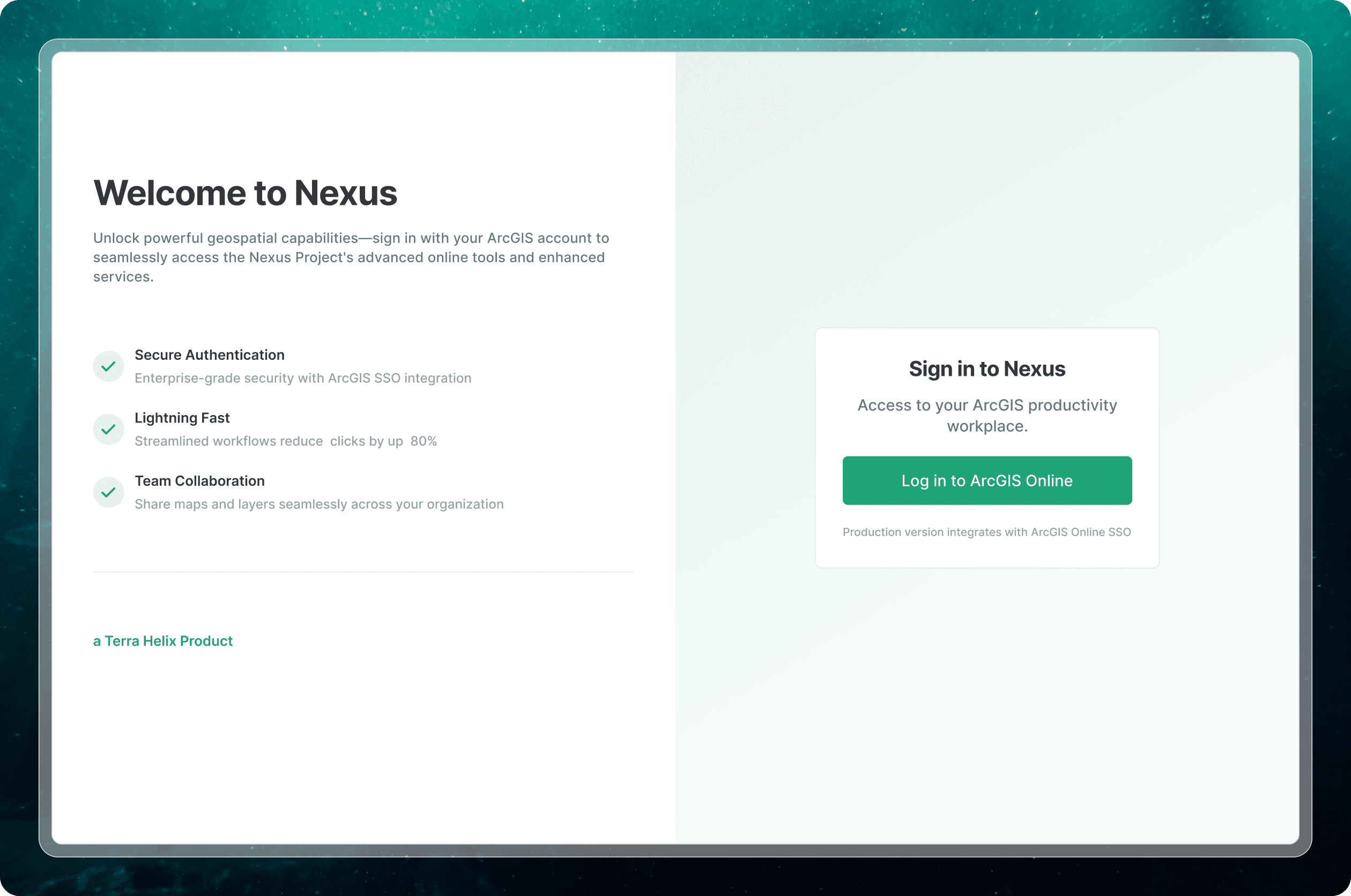
Users authenticate using existing ArcGIS credentials rather than creating a new account. The login screen is deliberately minimal, explaining what Nexus enables at a high level and offering a single action to proceed.
This avoids introducing friction or uncertainty at the entry point.
Users authenticate using existing ArcGIS credentials rather than creating a new account. The login screen is deliberately minimal, explaining what Nexus enables at a high level and offering a single action to proceed.
This avoids introducing friction or uncertainty at the entry point.
Users authenticate using existing ArcGIS credentials rather than creating a new account. The login screen is deliberately minimal, explaining what Nexus enables at a high level and offering a single action to proceed.
This avoids introducing friction or uncertainty at the entry point.
Home as orientation
Home as orientation
Home as orientation
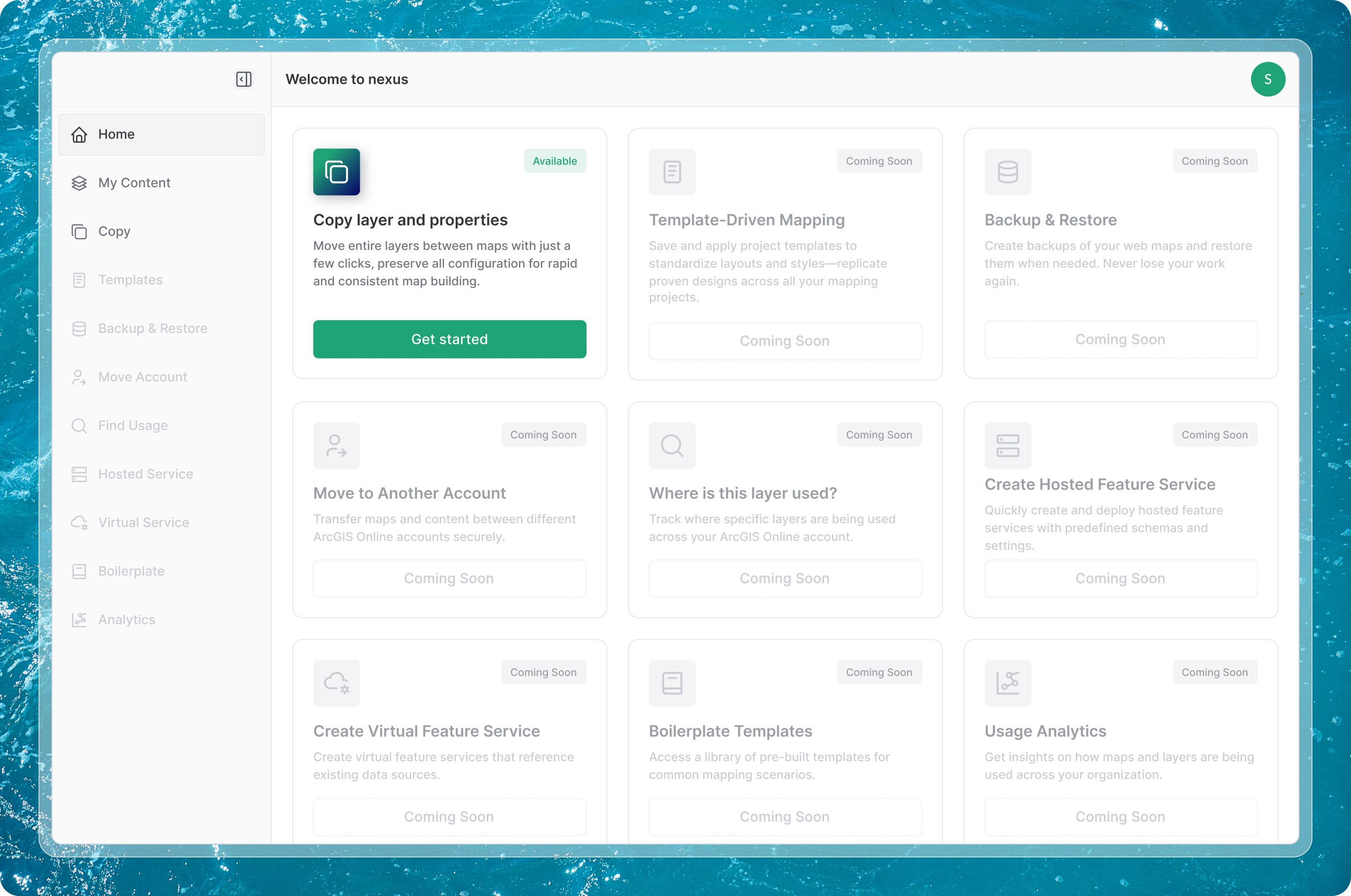
The Home screen is intentionally simple.
It surfaces available capabilities, highlights upcoming ones, and helps users decide where to start. It does not attempt to summarize usage or performance.
The Home screen is intentionally simple.
It surfaces available capabilities, highlights upcoming ones, and helps users decide where to start. It does not attempt to summarize usage or performance.
The Home screen is intentionally simple.
It surfaces available capabilities, highlights upcoming ones, and helps users decide where to start. It does not attempt to summarize usage or performance.
Content Discovery
Content Discovery
Content Discovery
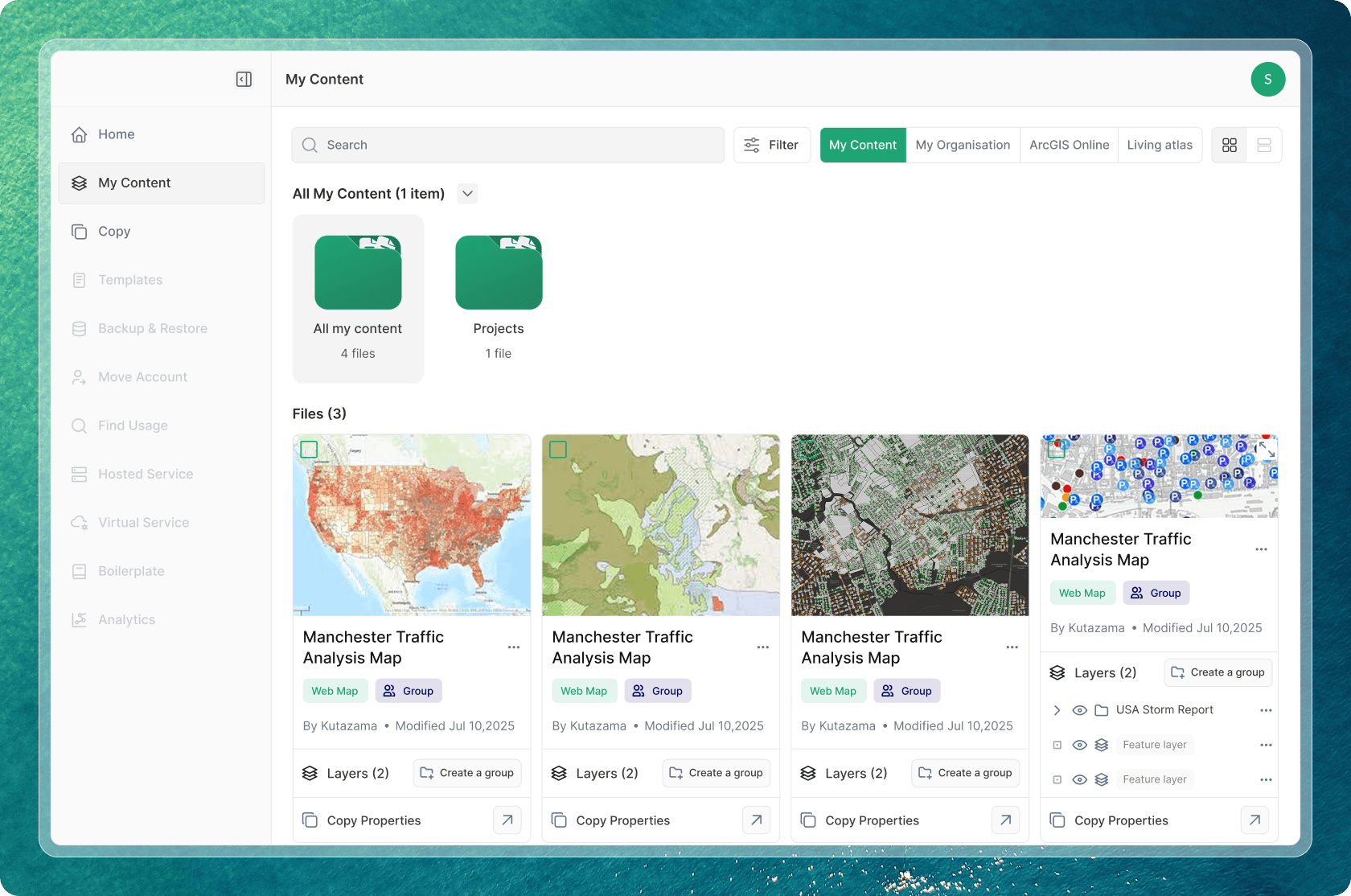
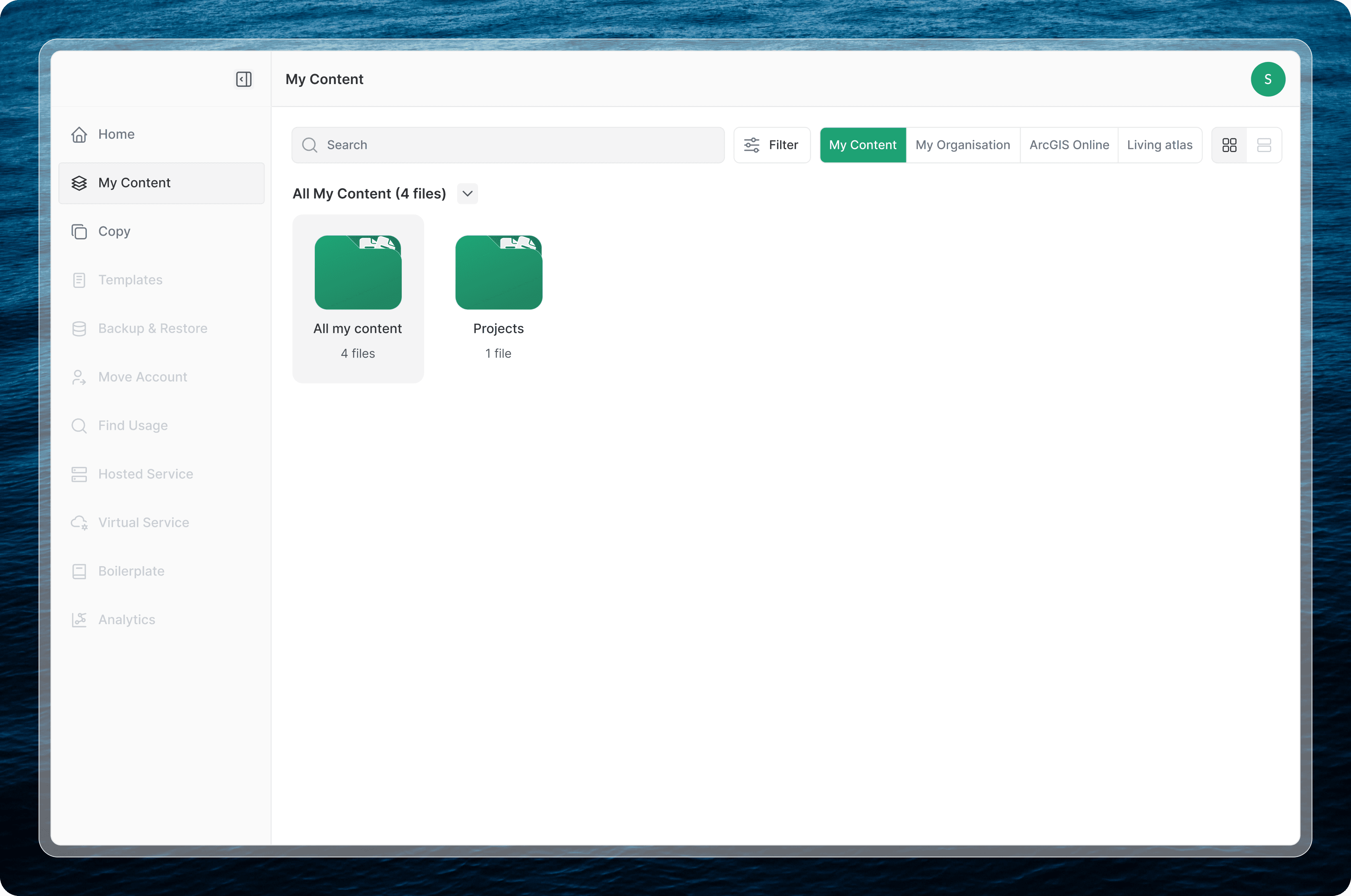
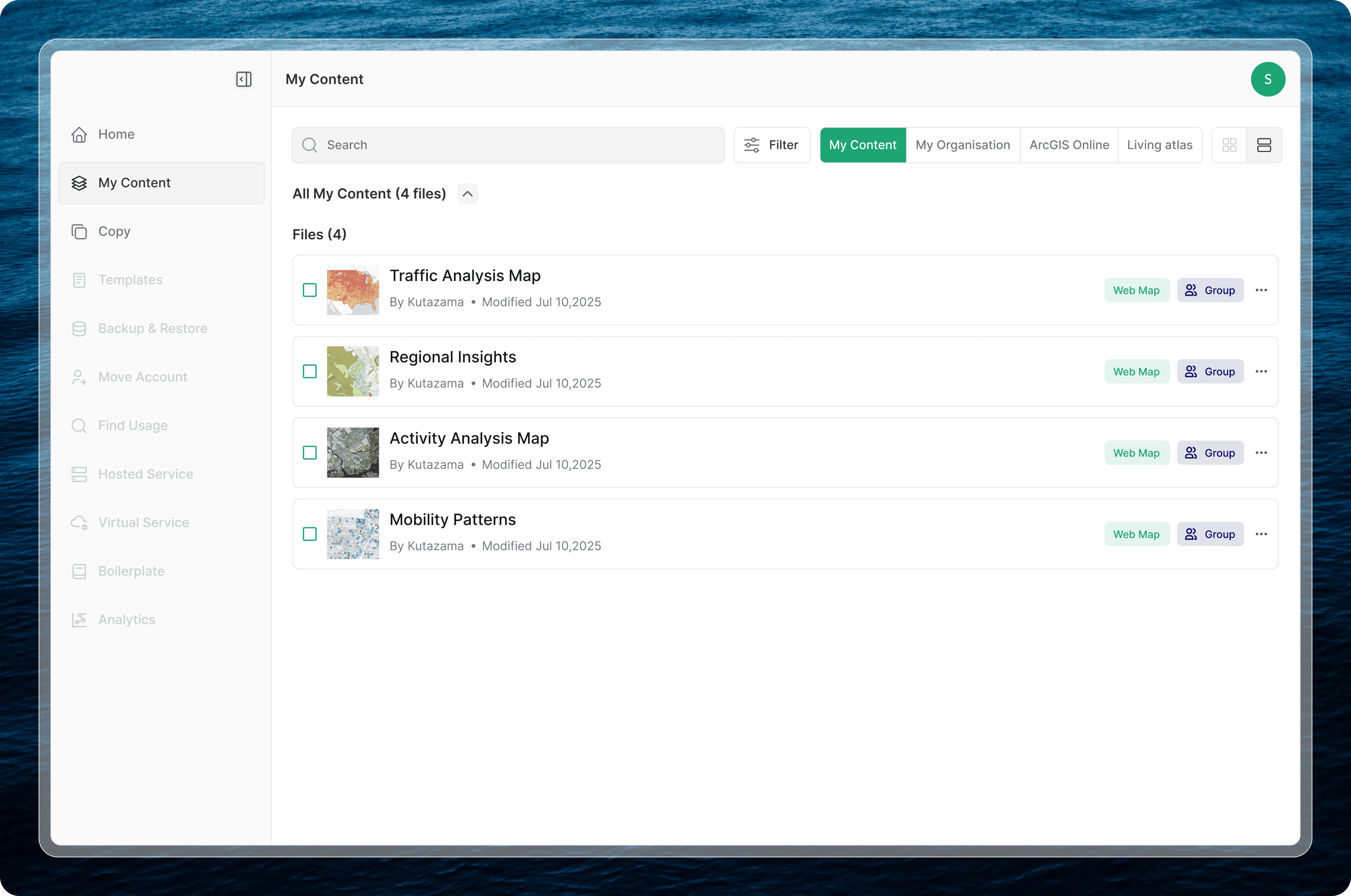
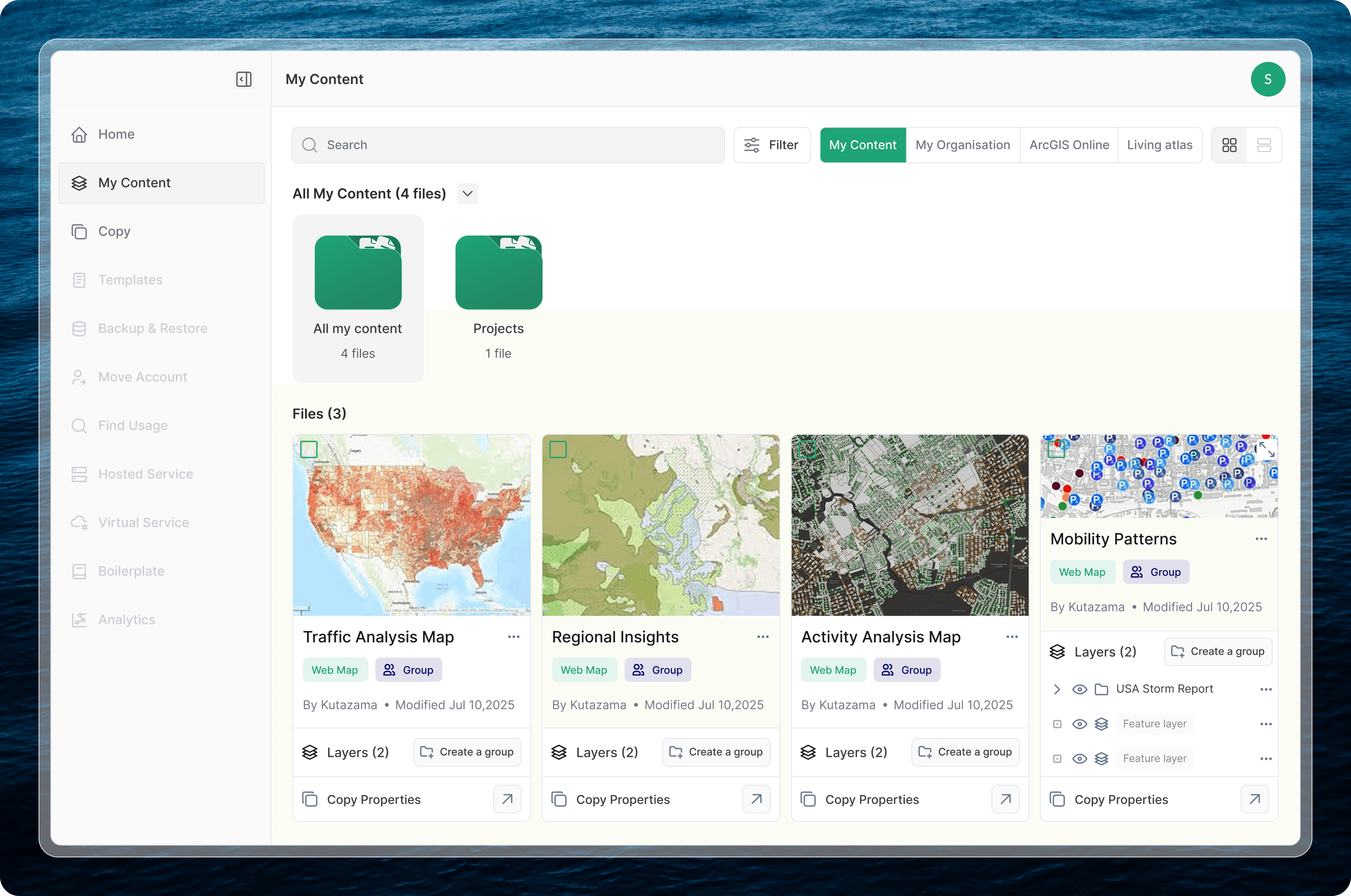
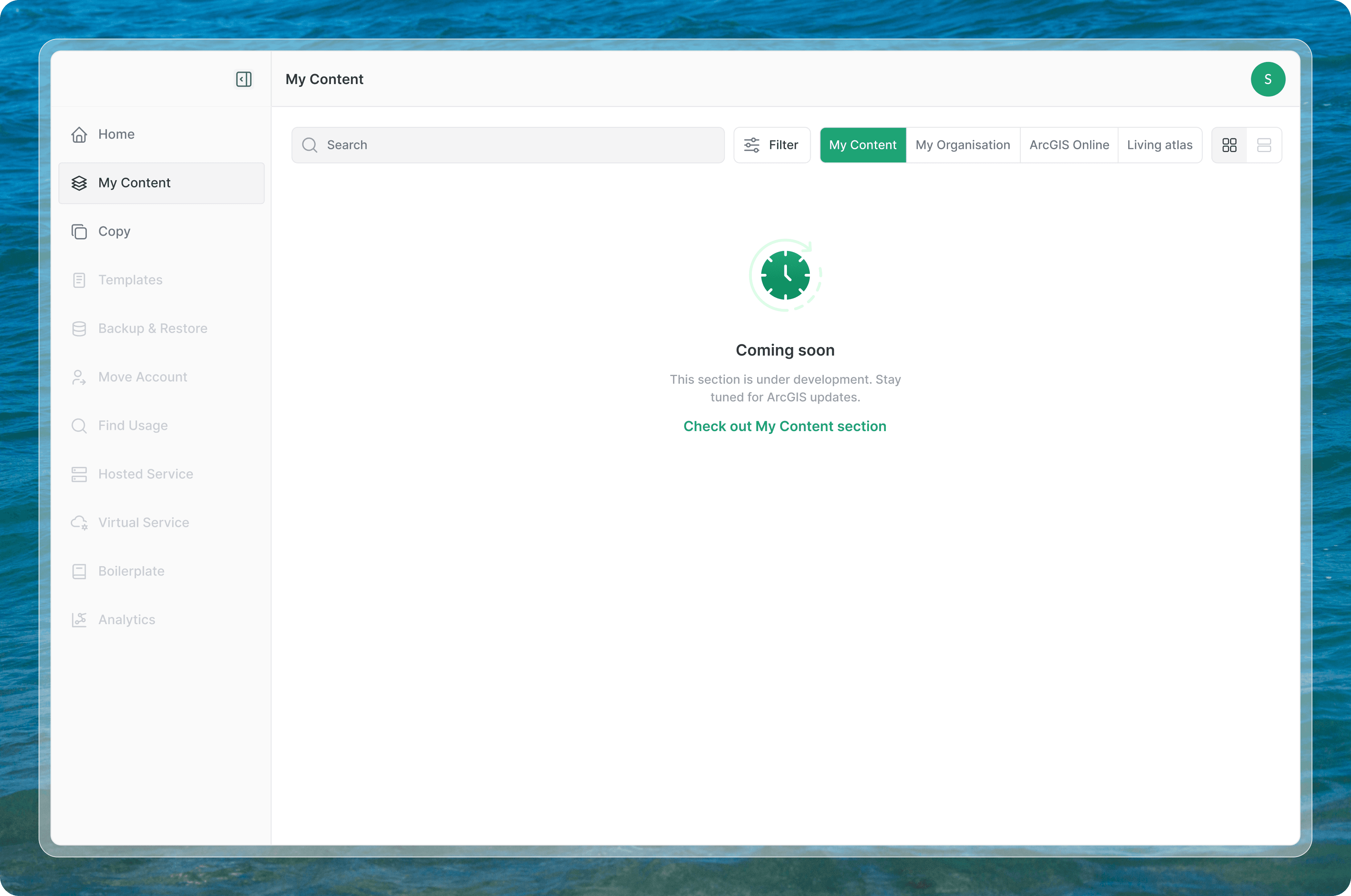
“My Content” acts as a unified browser for maps and data layers. Content grouping and terminology mirror ArcGIS conventions to avoid relearning. Filtering is progressive and optional, allowing users to narrow results when needed without overwhelming the interface by default.
This approach keeps the experience lightweight even for large content libraries.
“My Content” acts as a unified browser for maps and data layers. Content grouping and terminology mirror ArcGIS conventions to avoid relearning. Filtering is progressive and optional, allowing users to narrow results when needed without overwhelming the interface by default.
This approach keeps the experience lightweight even for large content libraries.
“My Content” acts as a unified browser for maps and data layers. Content grouping and terminology mirror ArcGIS conventions to avoid relearning. Filtering is progressive and optional, allowing users to narrow results when needed without overwhelming the interface by default.
This approach keeps the experience lightweight even for large content libraries.
Filter
Filter
Filter
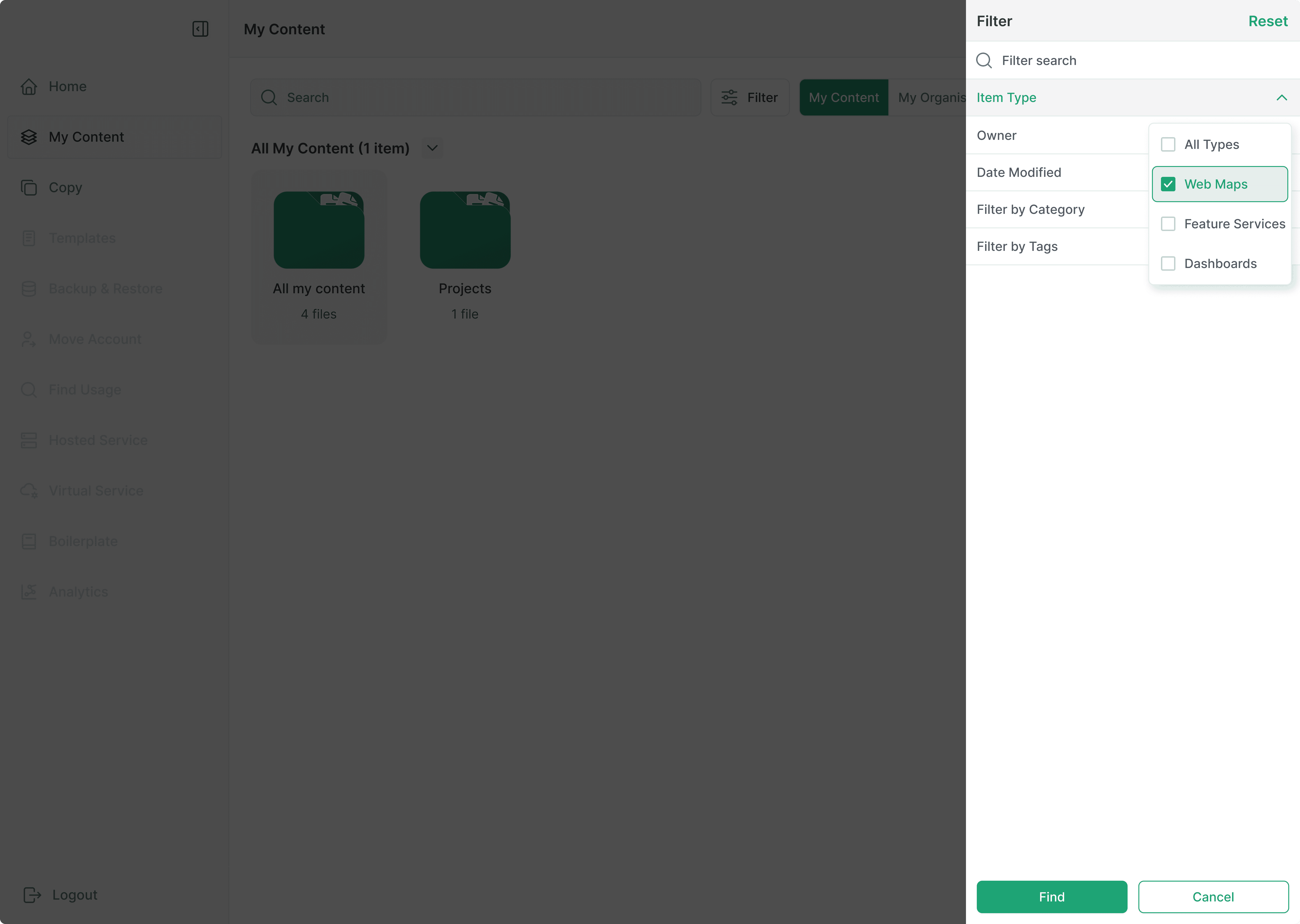
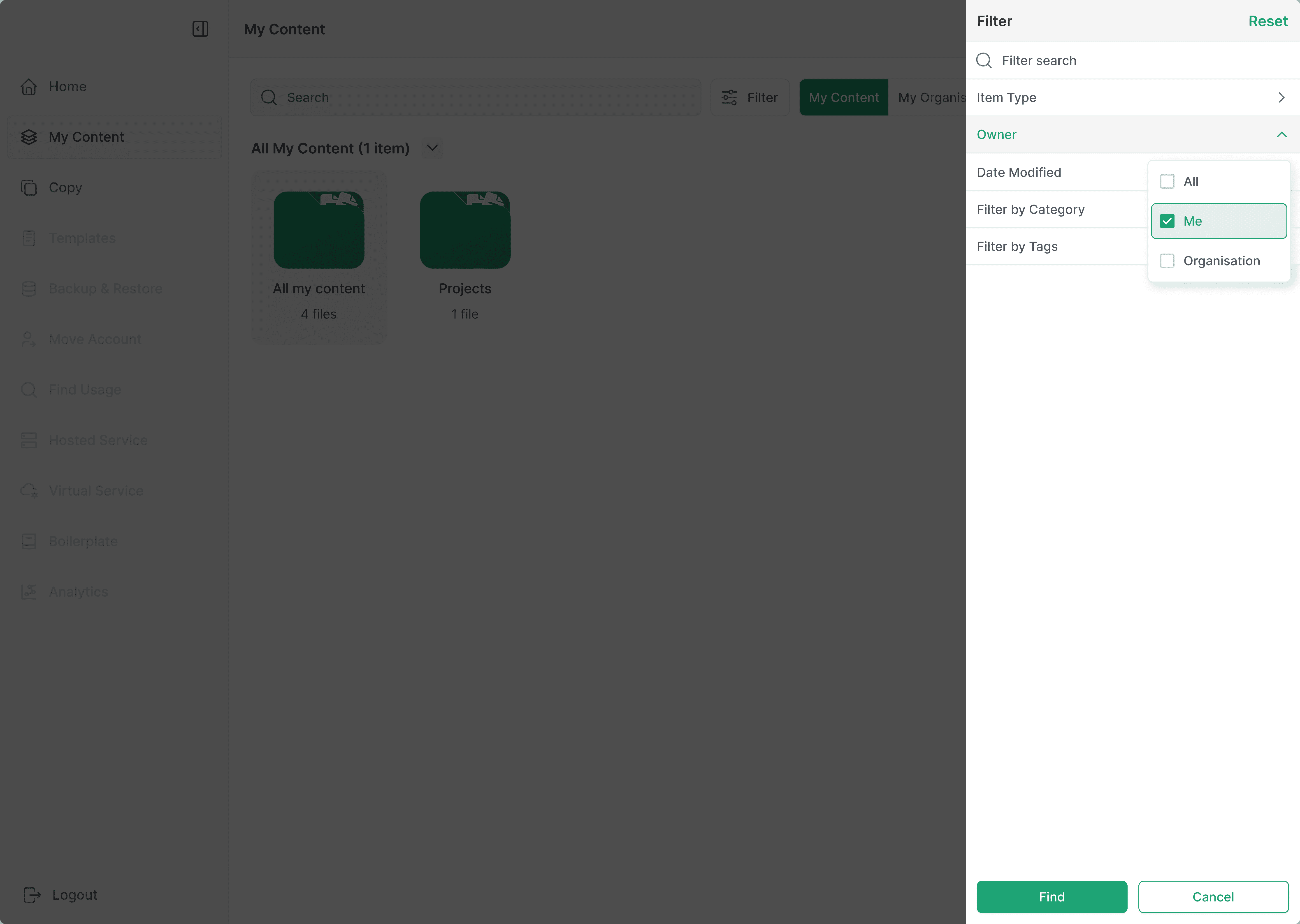
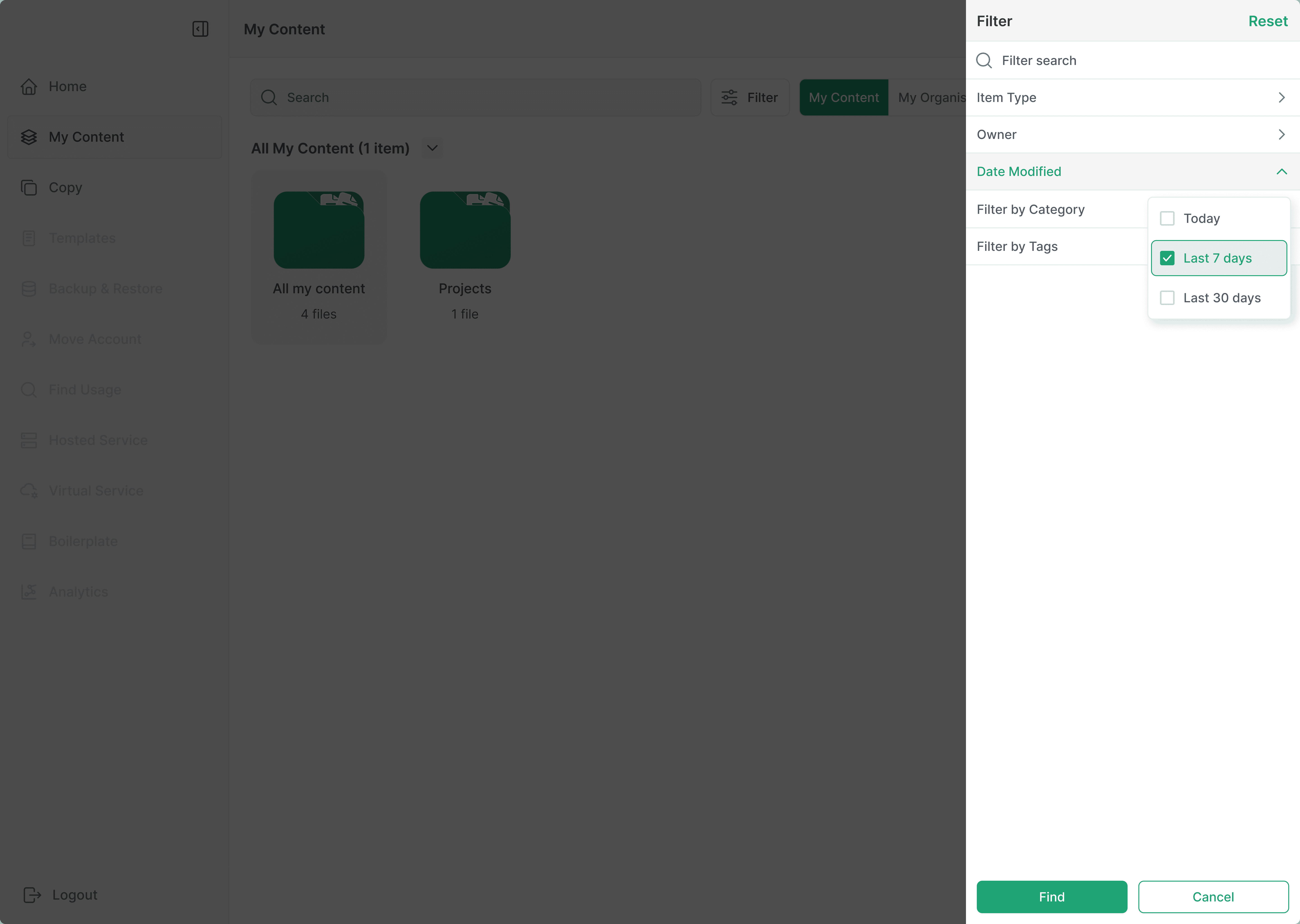
The filter panel is scoped to the current context and can be reset at any point. This avoids locking users into filtered states or forcing them to “manage” filters as a task.
The filter panel is scoped to the current context and can be reset at any point. This avoids locking users into filtered states or forcing them to “manage” filters as a task.
The filter panel is scoped to the current context and can be reset at any point. This avoids locking users into filtered states or forcing them to “manage” filters as a task.
Filters are progressive and optional. By default, users see a clean content list. When needed, they can narrow results by:
Filters are progressive and optional. By default, users see a clean content list. When needed, they can narrow results by:
Filters are progressive and optional. By default, users see a clean content list. When needed, they can narrow results by:

The Copy Workflow
The Copy Workflow
The Copy Workflow
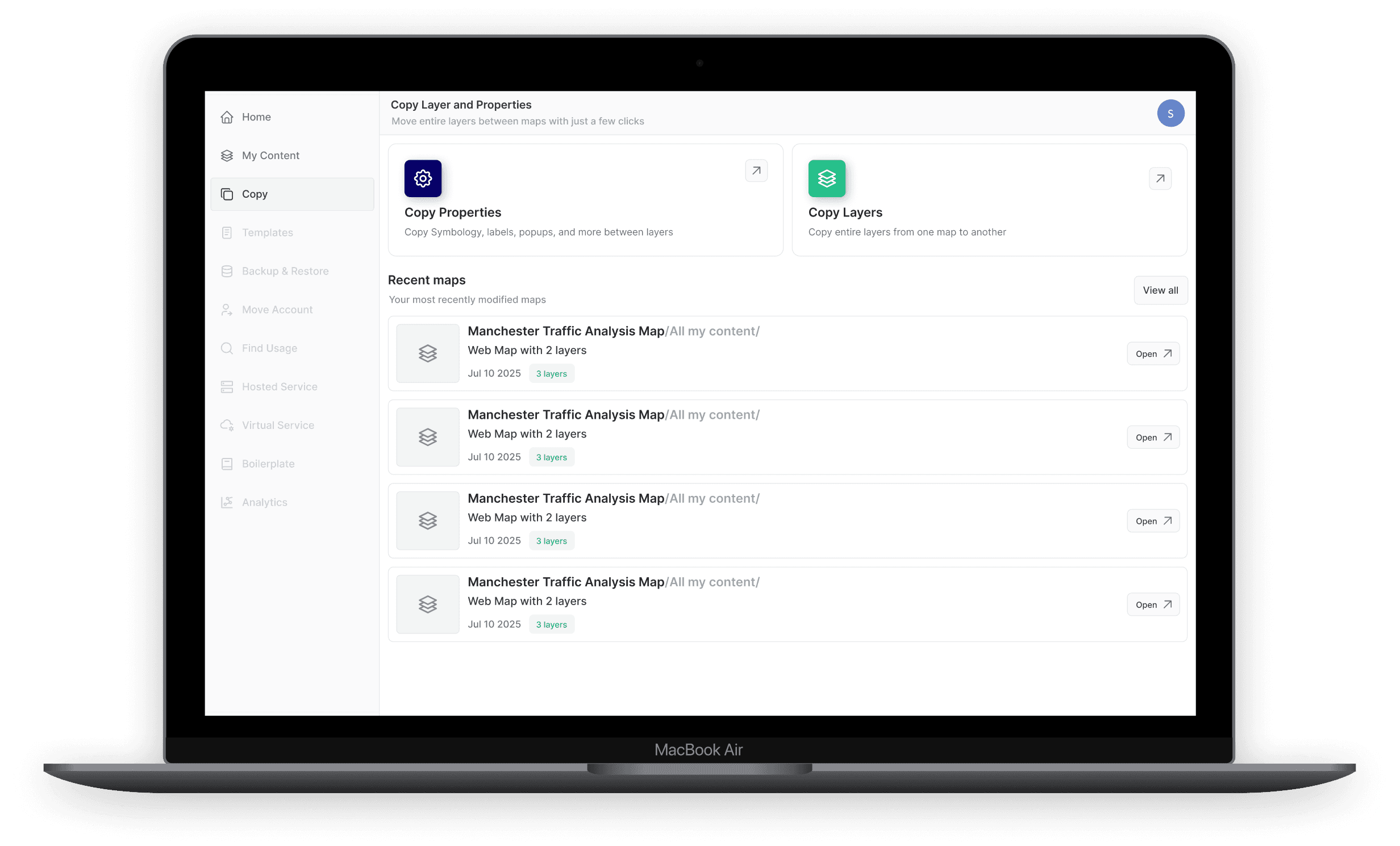
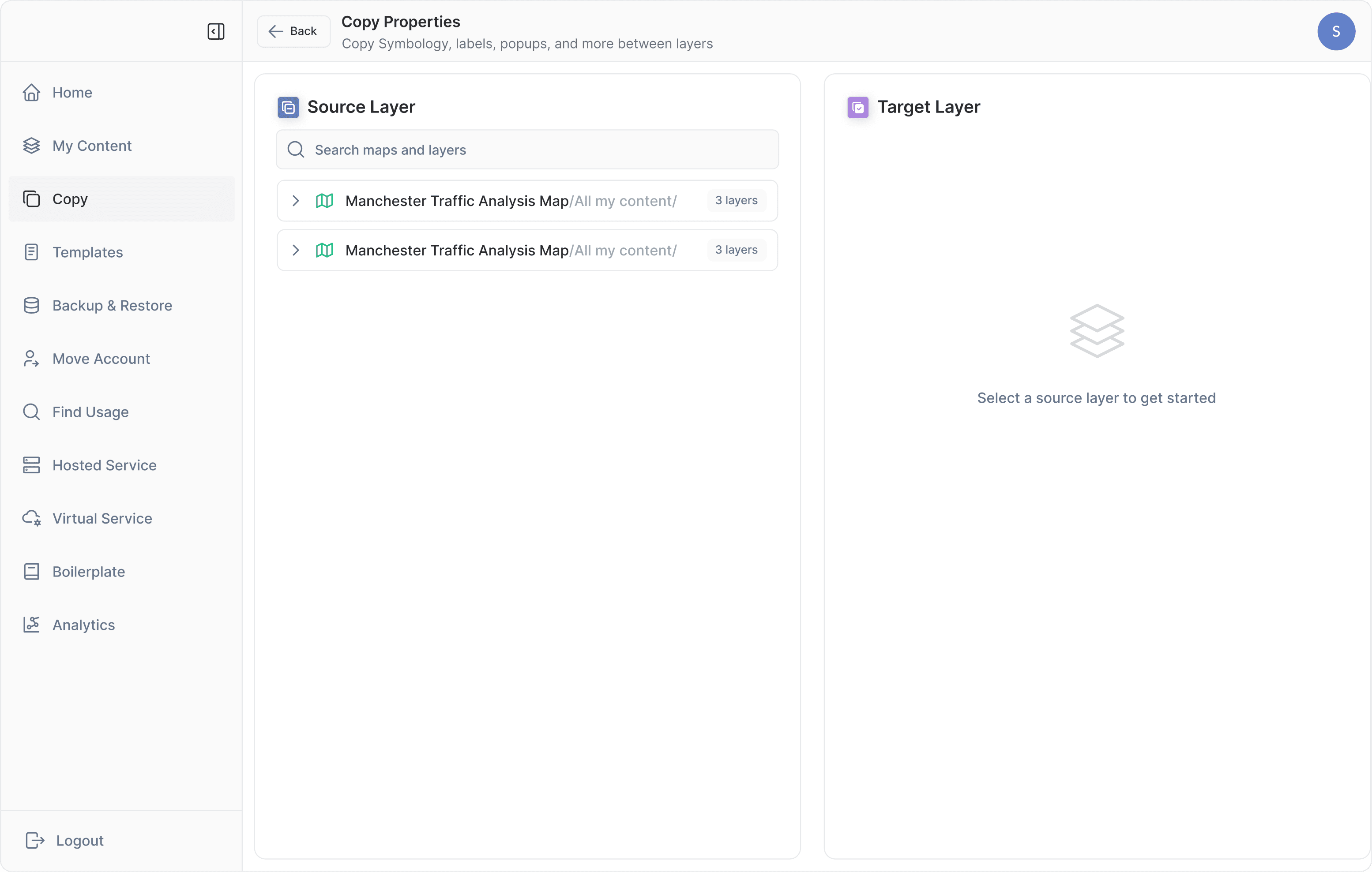
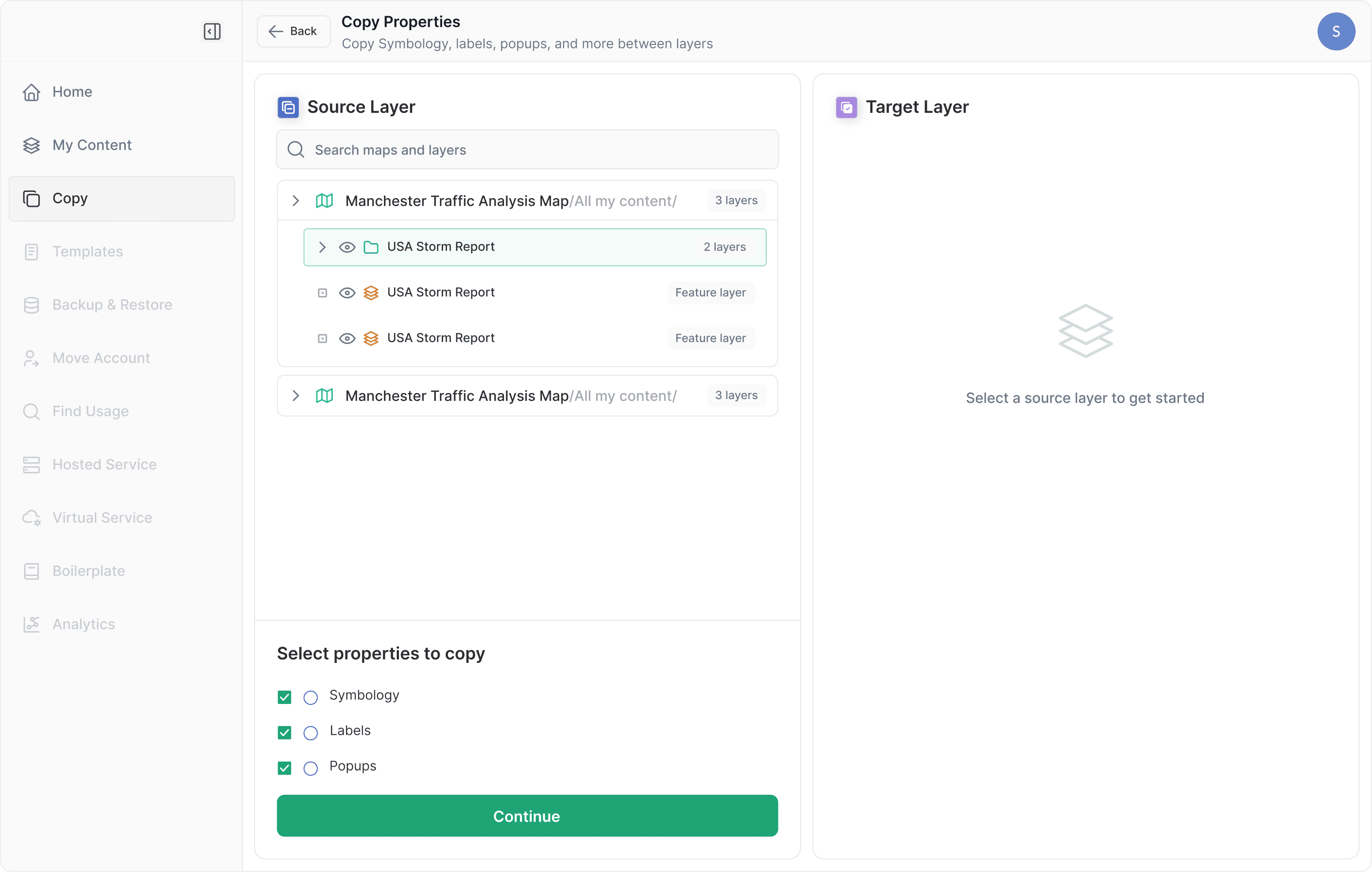
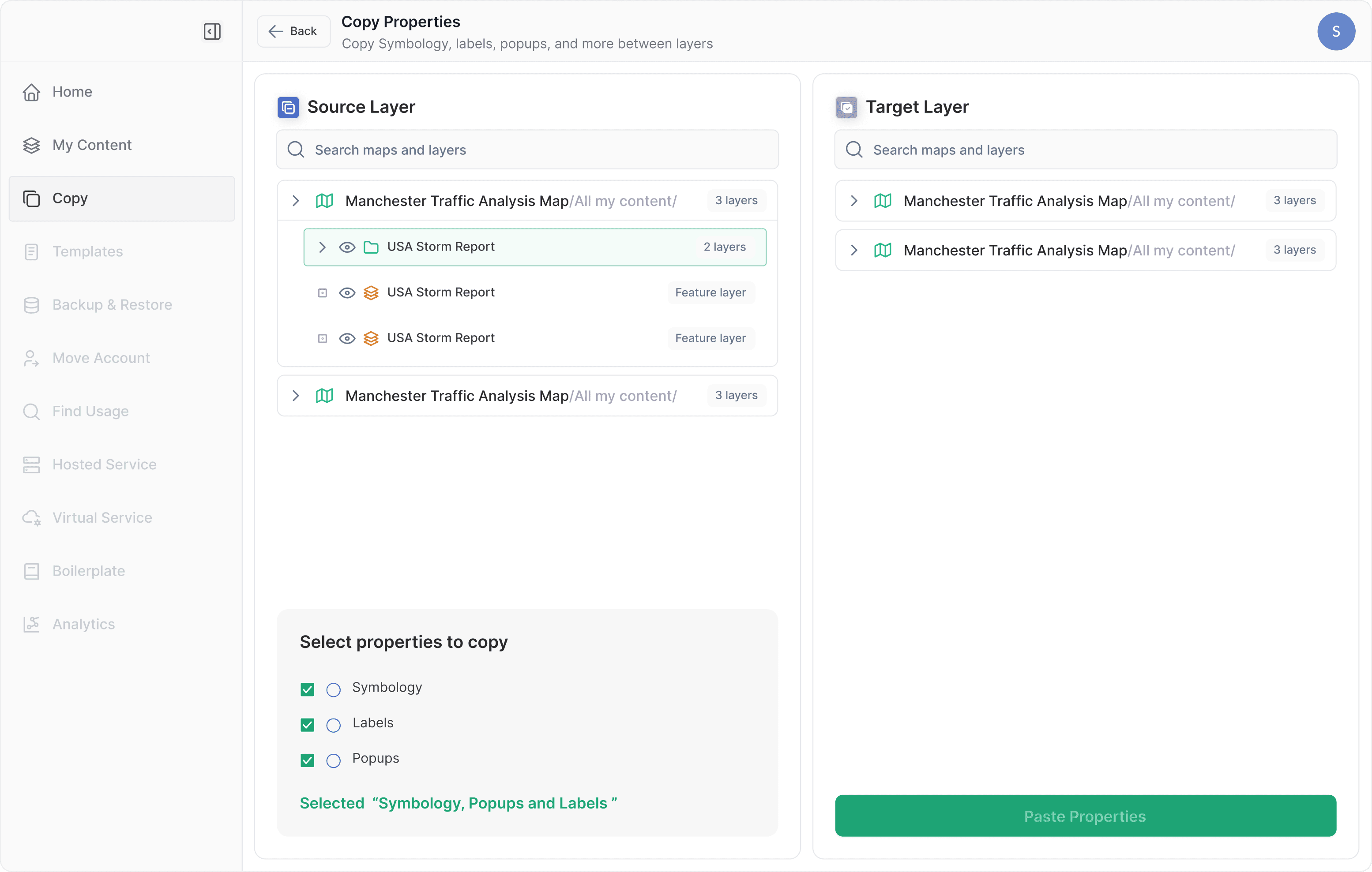
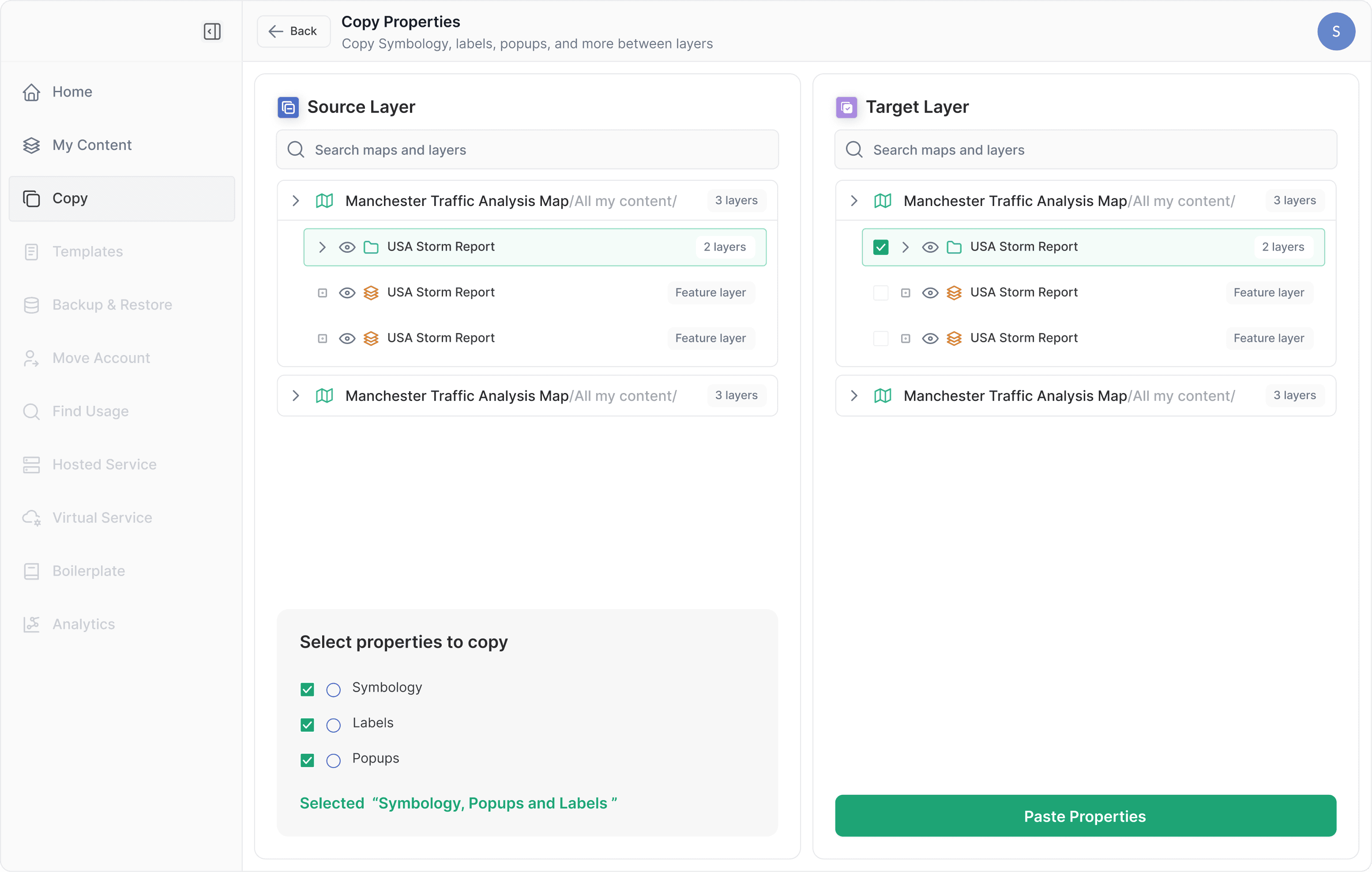
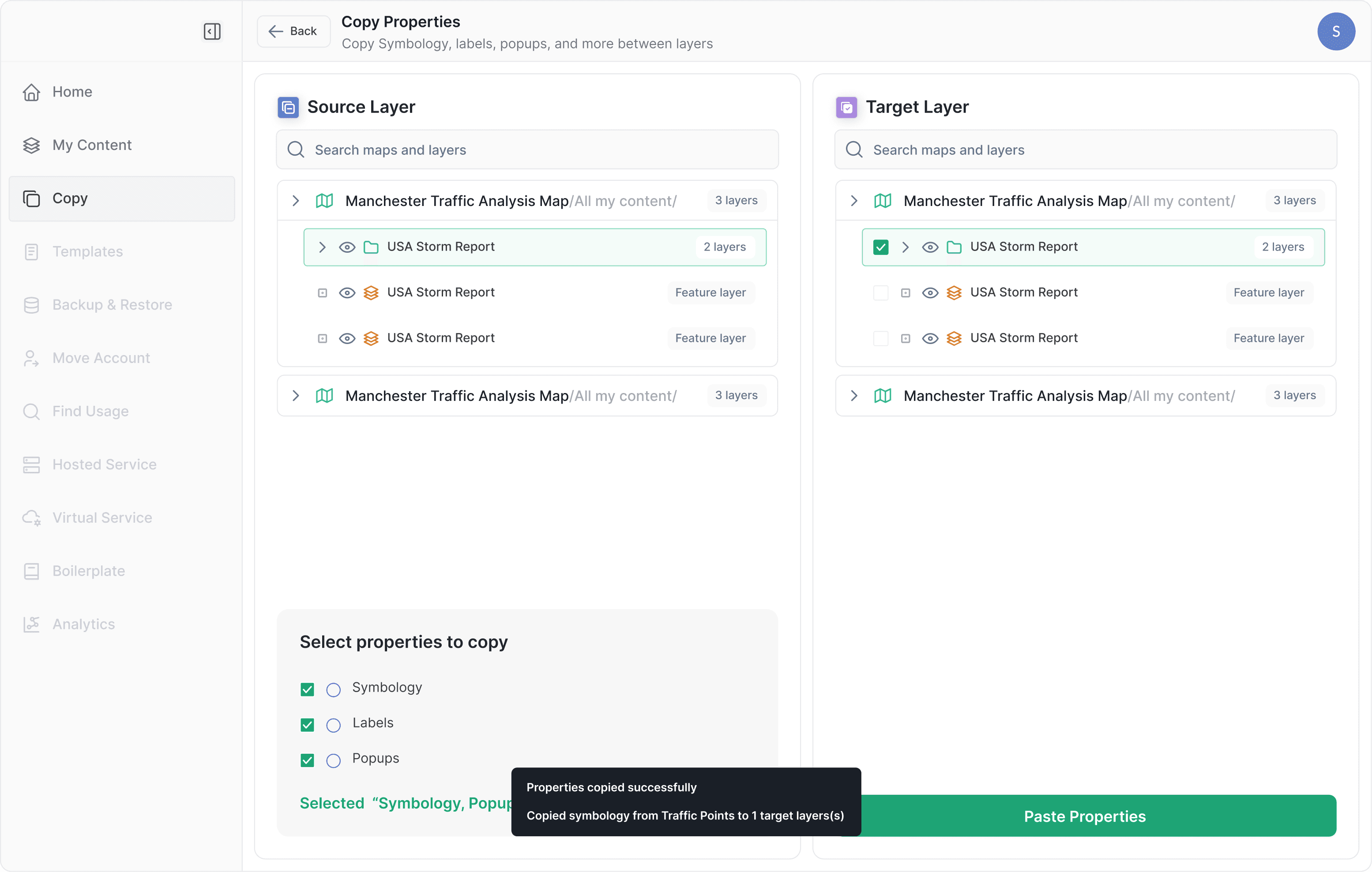
Copying layers and properties is the core interaction in Nexus.
This workflow allows users to reuse visual and behavioral configuration—such as symbology, labels, and popups—without manually recreating them across maps.
Because these actions affect live maps, the workflow is intentionally step-based:
Copying layers and properties is the core interaction in Nexus.
This workflow allows users to reuse visual and behavioral configuration—such as symbology, labels, and popups—without manually recreating them across maps.
Because these actions affect live maps, the workflow is intentionally step-based:
Copying layers and properties is the core interaction in Nexus.
This workflow allows users to reuse visual and behavioral configuration—such as symbology, labels, and popups—without manually recreating them across maps.
Because these actions affect live maps, the workflow is intentionally step-based:
Select a source
Select a source
Select a source
Choose what to copy
Choose what to copy
Choose what to copy
Select a target
Select a target
Select a target
Confirm the action
Confirm the action
Confirm the action
Each step maintains context and reduces the likelihood of accidental changes.
Each step maintains context and reduces the likelihood of accidental changes.
Each step maintains context and reduces the likelihood of accidental changes.
Why Step-Based Flows
Why Step-Based Flows
Why Step-Based Flows
A single-screen approach was explored early on.
While it reduced clicks, it made the impact of actions harder to reason about. In environments where changes are difficult to reverse, clarity was prioritized over speed.
A single-screen approach was explored early on.
While it reduced clicks, it made the impact of actions harder to reason about. In environments where changes are difficult to reverse, clarity was prioritized over speed.
A single-screen approach was explored early on.
While it reduced clicks, it made the impact of actions harder to reason about. In environments where changes are difficult to reverse, clarity was prioritized over speed.
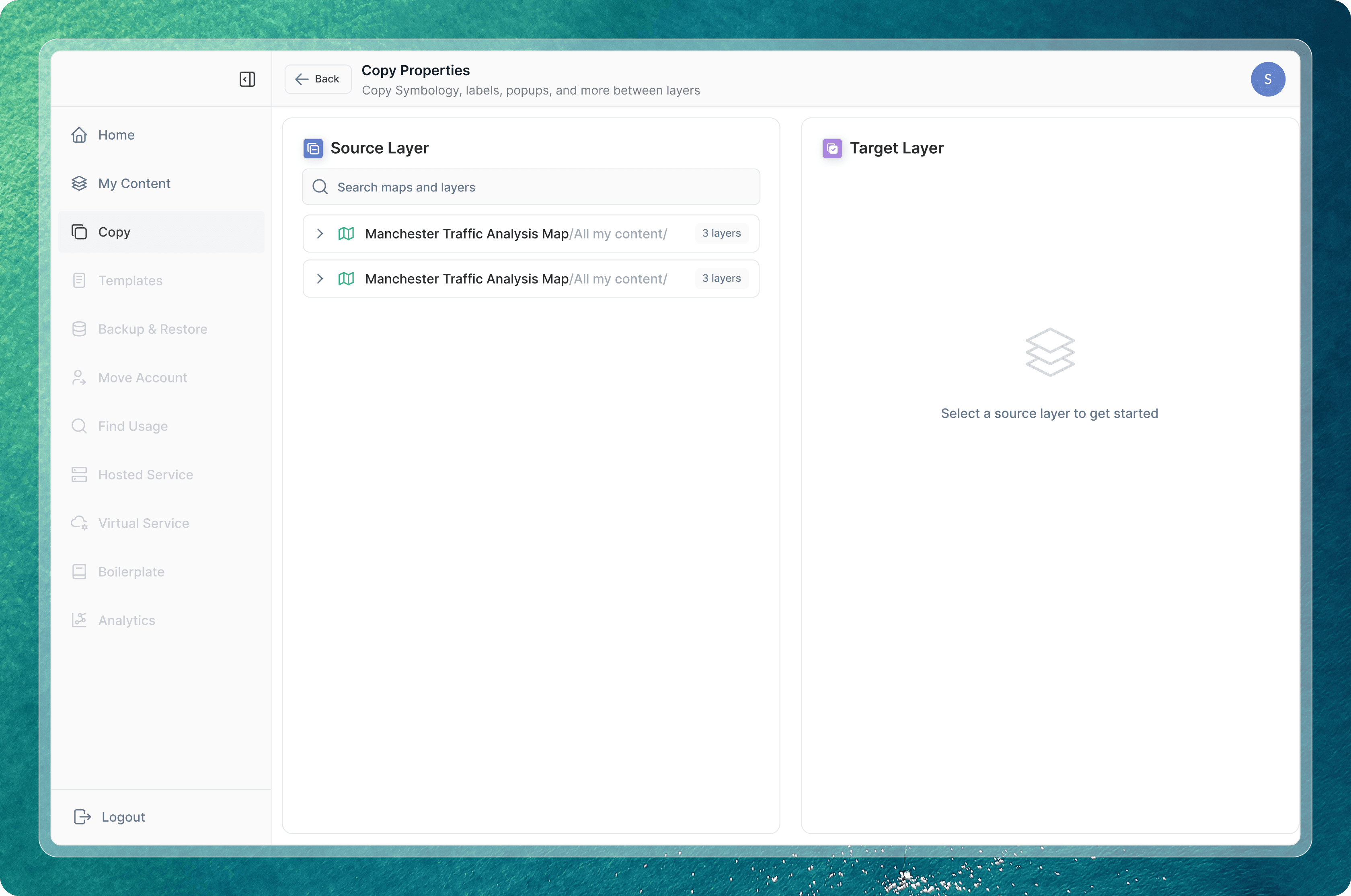
Breaking the workflow into steps increased confidence and made the process safer to repeat.
Breaking the workflow into steps increased confidence and made the process safer to repeat.
Breaking the workflow into steps increased confidence and made the process safer to repeat.
Templates
Templates
Templates
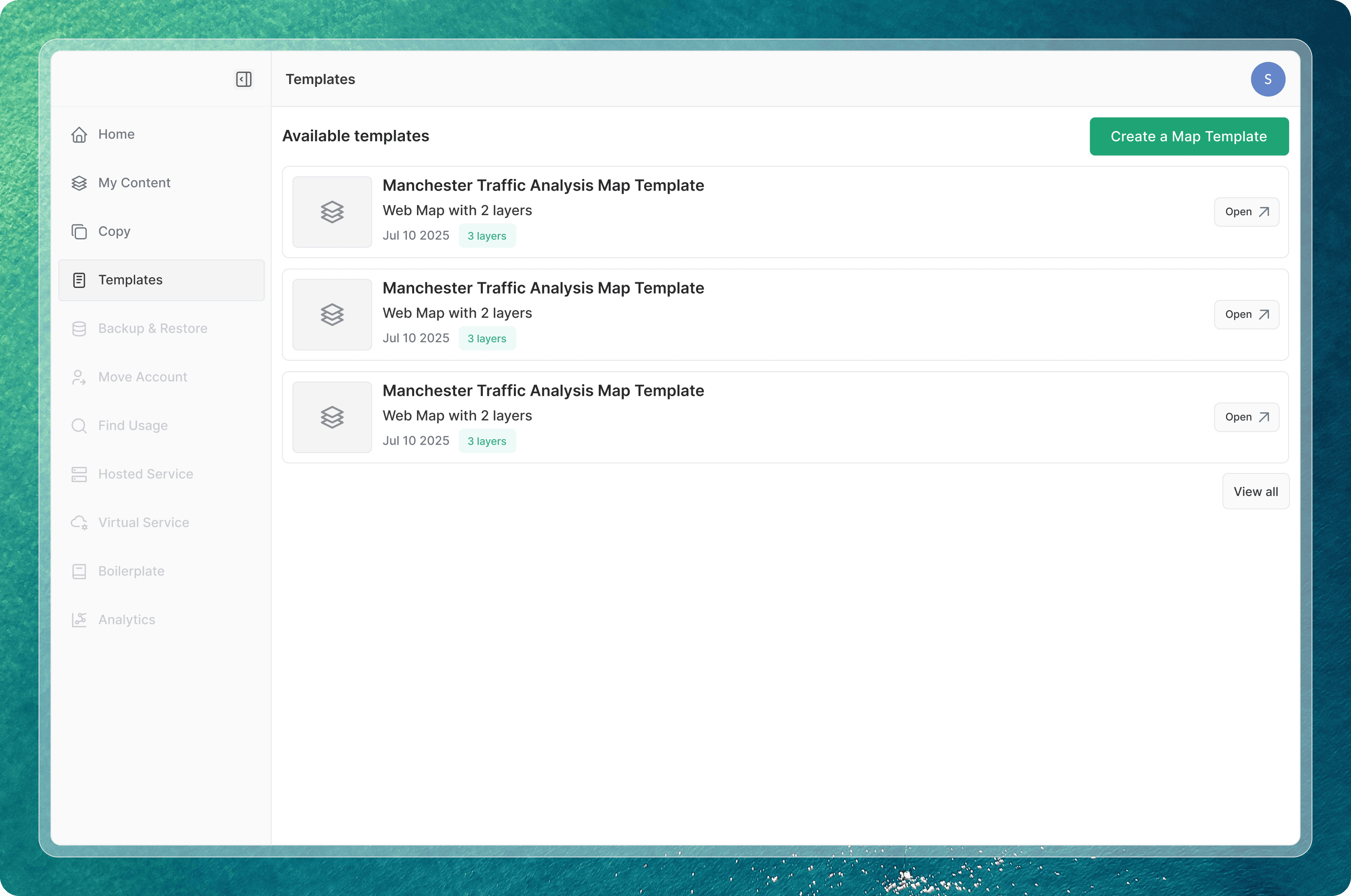
Templates allow teams to save proven map configurations and reuse them across projects. (feature to be launched)
They act as system memory, helping organizations maintain consistency without enforcing rigid standards. Templates are treated as first-class assets rather than shortcuts.
Templates allow teams to save proven map configurations and reuse them across projects. (feature to be launched)
They act as system memory, helping organizations maintain consistency without enforcing rigid standards. Templates are treated as first-class assets rather than shortcuts.
Templates allow teams to save proven map configurations and reuse them across projects. (feature to be launched)
They act as system memory, helping organizations maintain consistency without enforcing rigid standards. Templates are treated as first-class assets rather than shortcuts.
What I optimized for
What I optimized for
What I optimized for
Throughout the system, decisions were guided by three principles:
Throughout the system, decisions were guided by three principles:
Throughout the system, decisions were guided by three principles:
Clarity over cleverness
Clarity over cleverness
Clarity over cleverness
actions should be obvious and traceable
actions should be obvious and traceable
actions should be obvious and traceable
Predictability
over novelty
Predictability over novelty
Predictability
over novelty
familiar patterns reduce errors
familiar patterns reduce errors
familiar patterns reduce errors
Control over automation
Control over automation
Control over automation
users decide what changes and when
users decide what changes and when
users decide what changes and when
These priorities shaped both interaction design and system structure.
These priorities shaped both interaction design and system structure.
These priorities shaped both interaction design and system structure.
Outcome
Outcome
Outcome
Nexus reduces operational overhead while preserving existing workflows.
It helps teams manage growing map systems with more confidence and less repetition, without introducing unnecessary abstraction.
Nexus reduces operational overhead while preserving existing workflows.
It helps teams manage growing map systems with more confidence and less repetition, without introducing unnecessary abstraction.
Nexus reduces operational overhead while preserving existing workflows.
It helps teams manage growing map systems with more confidence and less repetition, without introducing unnecessary abstraction.
Snehal Khemnar
Because your projects deserve more than a cookie - cutter designer
Contacts
Contact
Made with love
Snehal Khemnar
Because your projects deserve more than a cookie - cutter designer
Contacts
Contact
Made with love
Snehal Khemnar
Because your projects deserve more than a cookie - cutter designer
Contacts
Contact
Made with love
Snehal Khemnar
Because your projects deserve more than a cookie - cutter designer
Contacts
Contact
Made with love
Snehal Khemnar
Because your projects deserve more than a cookie - cutter designer
Contacts
Contact
Made with love
Snehal Khemnar
Because your projects deserve more than a cookie - cutter designer
Contacts
Contact
Made with love