How we designed effortless farm management and payment flow for premium features
How we designed effortless farm management and payment flow for premium features
CASE-STUDY
CASE-STUDY
My Role
My Role
Product Designer
Product Designer
Duration
Duration
2 months
2 months
Platform
Platform
Web
Web
Industry
Industry
Agritech
Agritech
Overview
Overview
MapMyCrop is a satellite-powered platform that empowers organizations and individual farmers to monitor and manage farmland with advanced data and insights.
This case study explores how we introduced a premium plan with an integrated payment system, and how that unlocks a streamlined way for users to manage their farms and farmers
MapMyCrop is a satellite-powered platform that empowers organizations and individual farmers to monitor and manage farmland with advanced data and insights.
This case study explores how we introduced a premium plan with an integrated payment system, and how that unlocks a streamlined way for users to manage their farms and farmers
CONTEXT
CONTEXT
Understanding the Landscape
Understanding the Landscape
Prior to this project, almost all premium feature deals and payments happened offline or via internal sales, making it difficult for users to independently manage and track their plans.
Prior to this project, almost all premium feature deals and payments happened offline or via internal sales, making it difficult for users to independently manage and track their plans.
This caused:
This caused:
😕
😕
Slow, manual operations
Slow, manual operations
😕
😕
High support dependency
High support dependency
😕
😕
Poor visibility into plan usage
Poor visibility into plan usage
😕
😕
Frustrated users
Frustrated users
What we
What we
discovered
discovered
Two main insights we needed to reflect on were,
Two main insights we needed to reflect on were,

01
01
Over 80% of premium plan users are enterprise customers, confirming that most advanced feature usage comes from large organizations managing multiple farms and teams.
Over 80% of premium plan users are enterprise customers, confirming that most advanced feature usage comes from large organizations managing multiple farms and teams.
02
02
Most enterprises and farmers used premium features only during specific seasons or for particular farms, reflecting the seasonal and rotational nature of agricultural operations.
Most enterprises and farmers used premium features only during specific seasons or for particular farms, reflecting the seasonal and rotational nature of agricultural operations.
Who are our
Who are our
users?
users?
More than 80% of MapMyCrop’s revenue comes from enterprise clients, with the remaining 10% from farmers. Nearly all premium plans are bought by enterprise users.
More than 80% of MapMyCrop’s revenue comes from enterprise clients, with the remaining 10% from farmers. Nearly all premium plans are bought by enterprise users.
Enterprises manage vast areas of land, overseeing hundreds to thousands of farms and farmers.
Enterprises manage vast areas of land, overseeing hundreds to thousands of farms and farmers.
Enterprises often upgraded plans selectively, based on seasonality and operational needs.
Enterprises often upgraded plans selectively, based on seasonality and operational needs.
In summery, these users require:
In summery, these users require:

Organization
Organization

Upgrades
Upgrades

Control
Control
which led us to the key challenge areas
which led us to the key challenge areas
Problem Statement
Problem Statement

Manual Processes and Inefficiency
Manual Processes and Inefficiency
Farm upgrades and paid/free conversions happened manually in the internal CRM, which slowed down operations and led to frequent errors.
Farm upgrades and paid/free conversions happened manually in the internal CRM, which slowed down operations and led to frequent errors.

Lack of Visibility and Control
Lack of Visibility and Control
Admins couldn’t easily view, sort, or group farms by plan type, making large-scale management tedious and inefficient
Admins couldn’t easily view, sort, or group farms by plan type, making large-scale management tedious and inefficient

No Team Management
No Team Management
There was no way to organize farmers into teams on the platform. Without team grouping, scaling premium features for enterprise clients wasn’t feasible.
There was no way to organize farmers into teams on the platform. Without team grouping, scaling premium features for enterprise clients wasn’t feasible.
Summarizing challenges sparked an idea
Summarizing challenges sparked an idea
Could we design an intuitive interface that allows admins to group, sort, and manage large farms effortlessly
Could we design an intuitive interface that allows admins to group, sort, and manage large farms effortlessly

Goals
Goals
From our research and brainstorming sessions we reframed our goal from simplifying payments to designing control systems for scale as follows
From our research and brainstorming sessions we reframed our goal from simplifying payments to designing control systems for scale as follows
Provide a better way to purchase premium plans that also simplifies enterprise management.
Provide a better way to purchase premium plans that also simplifies enterprise management.
Offer complete transparency into plan usage, payment status, and allow admins to designate farms for paid benefits.
Offer complete transparency into plan usage, payment status, and allow admins to designate farms for paid benefits.
Build a expandable system that supports the complexity of large agribusinesses.
Build a expandable system that supports the complexity of large agribusinesses.
Create straightforward tools for team creation, farm and farmer management, upgrades, and bulk organization to minimize manual work.
Create straightforward tools for team creation, farm and farmer management, upgrades, and bulk organization to minimize manual work.
Information architecture
Information architecture
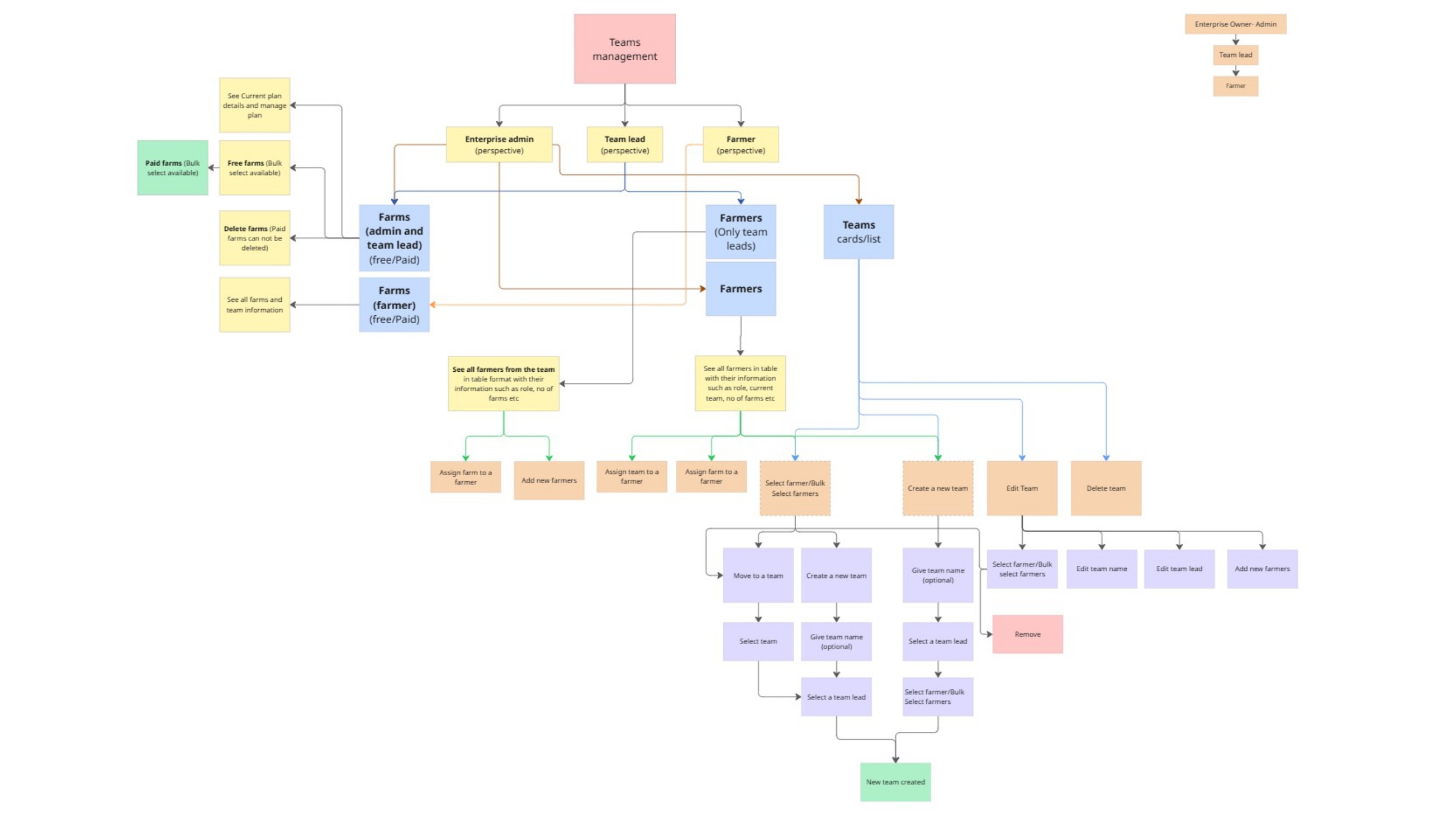
So I started by creating the information architecture to structure the ideas into a system. Initially, I wanted to differentiate the flows for both farmers and enterprise users since their requirements were different. It was interesting to see the flows develop and resolve all the doubts we had.
So I started by creating the information architecture to structure the ideas into a system. Initially, I wanted to differentiate the flows for both farmers and enterprise users since their requirements were different. It was interesting to see the flows develop and resolve all the doubts we had.
Solution
Solution
The final design unified farm management, team creation, and payment hence always showing users the absolute transparency as follows:
The final design unified farm management, team creation, and payment hence always showing users the absolute transparency as follows:
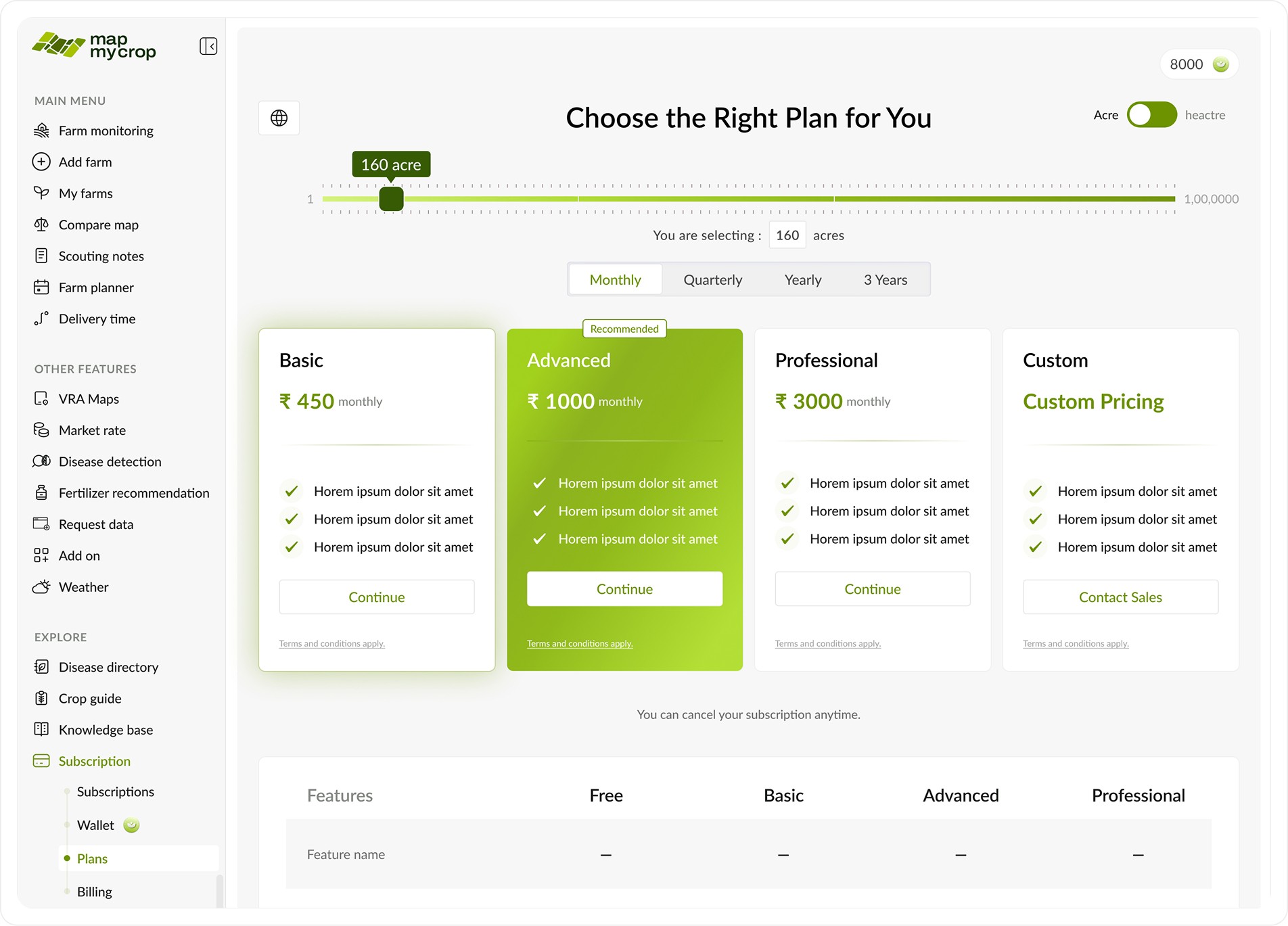
Plans page:
Plans page:
A page where users can see all plans and what these plans are offering.
A page where users can see all plans and what these plans are offering.
Slider to select area and it updates prices accordingly .
Slider to select area and it updates prices accordingly .
Option to select tenure as per needs
Option to select tenure as per needs
Matrix to see feature comparison in detail.
Matrix to see feature comparison in detail.
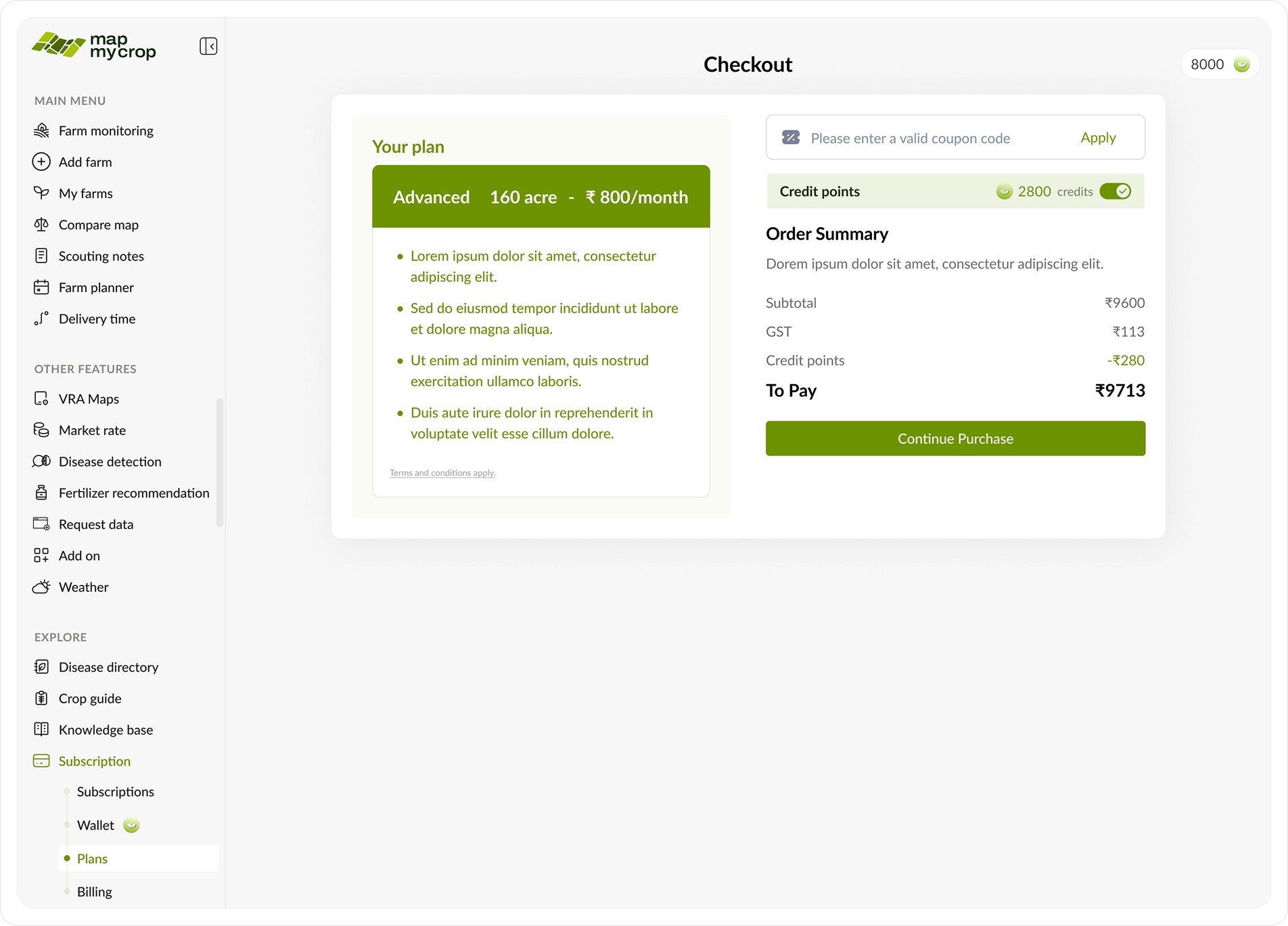
A checkout page that provides an overview of the selected plan tenure, along with options to apply wallet coins or a coupon code.
A checkout page that provides an overview of the selected plan tenure, along with options to apply wallet coins or a coupon code.
Case I: Farmer POV
Case I: Farmer POV
After the farmer successfully purchases a plan, the user is shown an option to upgrade all farms to the paid plan they just bought.
After the farmer successfully purchases a plan, the user is shown an option to upgrade all farms to the paid plan they just bought.
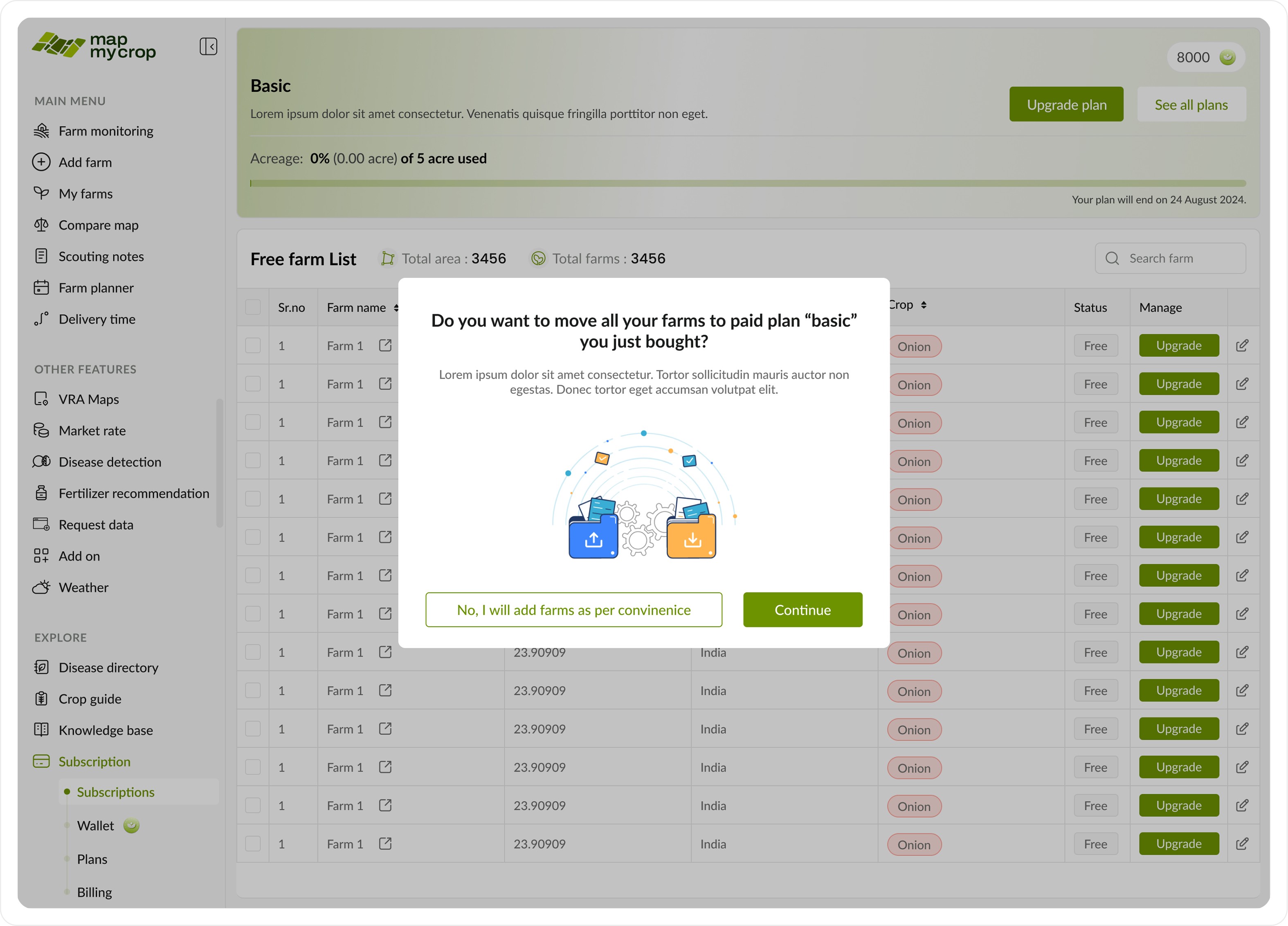
After the farmer successfully purchases a plan, the user is shown an option to upgrade all farms to the paid plan they just bought. If they choose yes, all of their farms will be able to access the premium benefits.
After the farmer successfully purchases a plan, the user is shown an option to upgrade all farms to the paid plan they just bought. If they choose yes, all of their farms will be able to access the premium benefits.
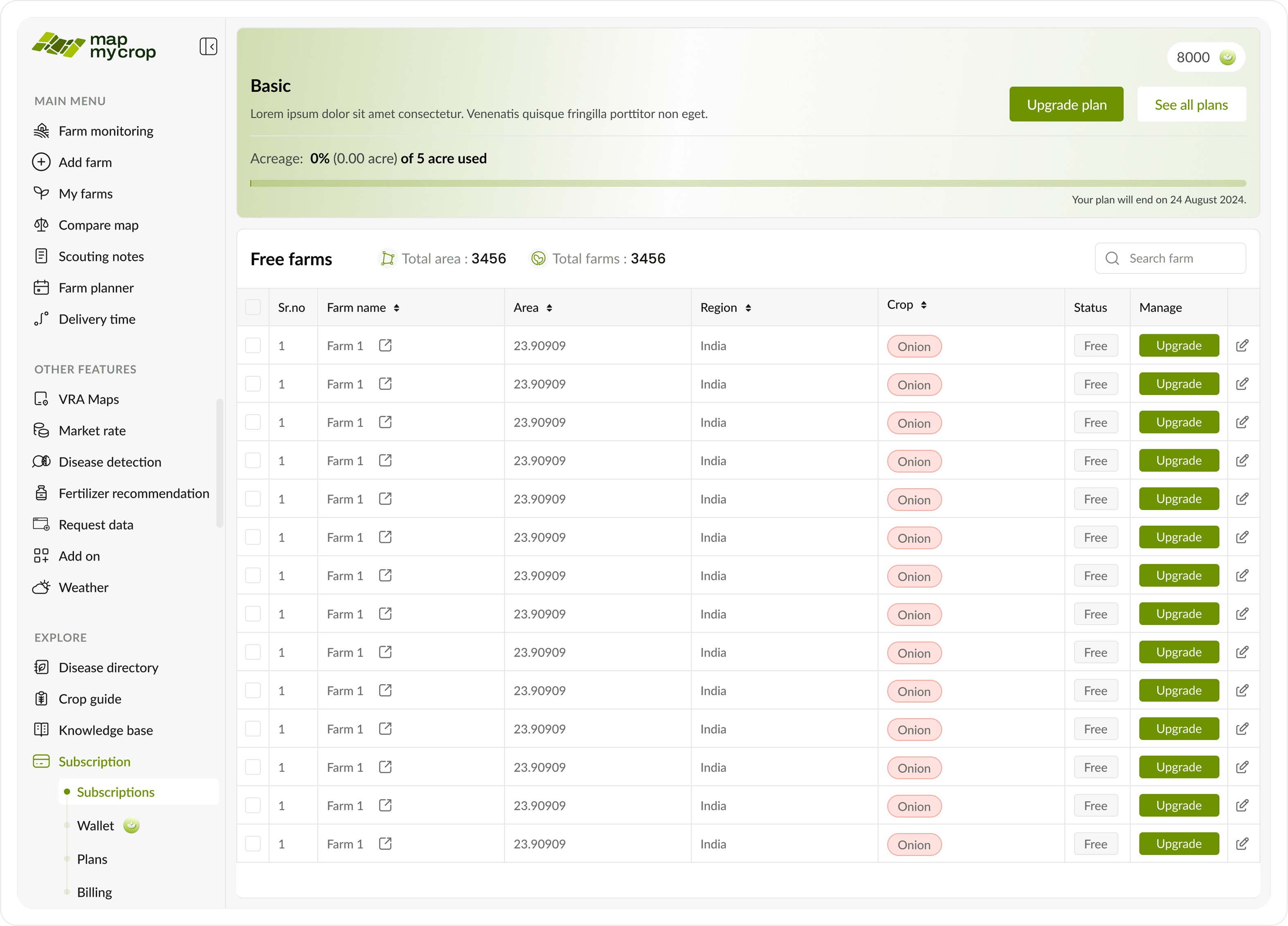
If the farmer opts to upgrade farms individually, they’ll see a page showing plan details like remaining acreage, validity, and upgrade options. A table below lists all their farms with details and an upgrade option beside each.
If the farmer opts to upgrade farms individually, they’ll see a page showing plan details like remaining acreage, validity, and upgrade options. A table below lists all their farms with details and an upgrade option beside each.
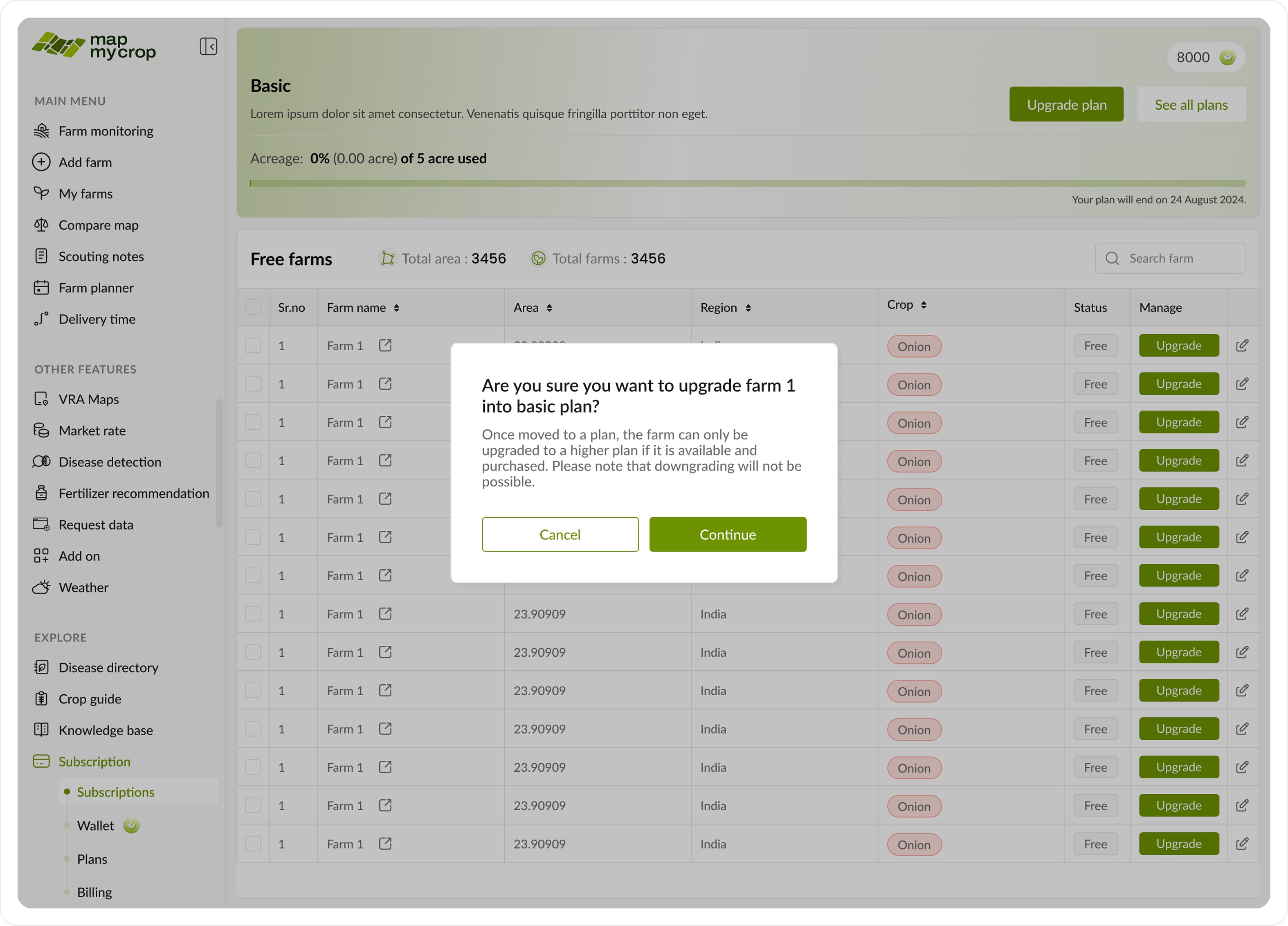
Once the user clicks the upgrade button, a confirmation pop-up appears to inform them that this action is irreversible.
Once the user clicks the upgrade button, a confirmation pop-up appears to inform them that this action is irreversible.
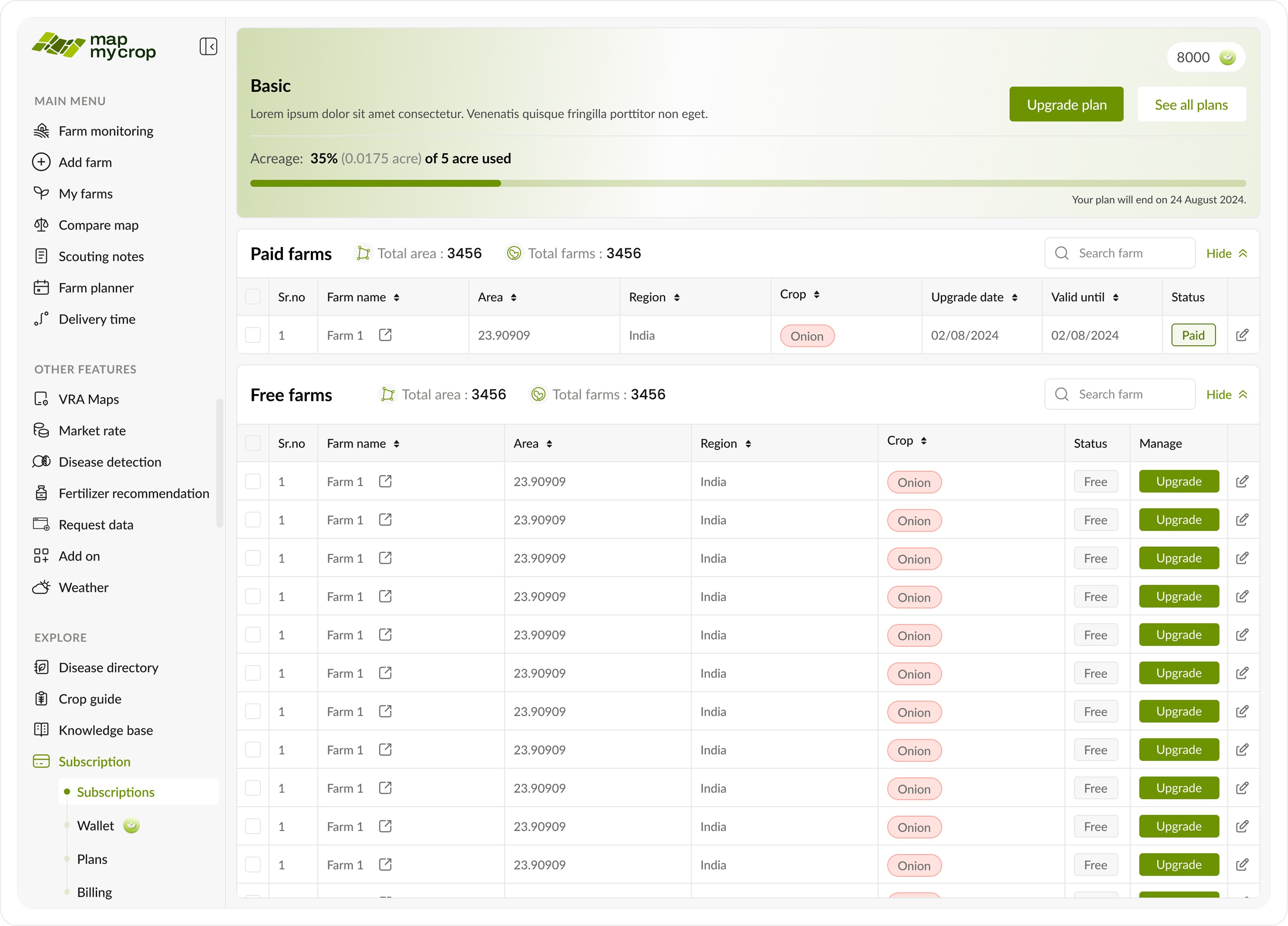
After the upgrade, the farm moves to the paid farms list, and the plan details update to show the remaining available acreage.
After the upgrade, the farm moves to the paid farms list, and the plan details update to show the remaining available acreage.
Case II: Enterprise admin POV
Case II: Enterprise admin POV
When an enterprise purchases a plan, they get additional tools. Since enterprises manage many farms and farmers, integrating management tools here alongside farm management was the best approach.
When an enterprise purchases a plan, they get additional tools. Since enterprises manage many farms and farmers, integrating management tools here alongside farm management was the best approach.
This page includes an additional toggle to switch between farms, farmers, and teams.
This page includes an additional toggle to switch between farms, farmers, and teams.
We will now take a look at all the tabs and their functions on the enterprise page, one at a time.
We will now take a look at all the tabs and their functions on the enterprise page, one at a time.
A. Farms Tab
A. Farms Tab

When an enterprise purchases a plan, they get additional tools. Since enterprises manage many farms and farmers, integrating management tools here alongside farm management was the best approach.
When an enterprise purchases a plan, they get additional tools. Since enterprises manage many farms and farmers, integrating management tools here alongside farm management was the best approach.
This page includes an additional toggle to switch between farms (as shown below), farmers, and teams.
This page includes an additional toggle to switch between farms (as shown below), farmers, and teams.
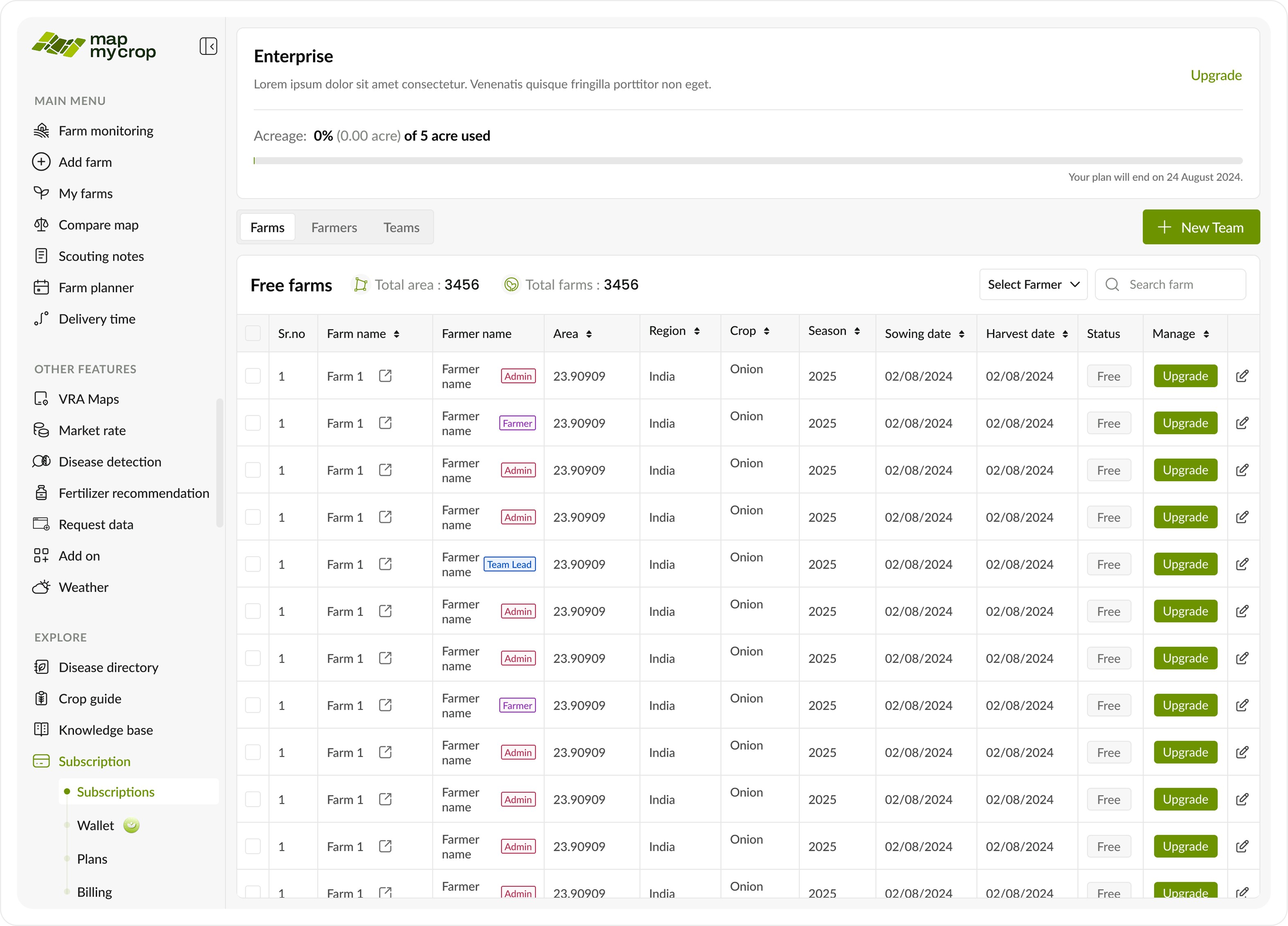
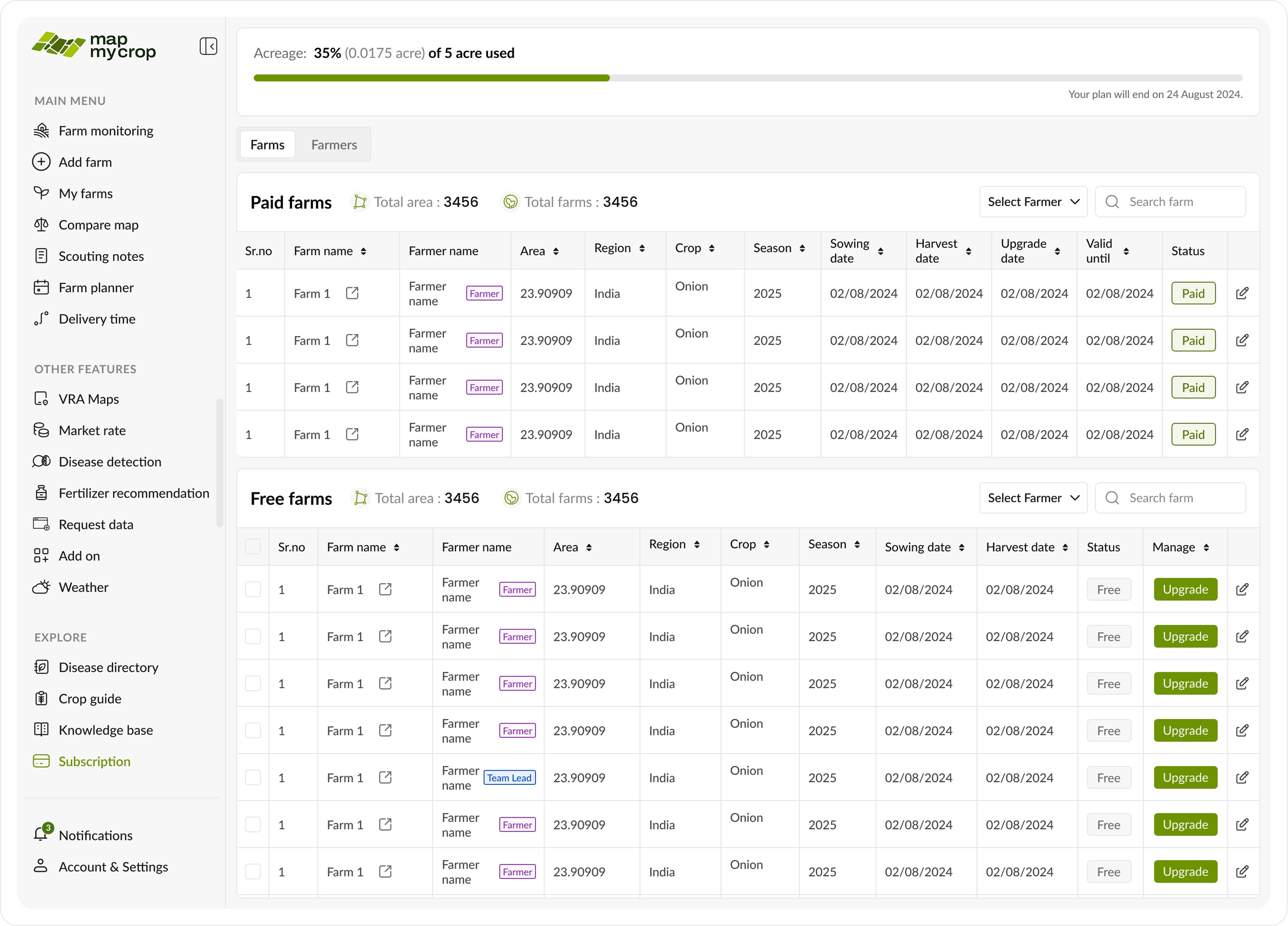
Farms tab showing all the available farms, their details and upgrade option to move these farms from free plan to premium plan.
Farms tab showing all the available farms, their details and upgrade option to move these farms from free plan to premium plan.
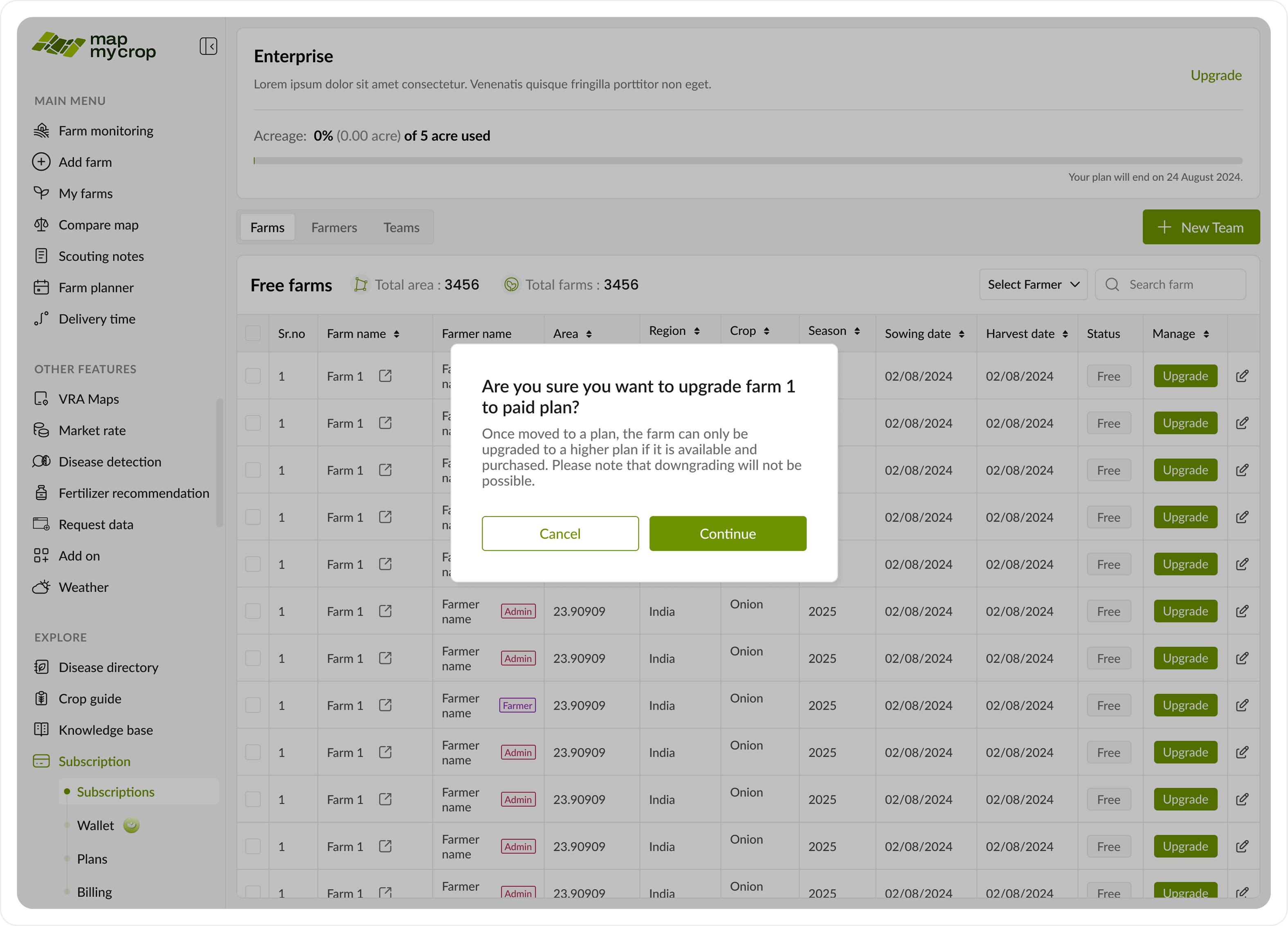
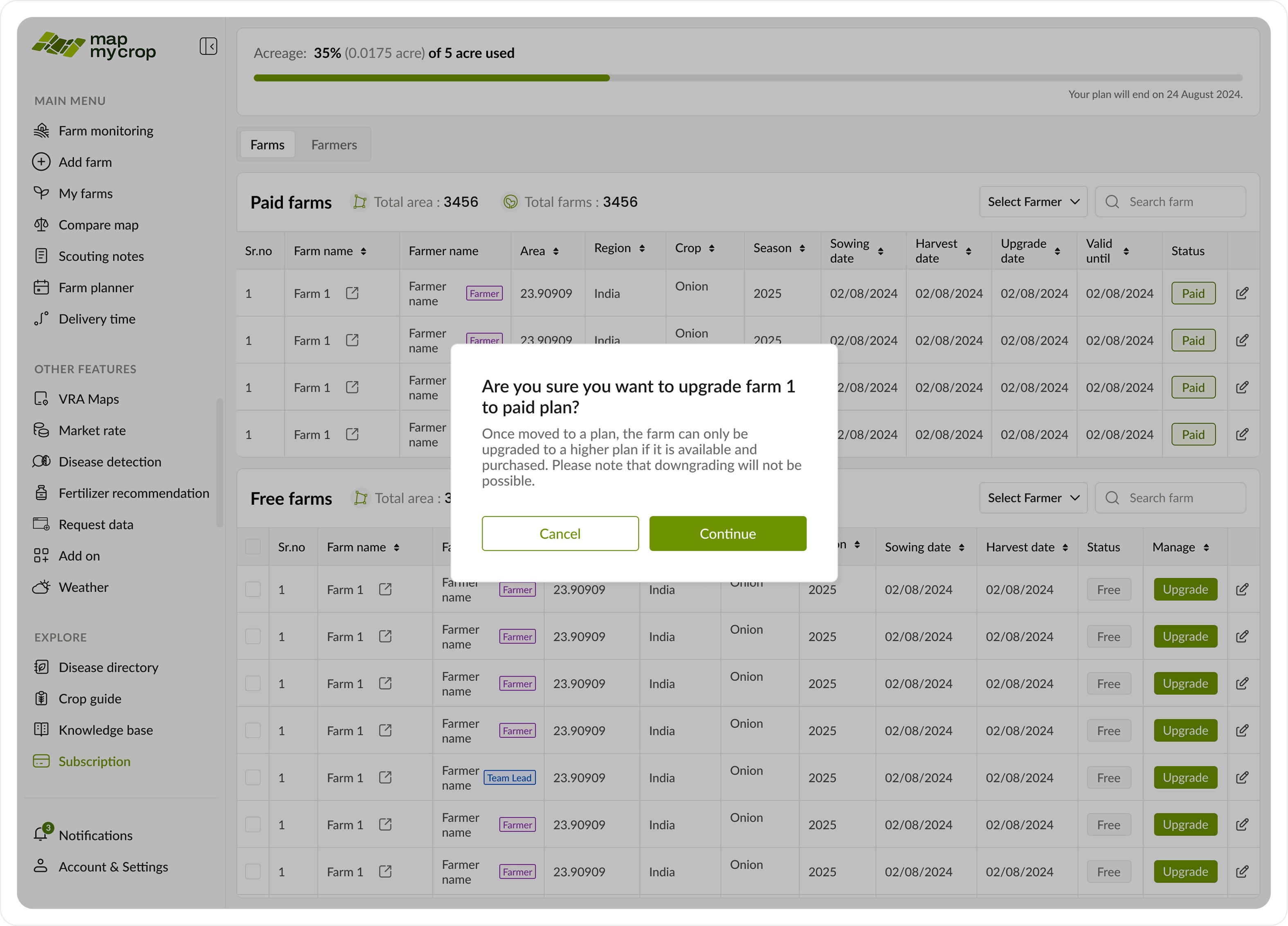
Once the enterprise admin clicks the upgrade button, a confirmation pop-up appears to inform them that this action is irreversible.
Once the enterprise admin clicks the upgrade button, a confirmation pop-up appears to inform them that this action is irreversible.
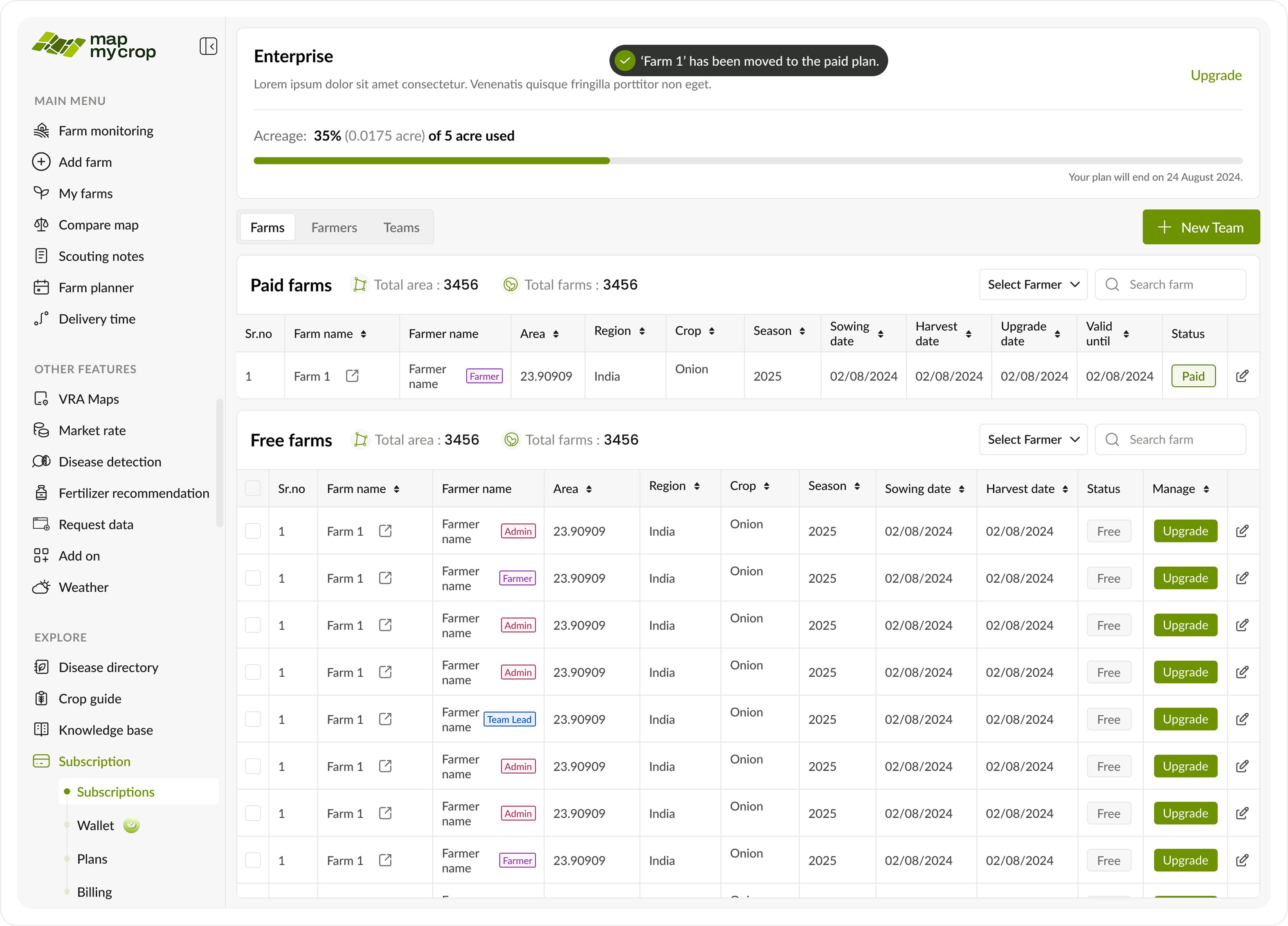
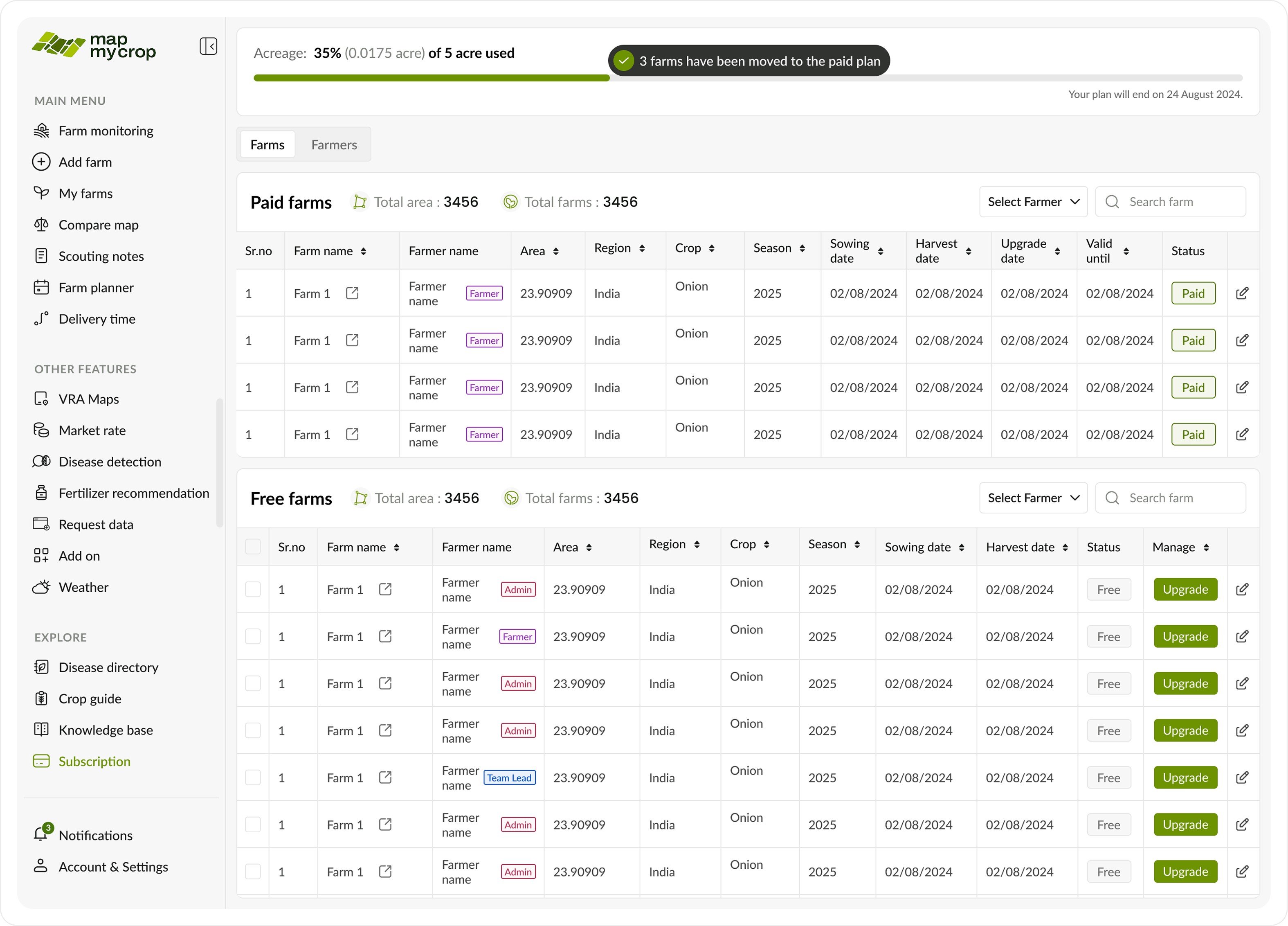
After the upgrade, the farm moves to the paid farms list, and the plan details update to show the remaining available acreage.
After the upgrade, the farm moves to the paid farms list, and the plan details update to show the remaining available acreage.
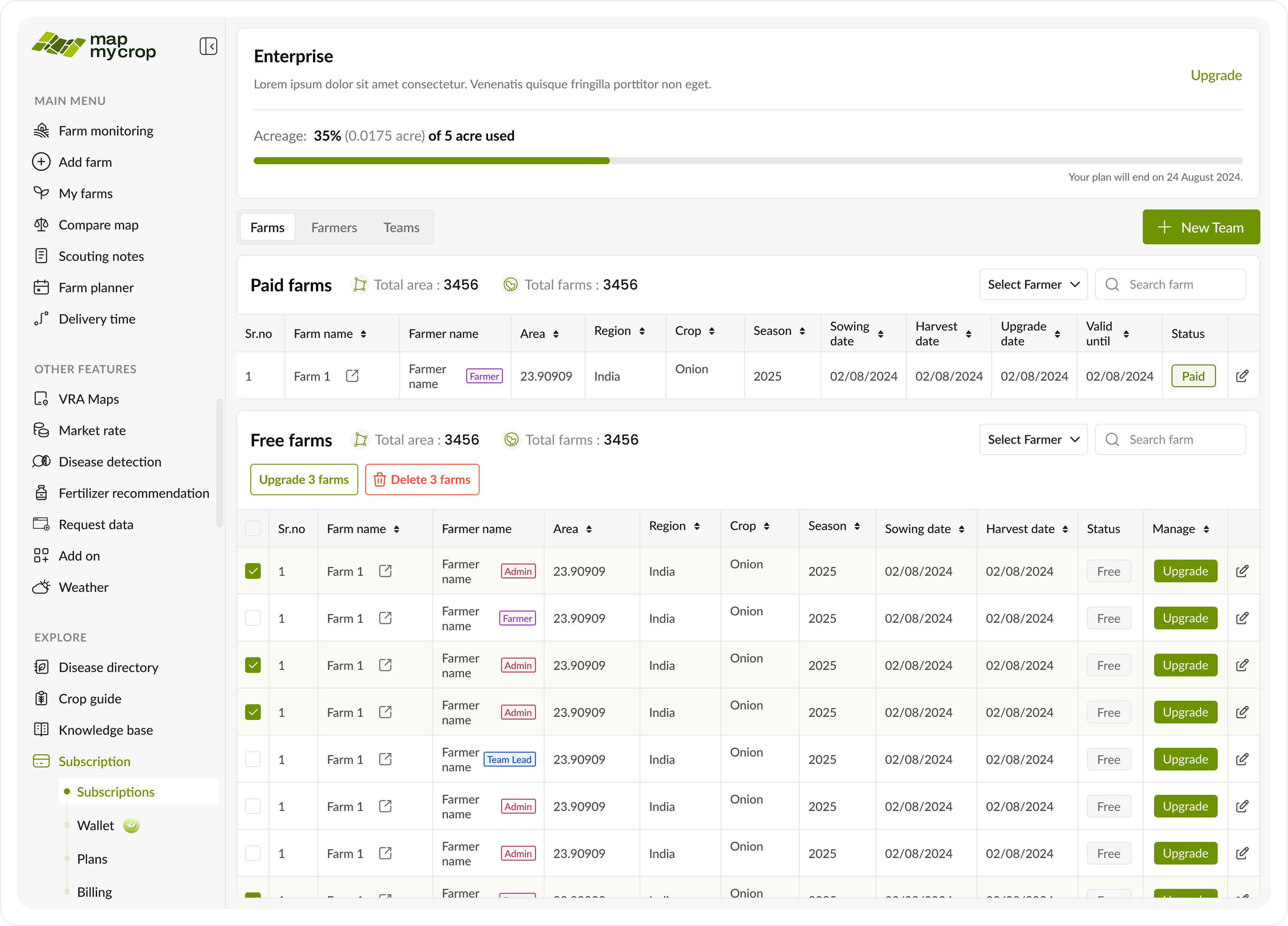
Since there are many farms, an easy bulk selection option is provided, as shown above.
Since there are many farms, an easy bulk selection option is provided, as shown above.
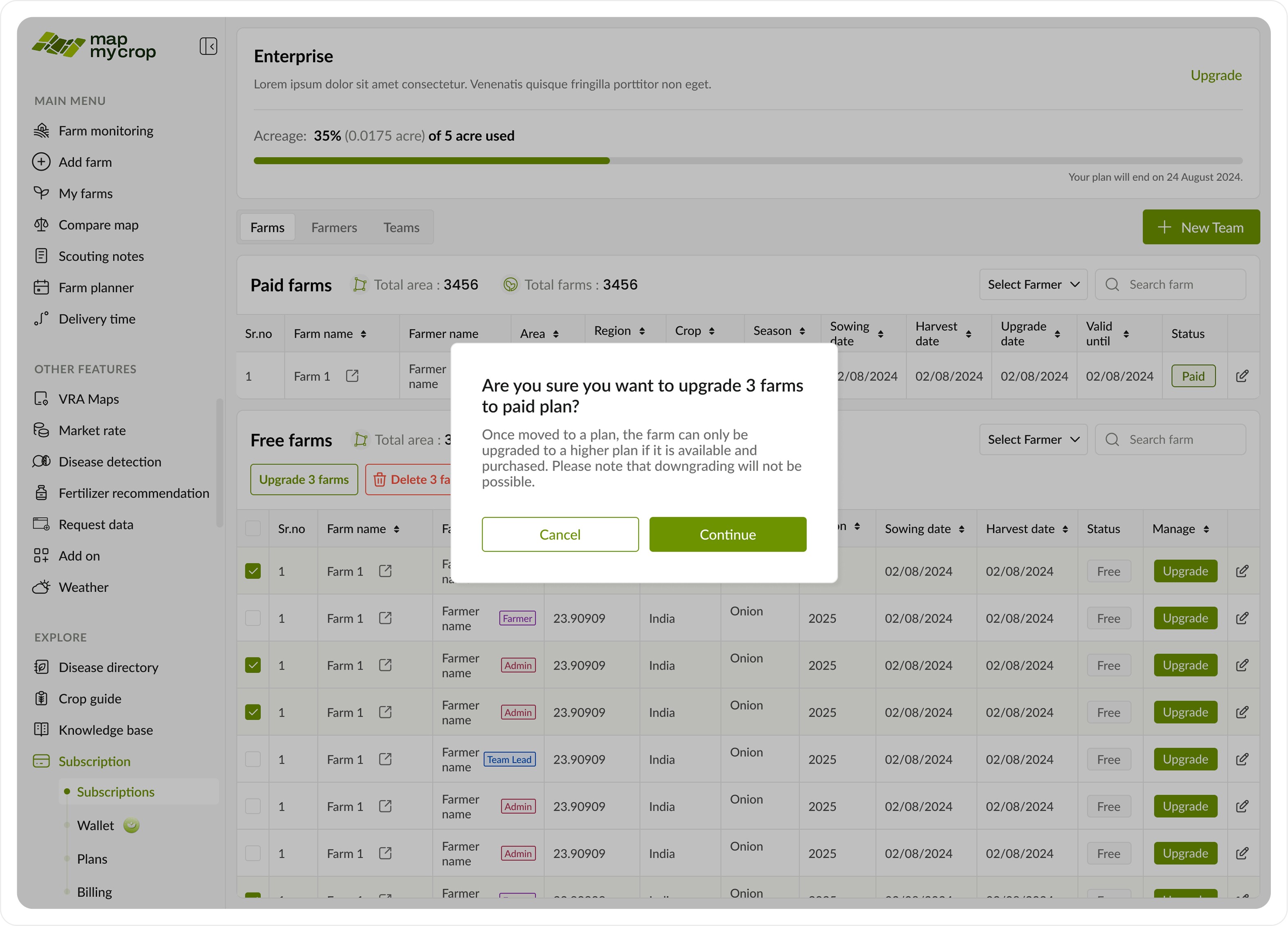
Confirmation pop up
Confirmation pop up
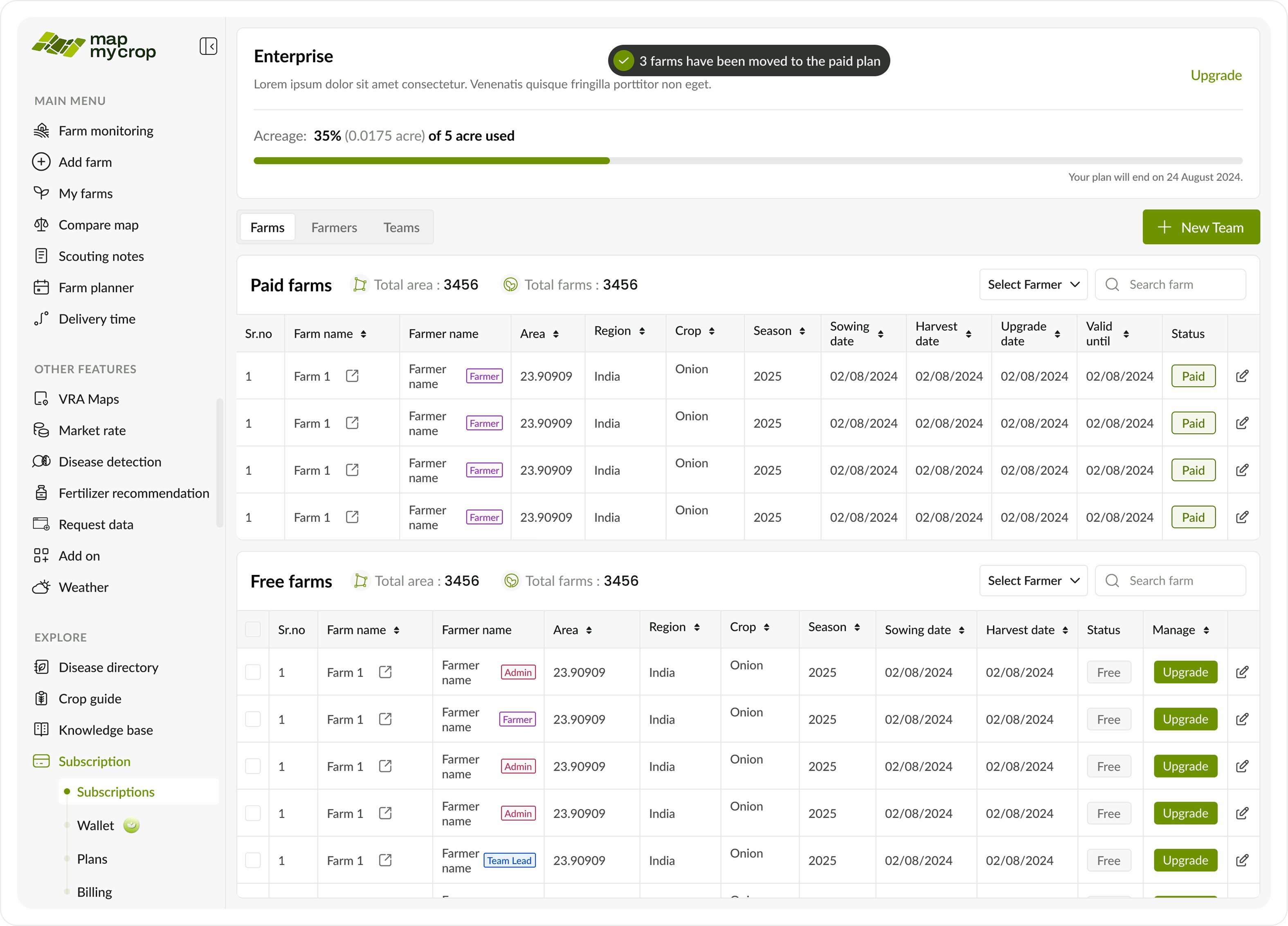
The selected farms will get moved to the premium plan as shown above.
The selected farms will get moved to the premium plan as shown above.
B. Farmers Tab
B. Farmers Tab

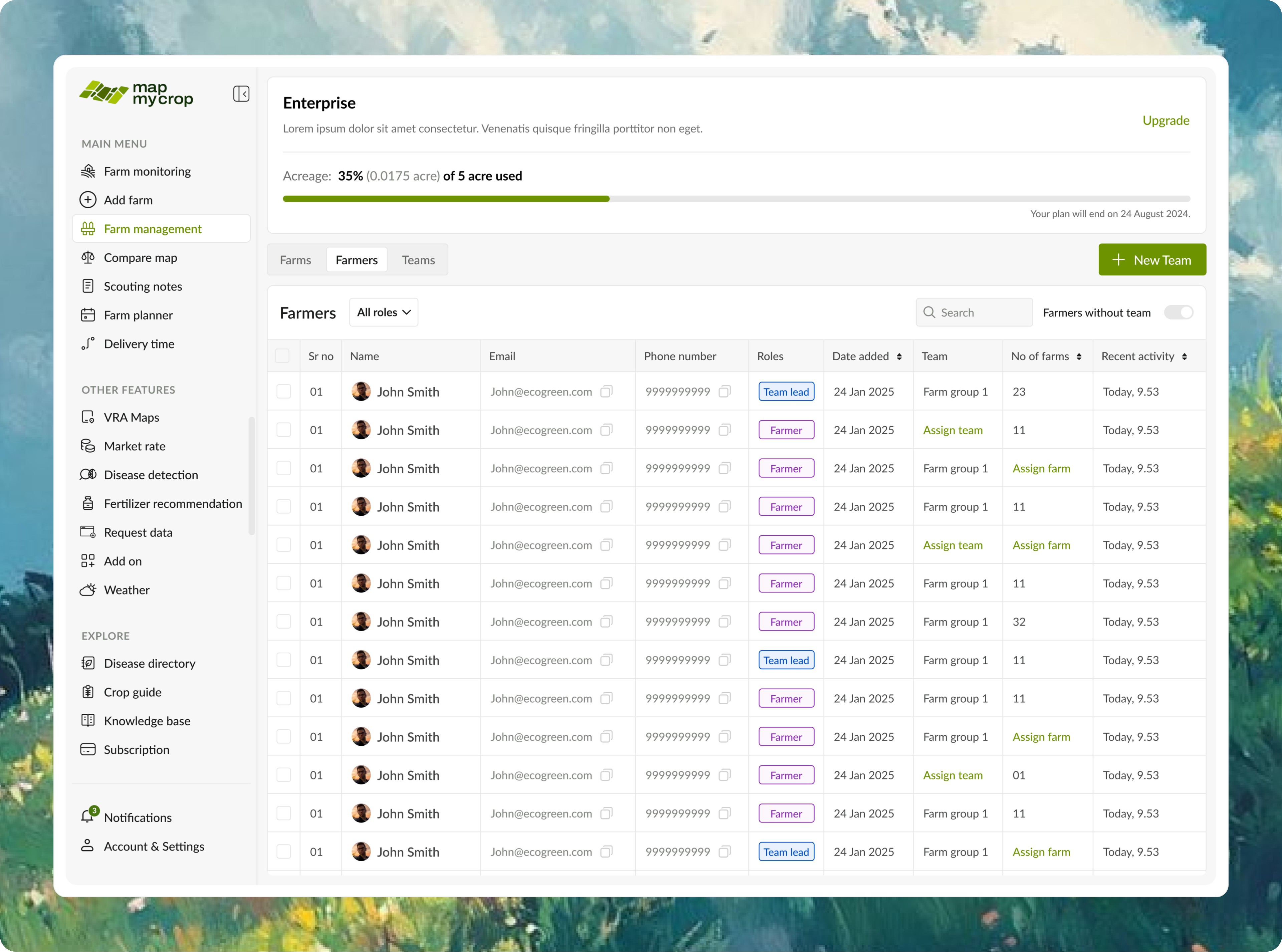
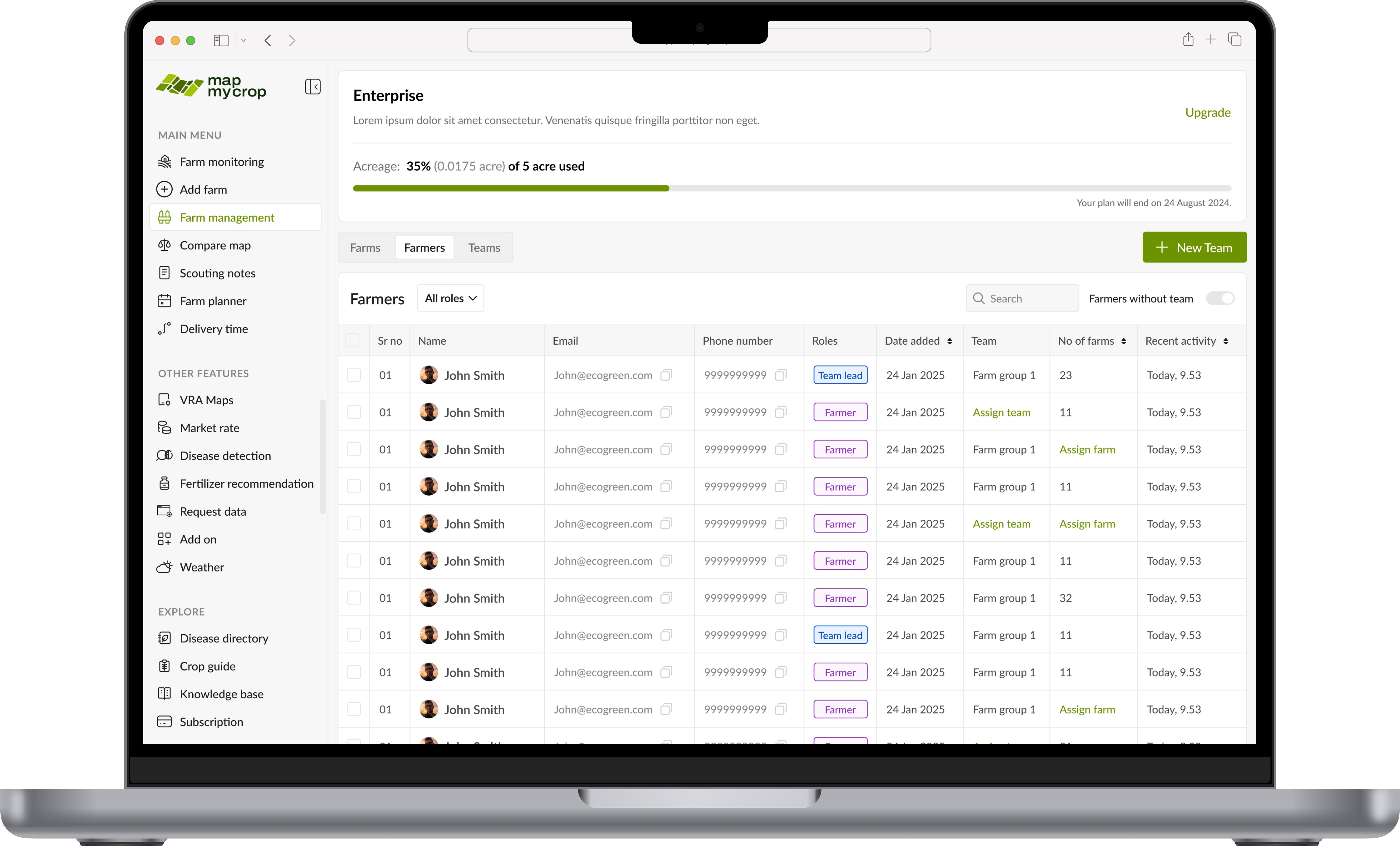
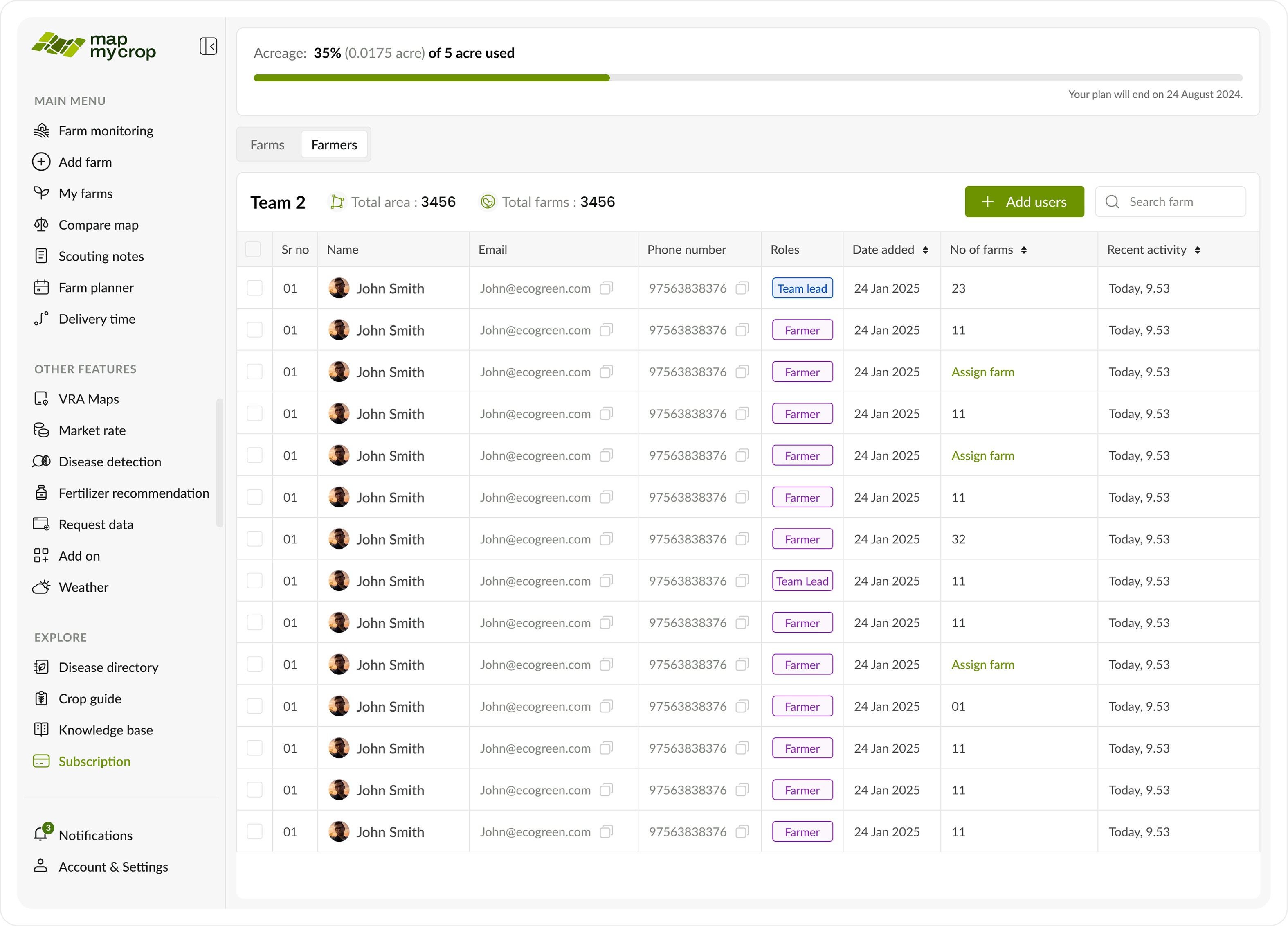
This is a key section where the enterprise admin can manage all farmers, view their details, roles, teams, and the number of farms they manage.
This is a key section where the enterprise admin can manage all farmers, view their details, roles, teams, and the number of farms they manage.
This page includes an additional toggle to switch between farms (as shown below), farmers, and teams.
This page includes an additional toggle to switch between farms (as shown below), farmers, and teams.
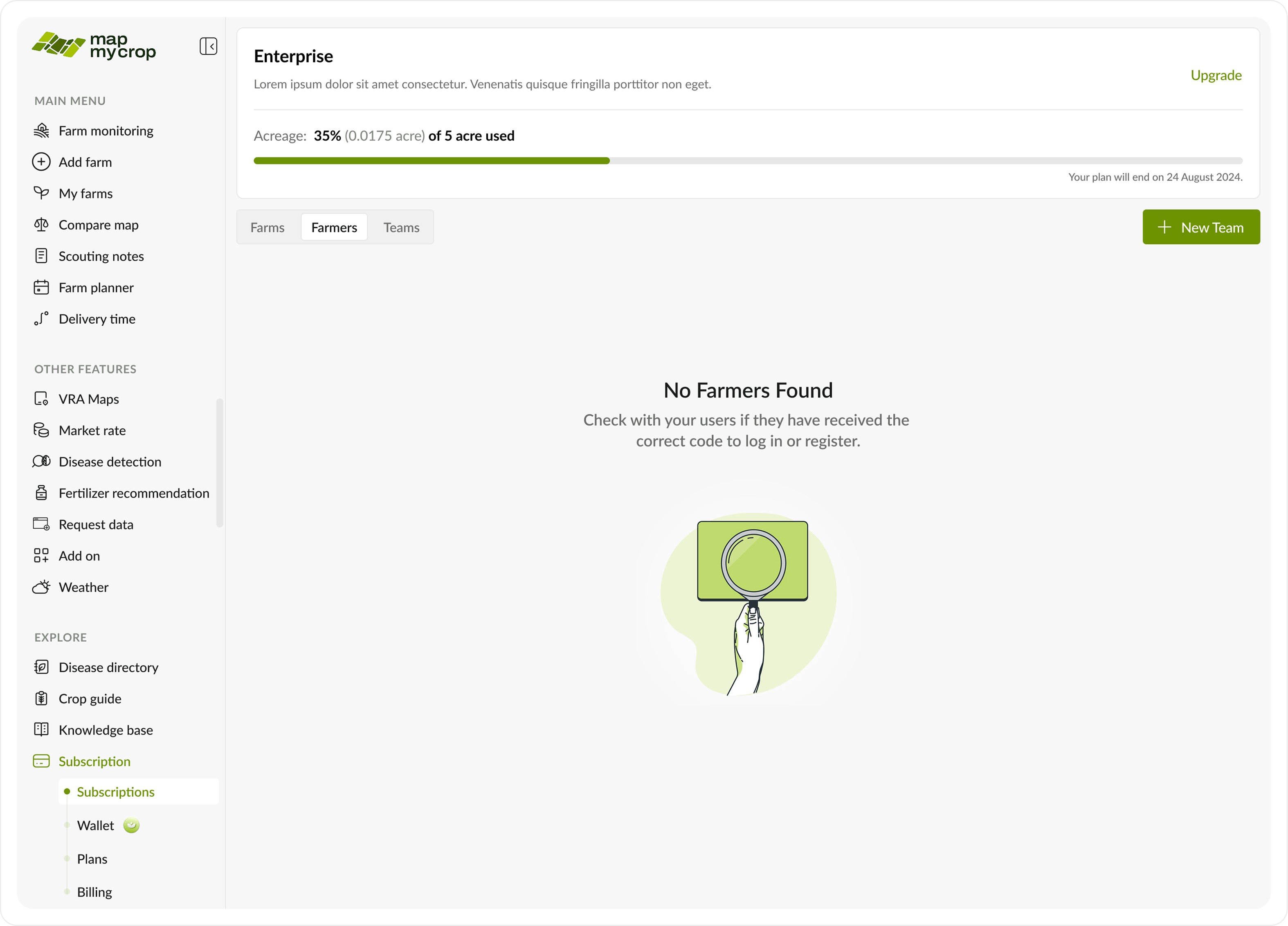
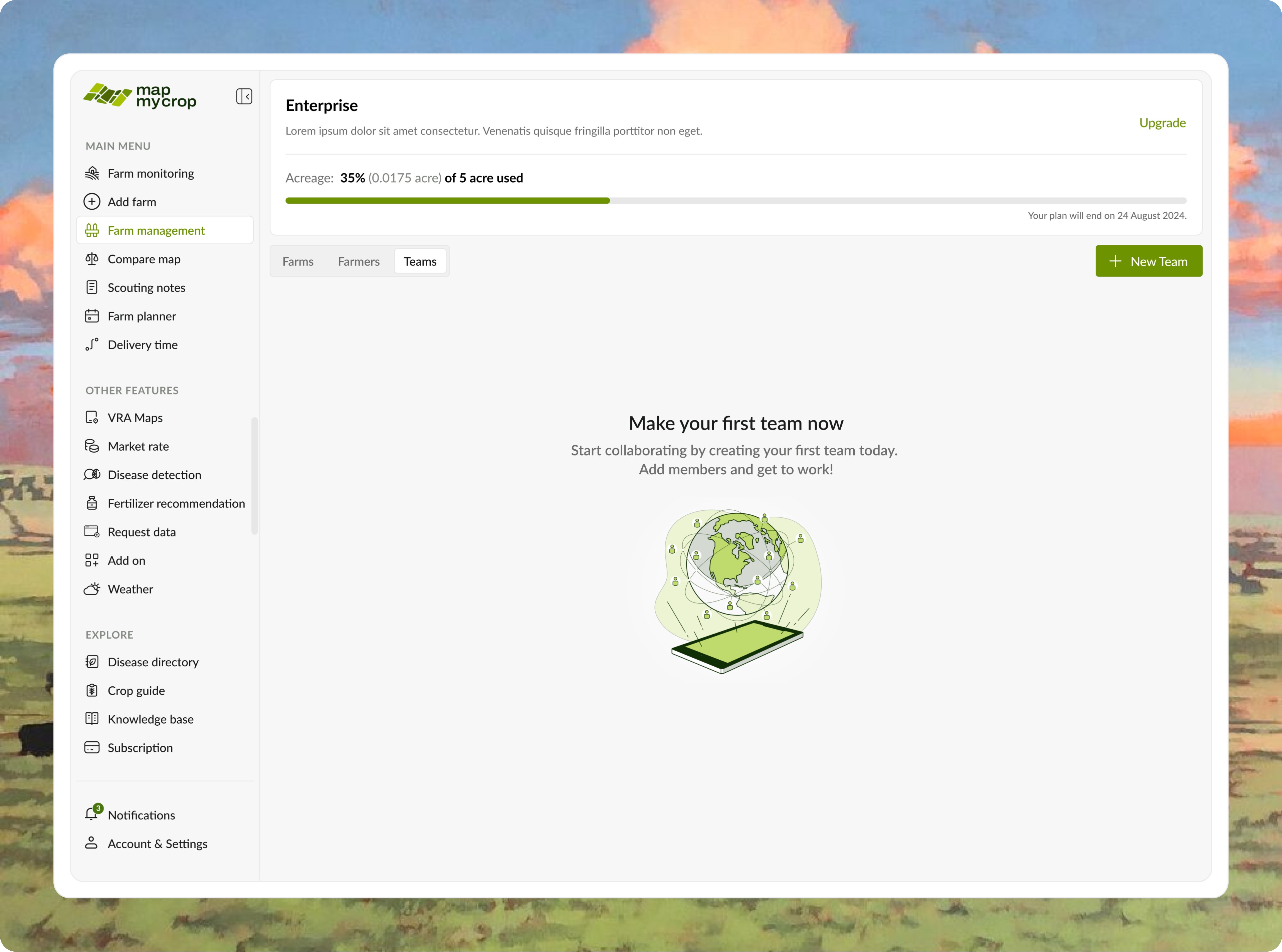
Empty state.
Empty state.
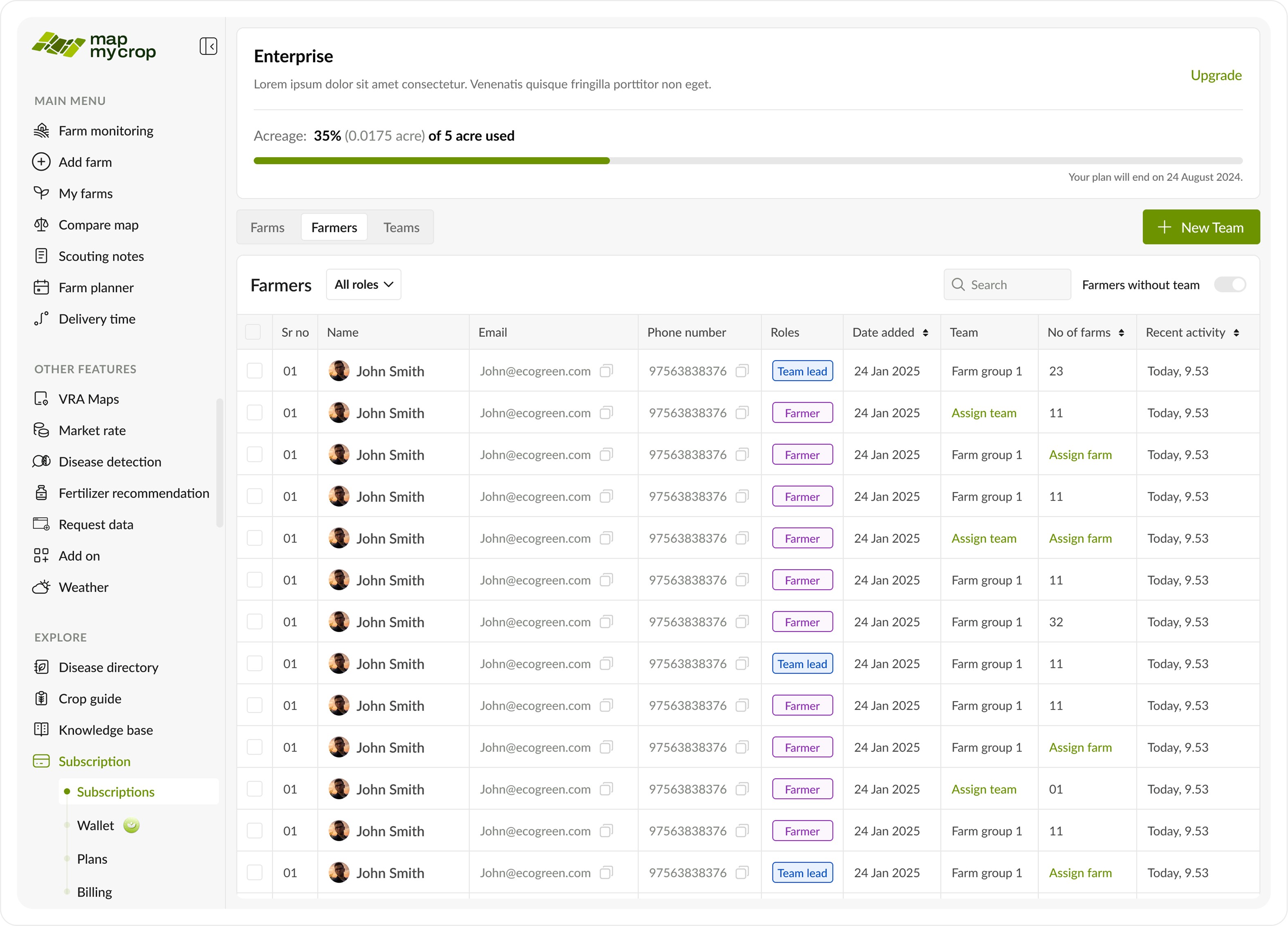
This is a key section where the enterprise admin can manage all farmers, view their details, roles, teams, and the number of farms they manage.
This is a key section where the enterprise admin can manage all farmers, view their details, roles, teams, and the number of farms they manage.
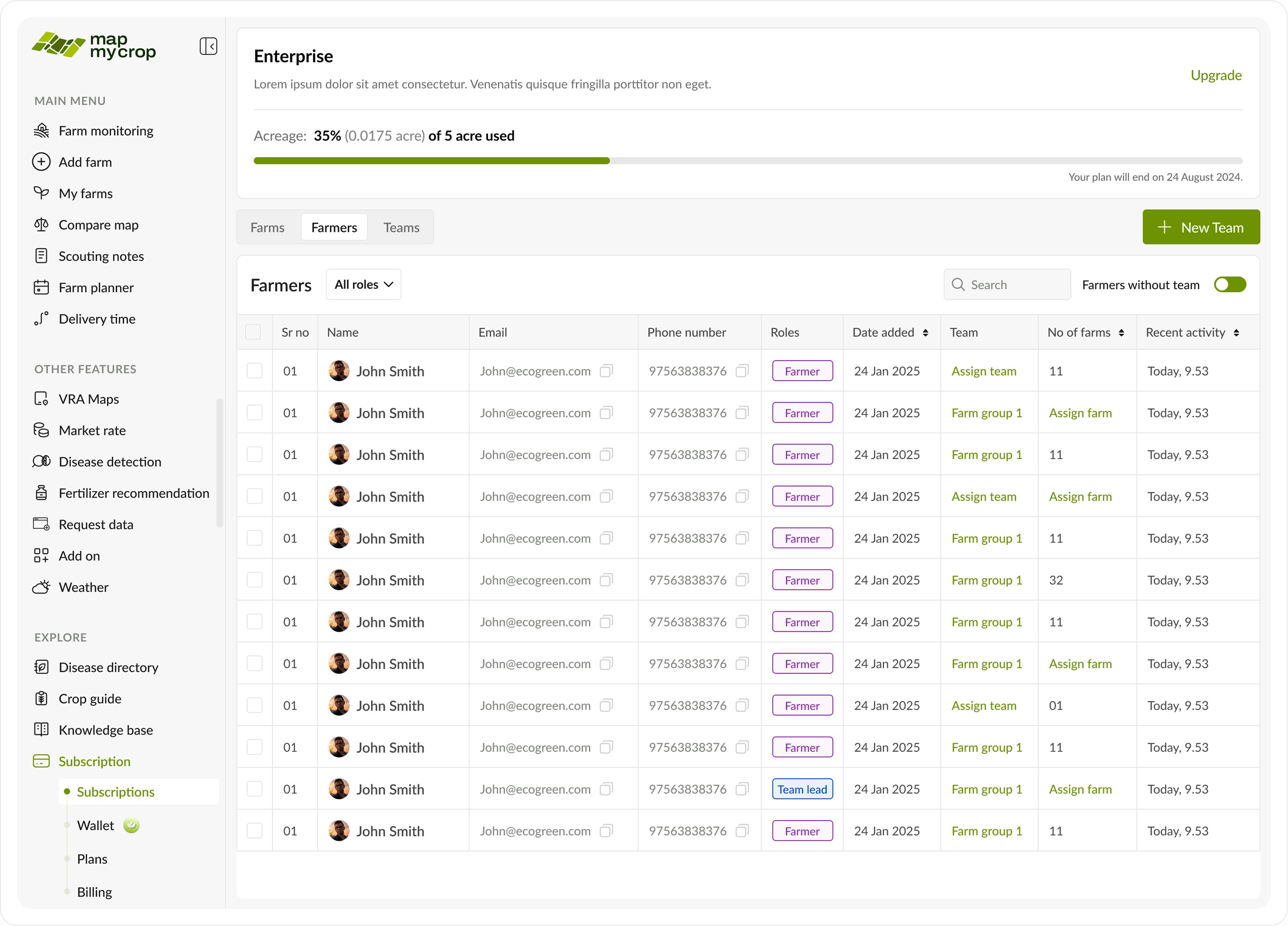
There’s an option to toggle between farmers without a team, making it easier for the admin to assign or move them. A dropdown filter is also available to sort by role.
There’s an option to toggle between farmers without a team, making it easier for the admin to assign or move them. A dropdown filter is also available to sort by role.
Move to a team
Move to a team
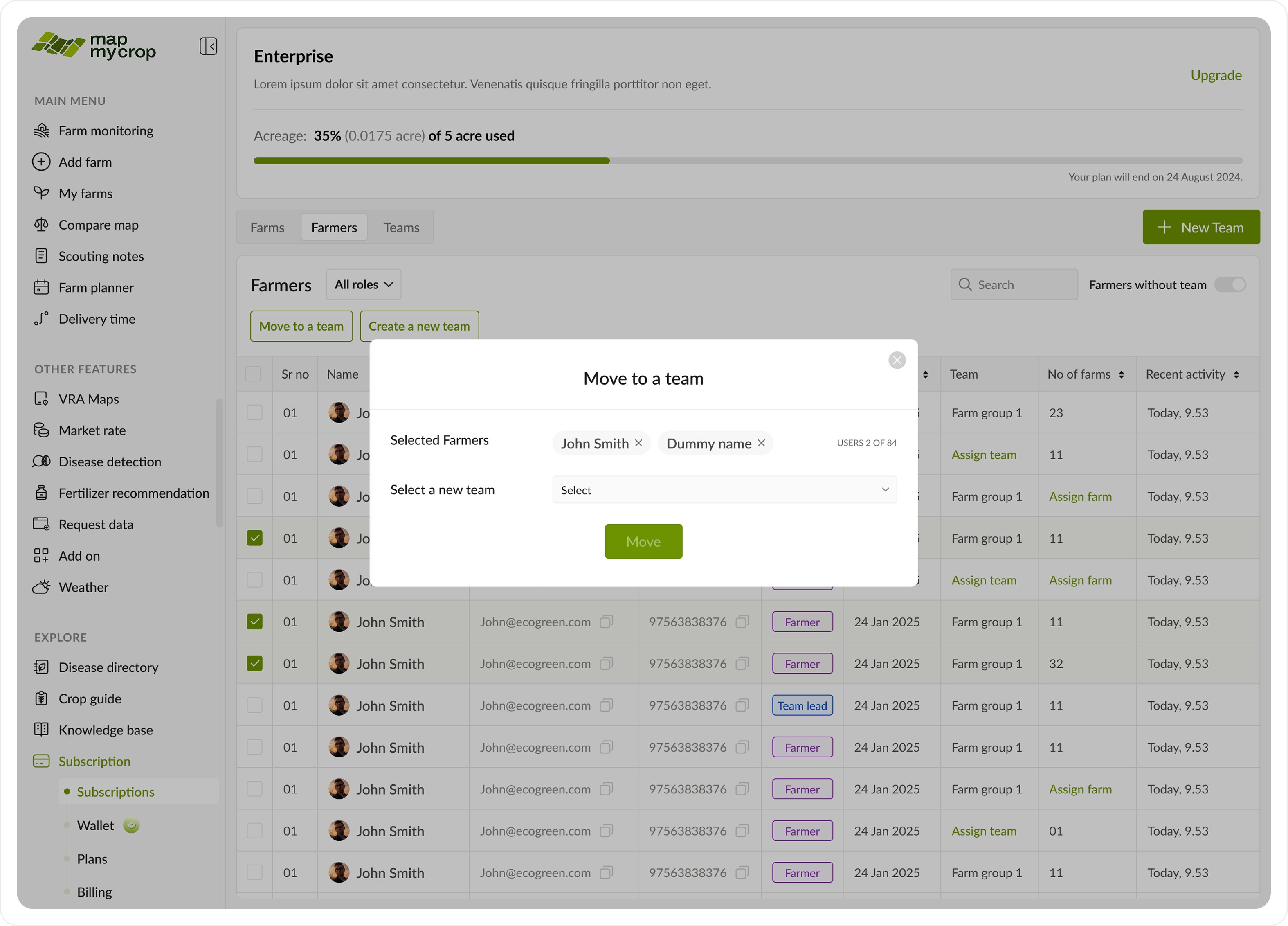
Move to a team pop up.
Move to a team pop up.
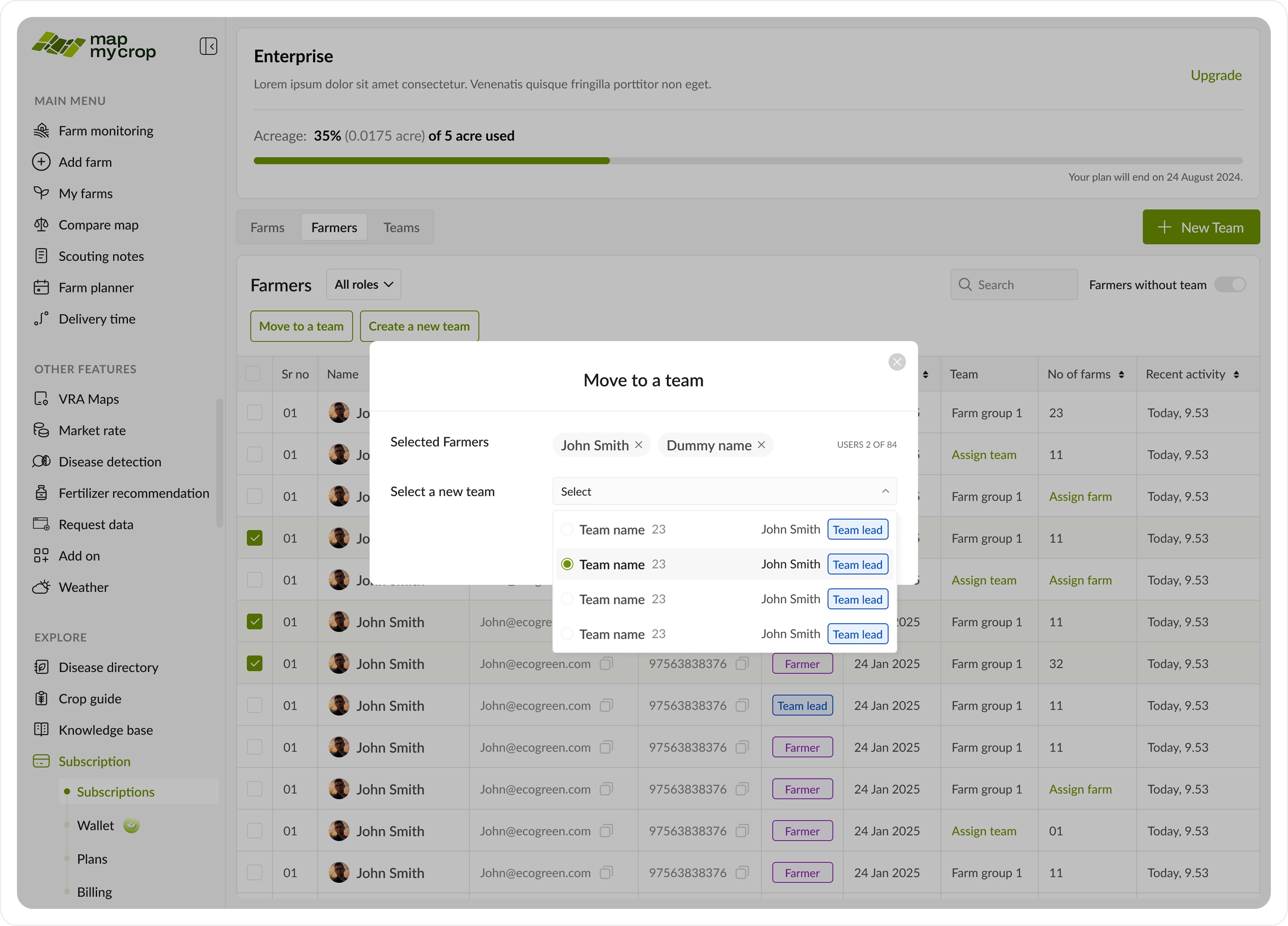
Dropdowns to select team from existing teams.
Dropdowns to select team from existing teams.
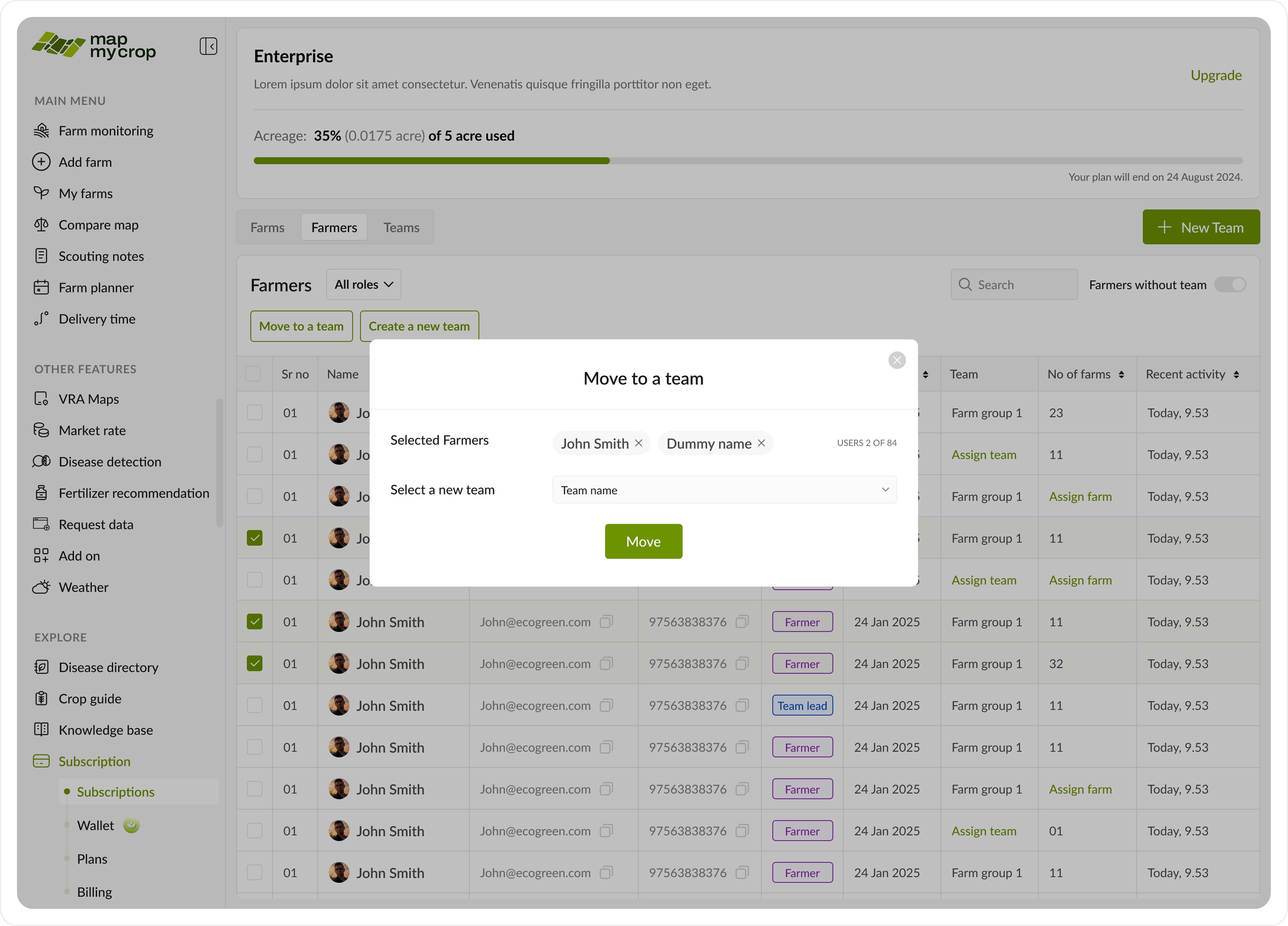
CTA to finally move selected farmers.
CTA to finally move selected farmers.
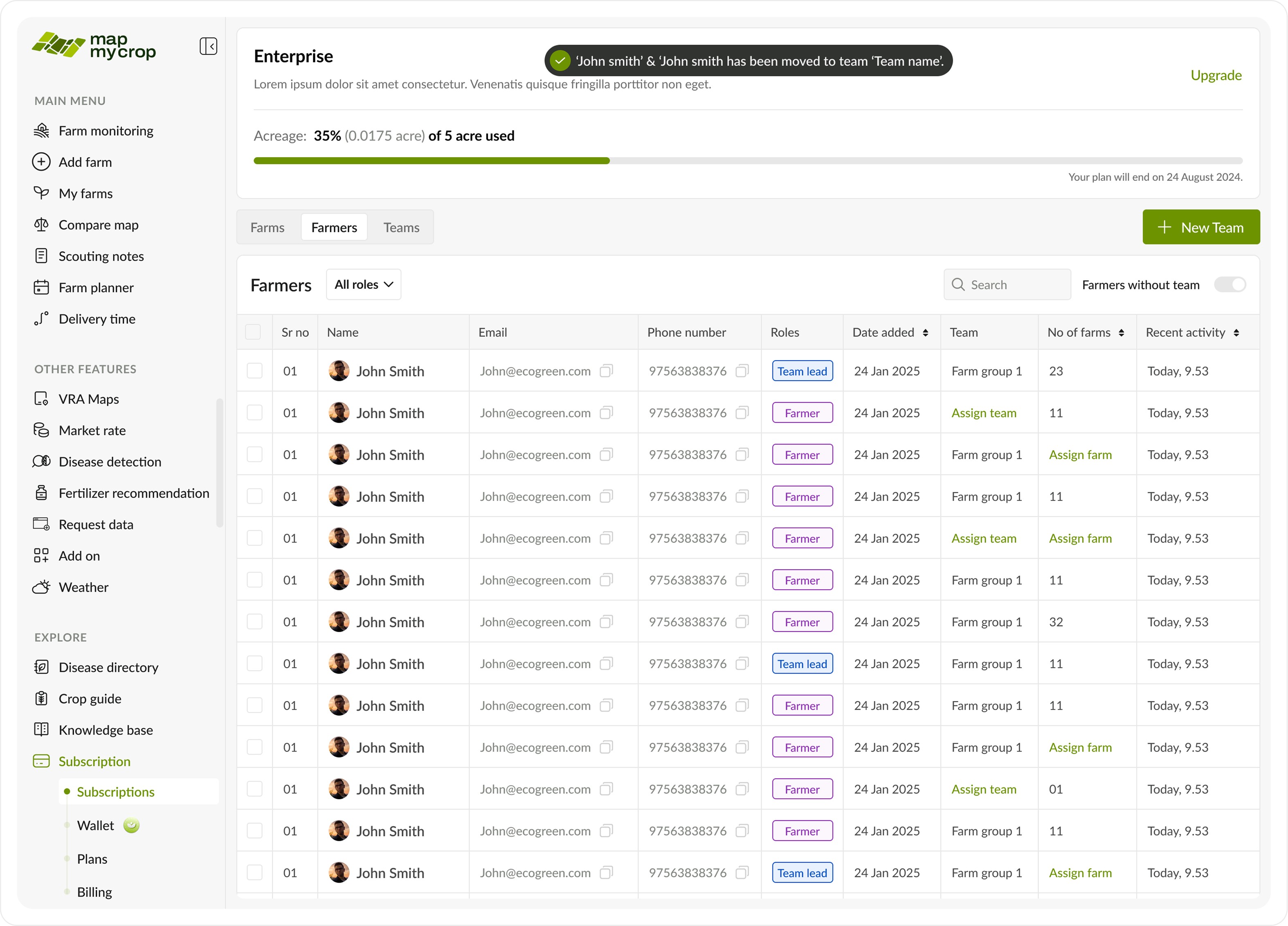
A toast is shown and the table is updated.
A toast is shown and the table is updated.
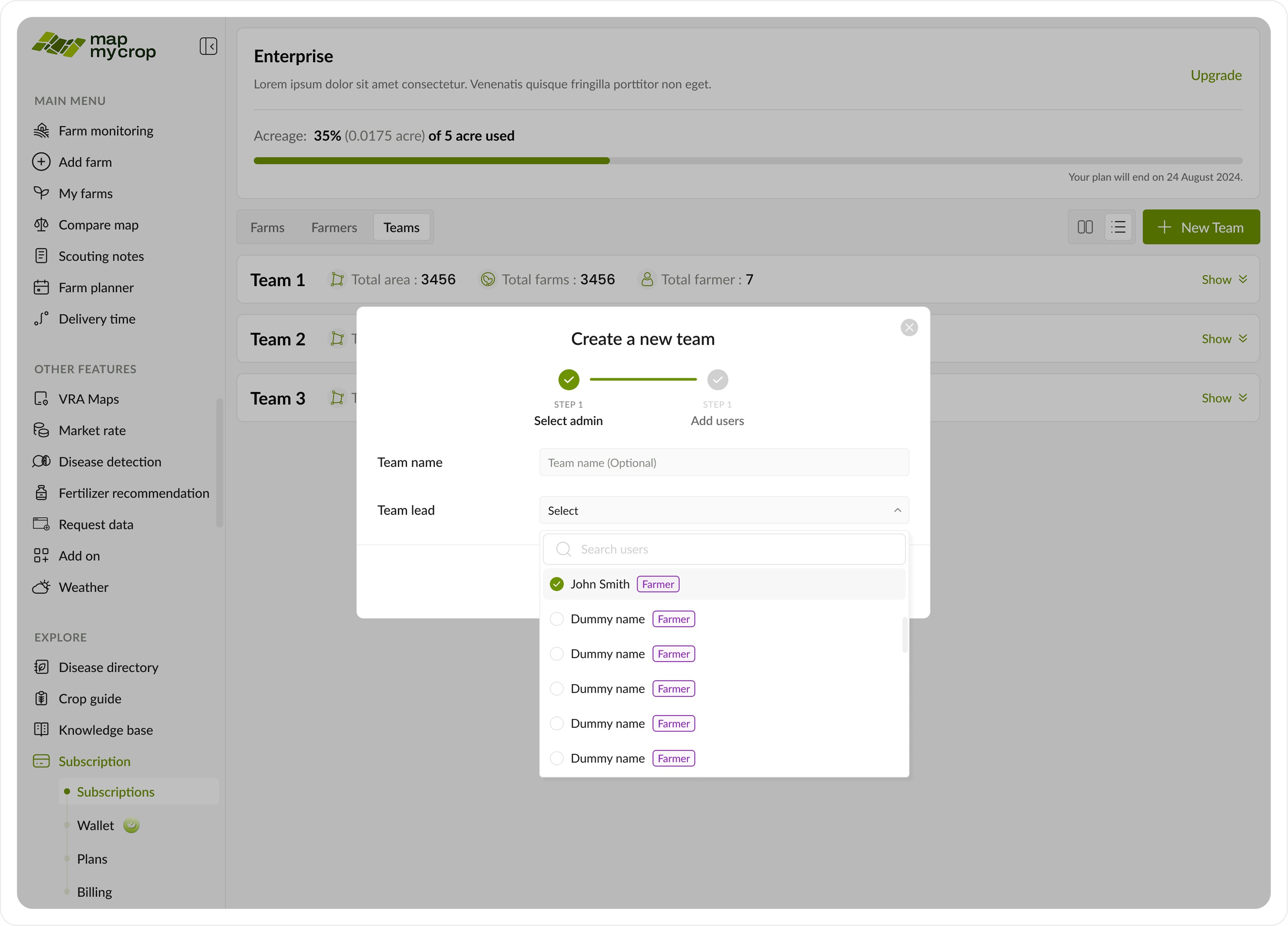
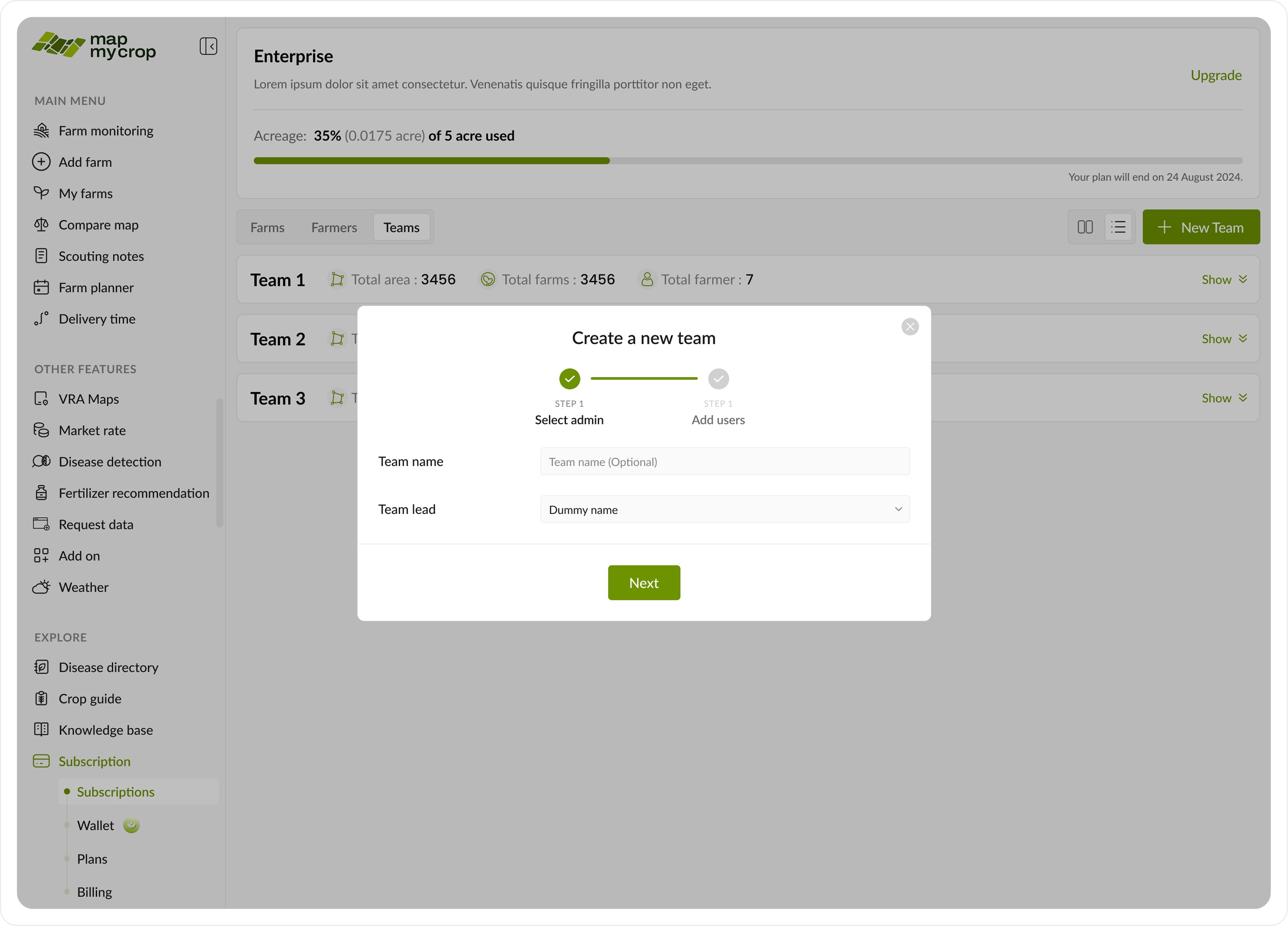
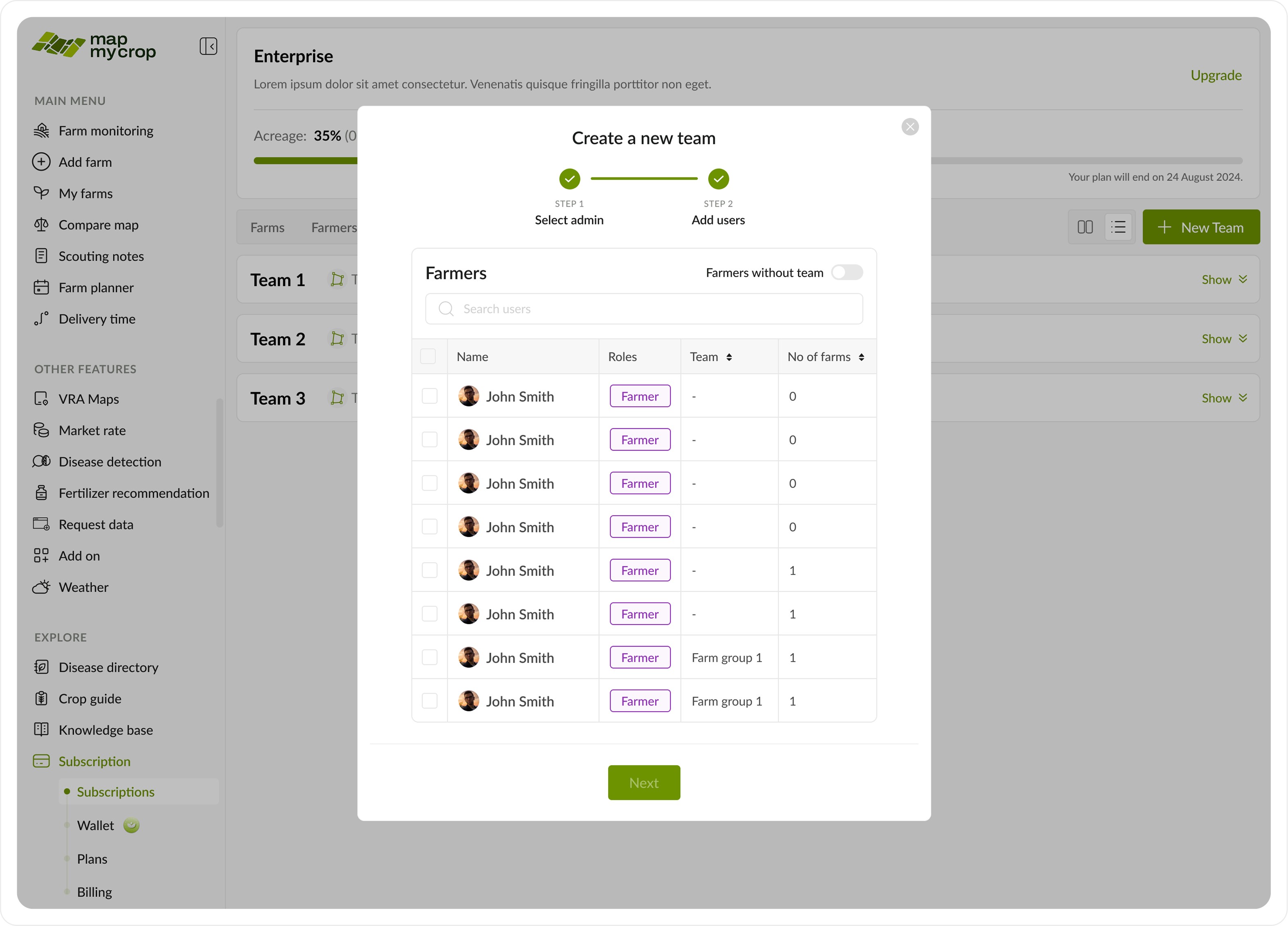
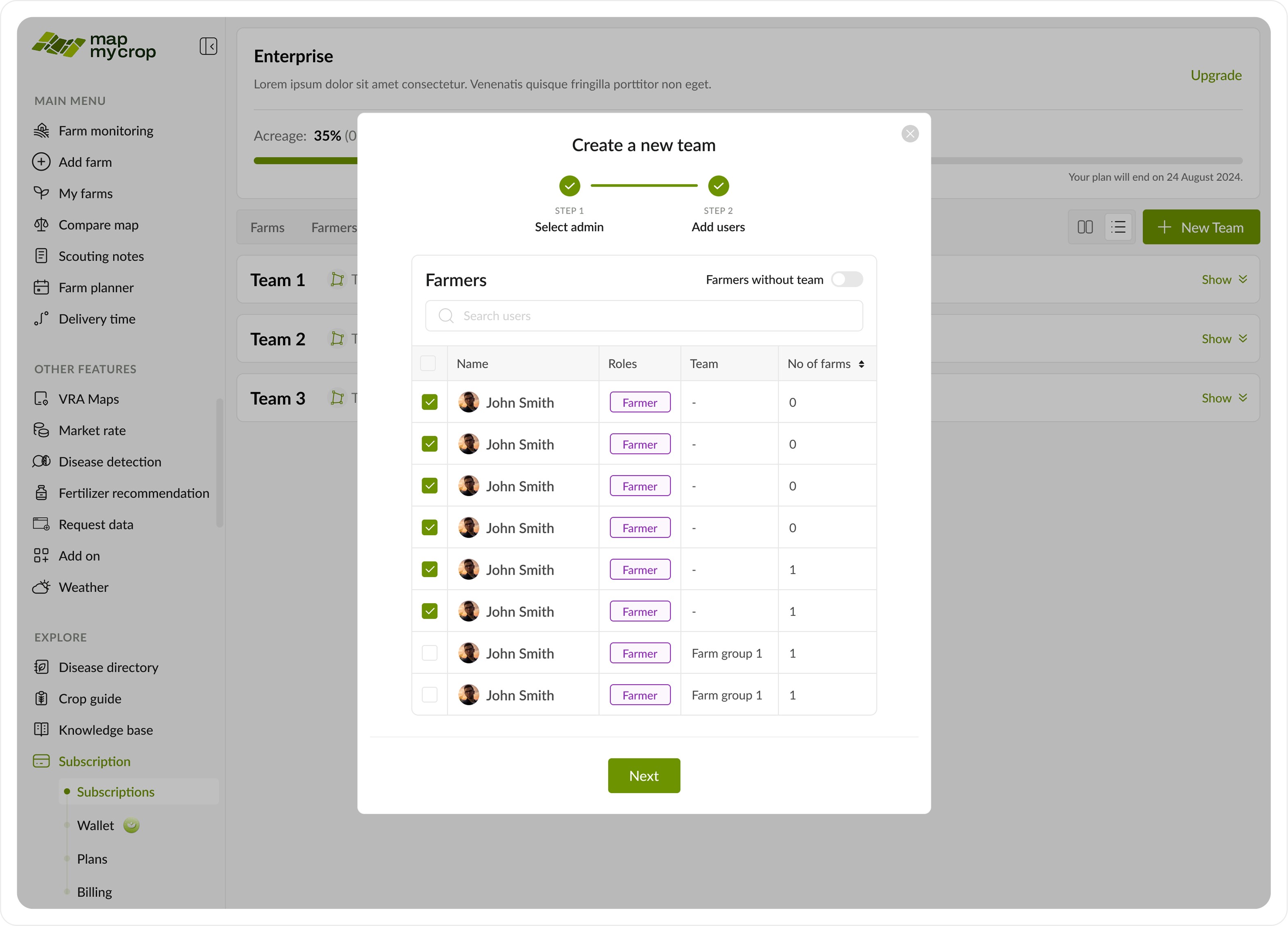
Create a new team
Create a new team
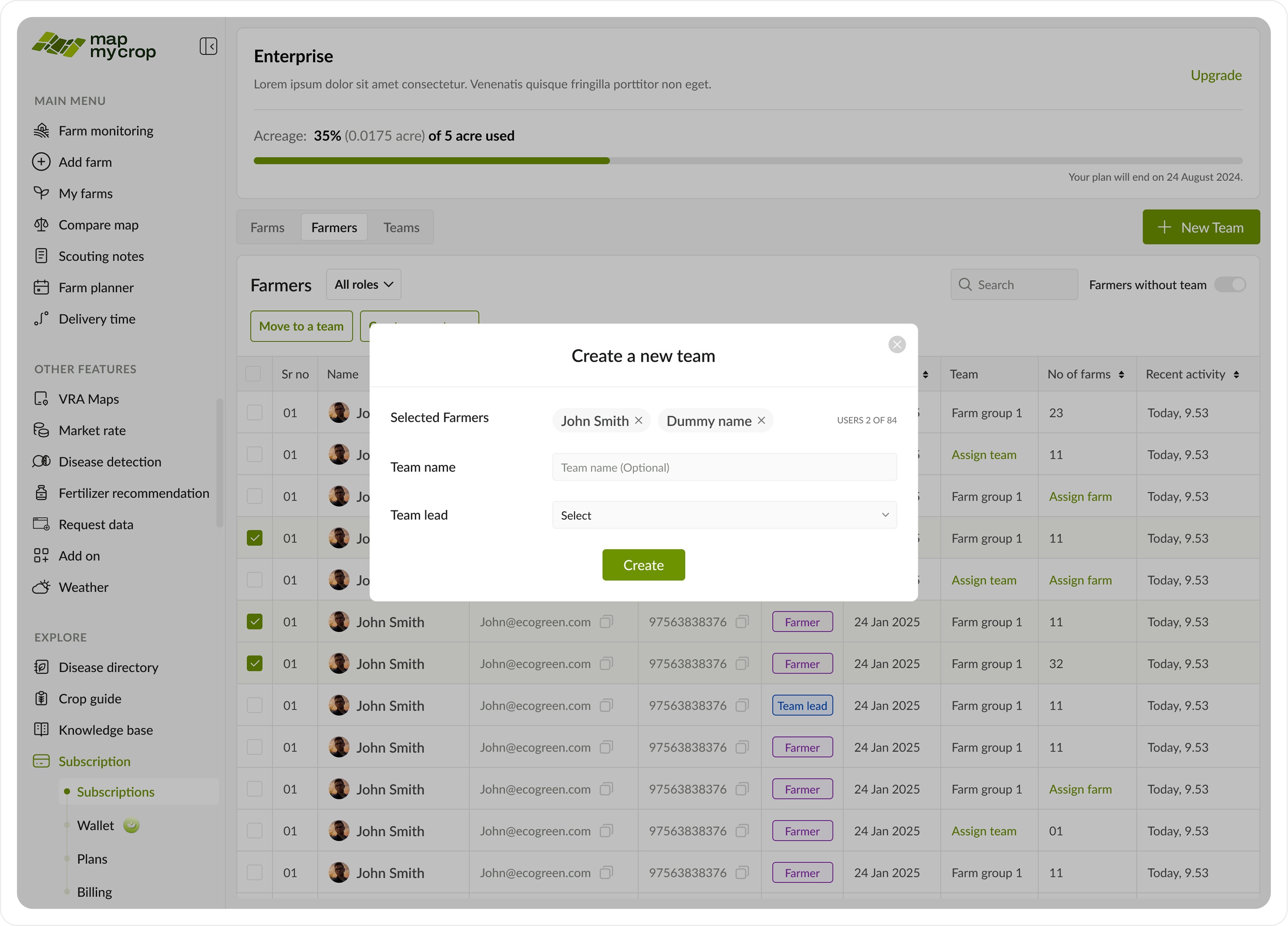
Create a new team with selected farmers pop up.
Create a new team with selected farmers pop up.
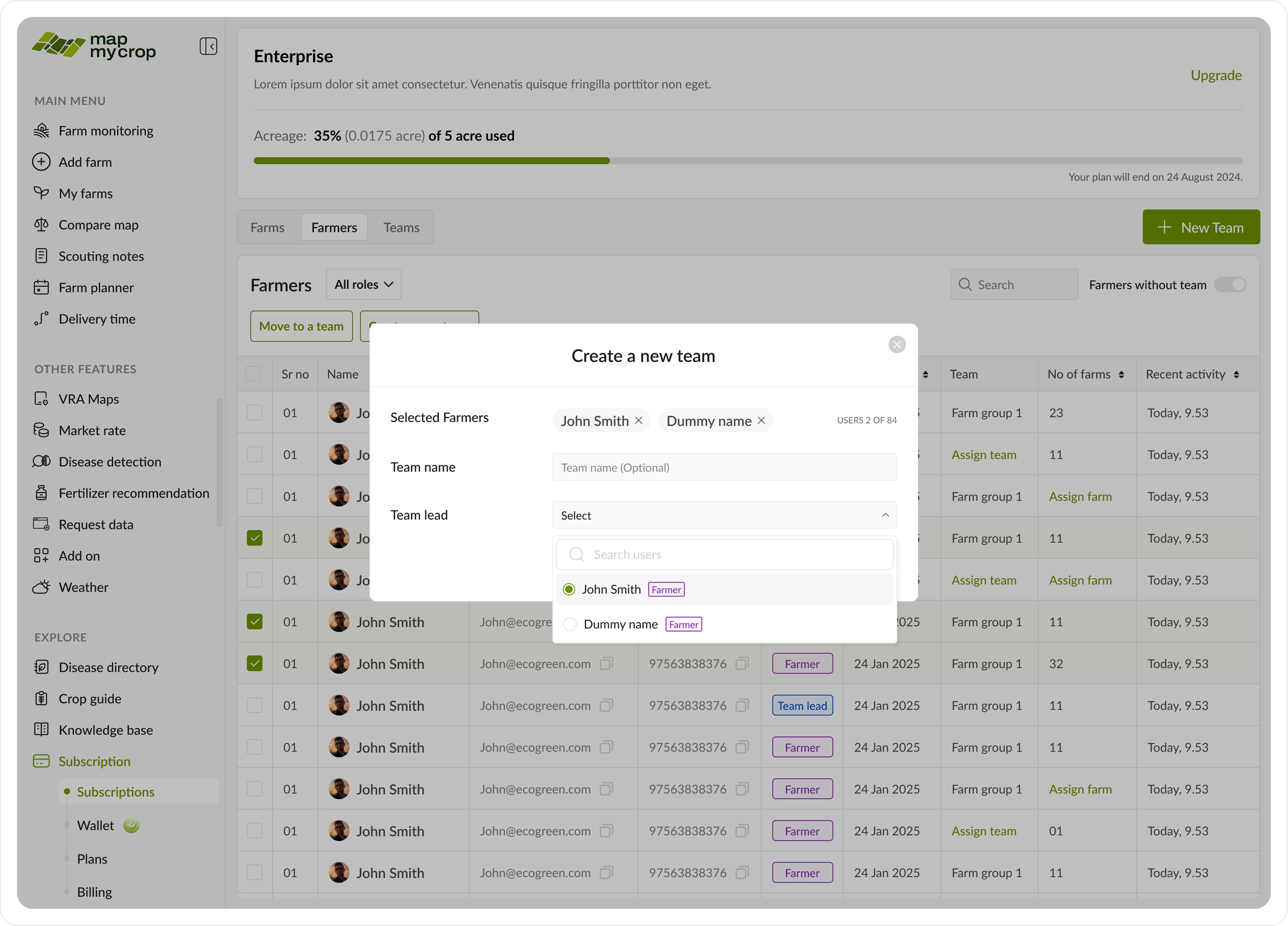
Dropdowns to select team lead from existing team leads.
Dropdowns to select team lead from existing team leads.
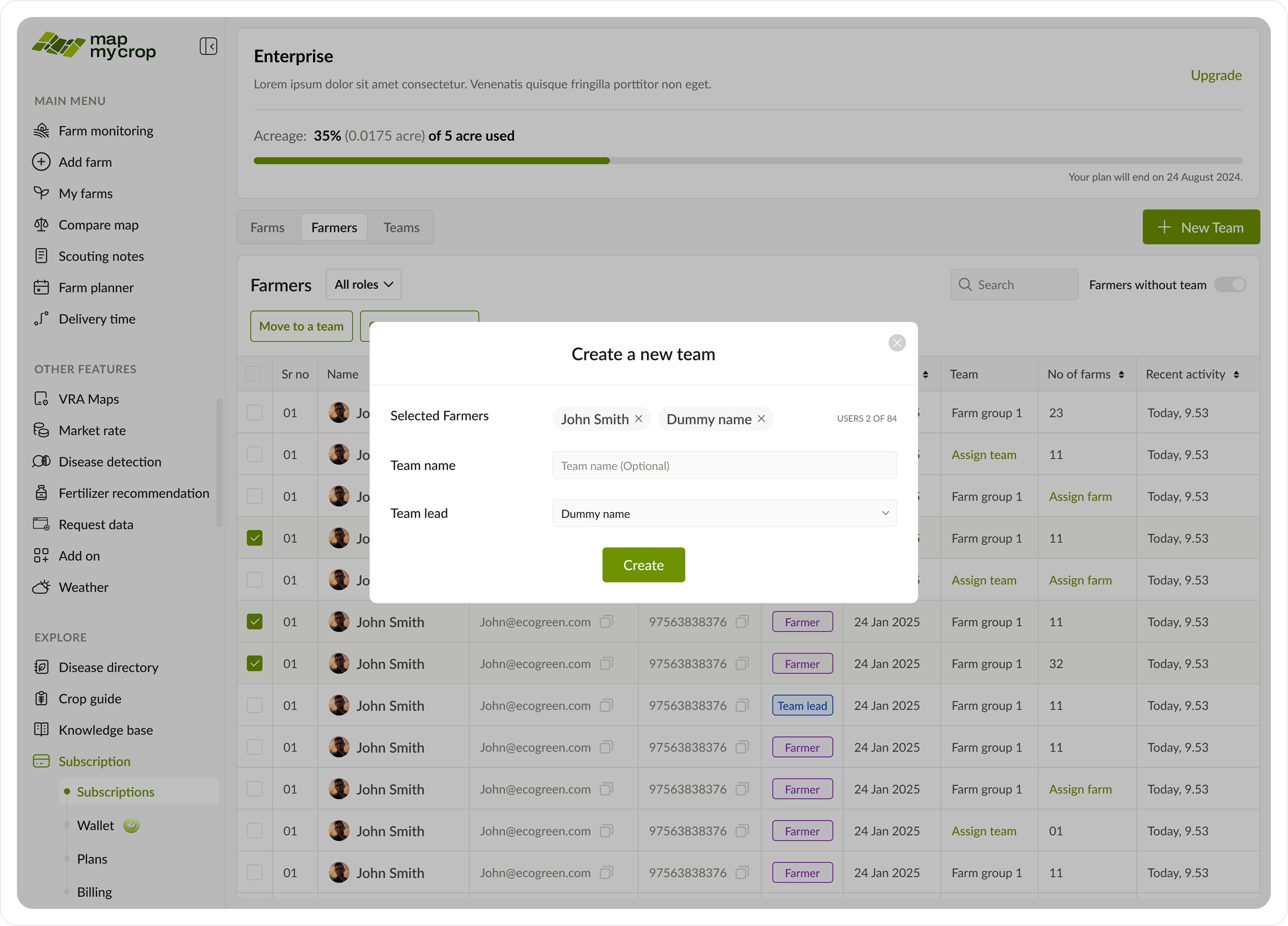
CTA to finally create the new team with selected farmers.
CTA to finally create the new team with selected farmers.
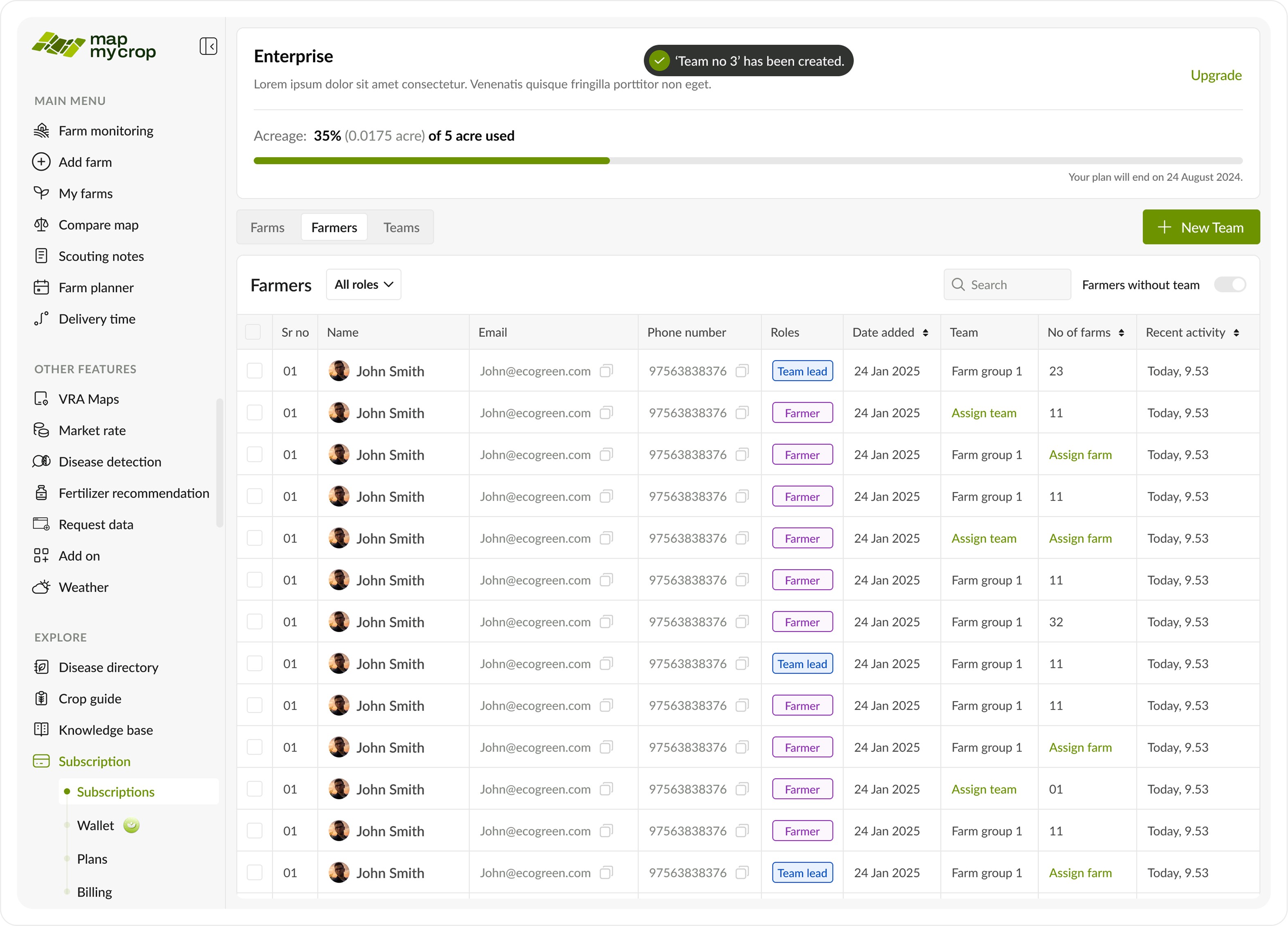
A toast is shown and the table is updated.
A toast is shown and the table is updated.
C. Teams Tab
C. Teams Tab

This is a key section where the enterprise admin can manage all farmers, view their details, roles, teams, and the number of farms they manage.
This is a key section where the enterprise admin can manage all farmers, view their details, roles, teams, and the number of farms they manage.
This page includes an additional toggle to switch between farms (as shown below), farmers, and teams.
This page includes an additional toggle to switch between farms (as shown below), farmers, and teams.
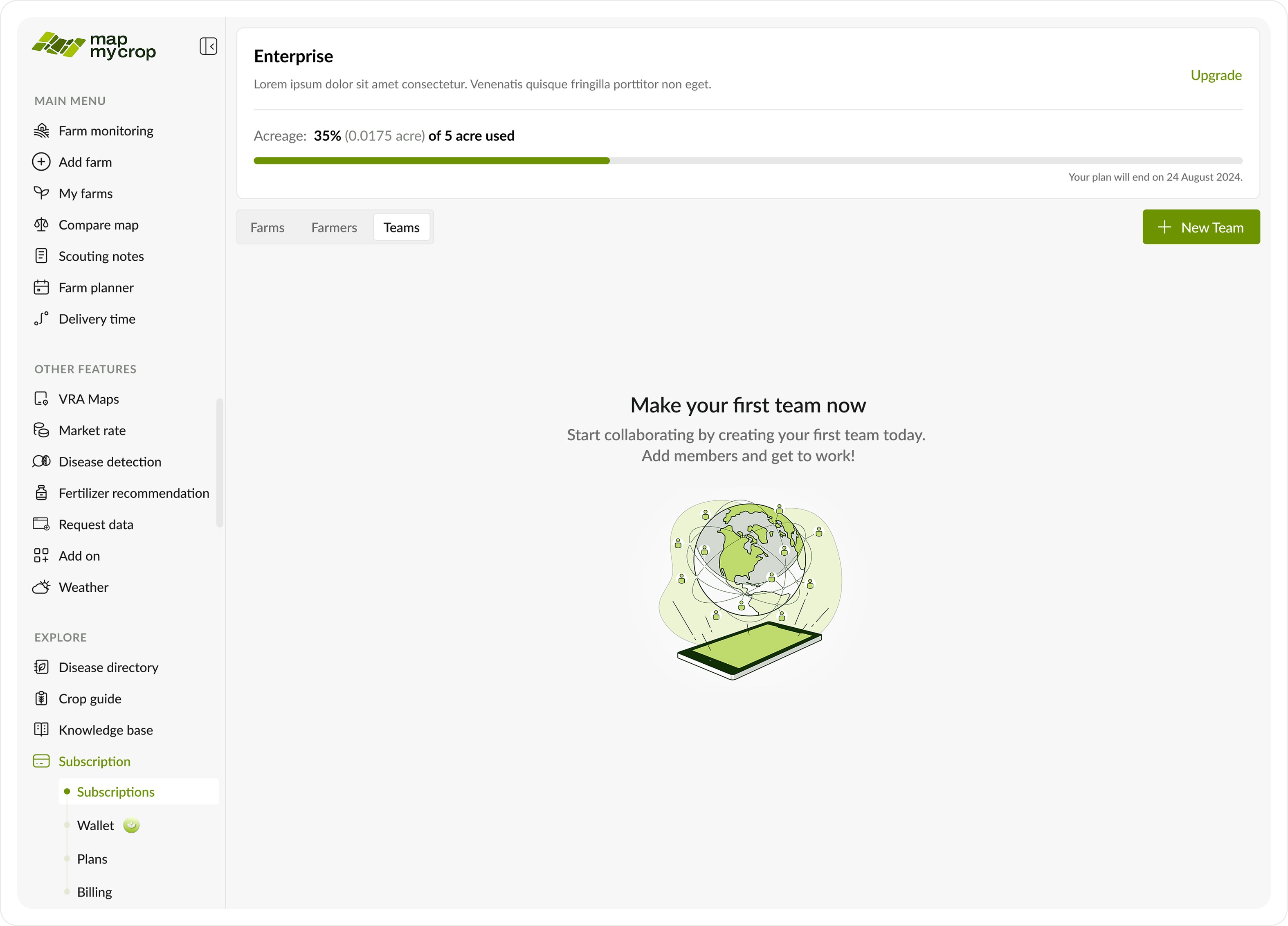
Empty state.
Empty state.
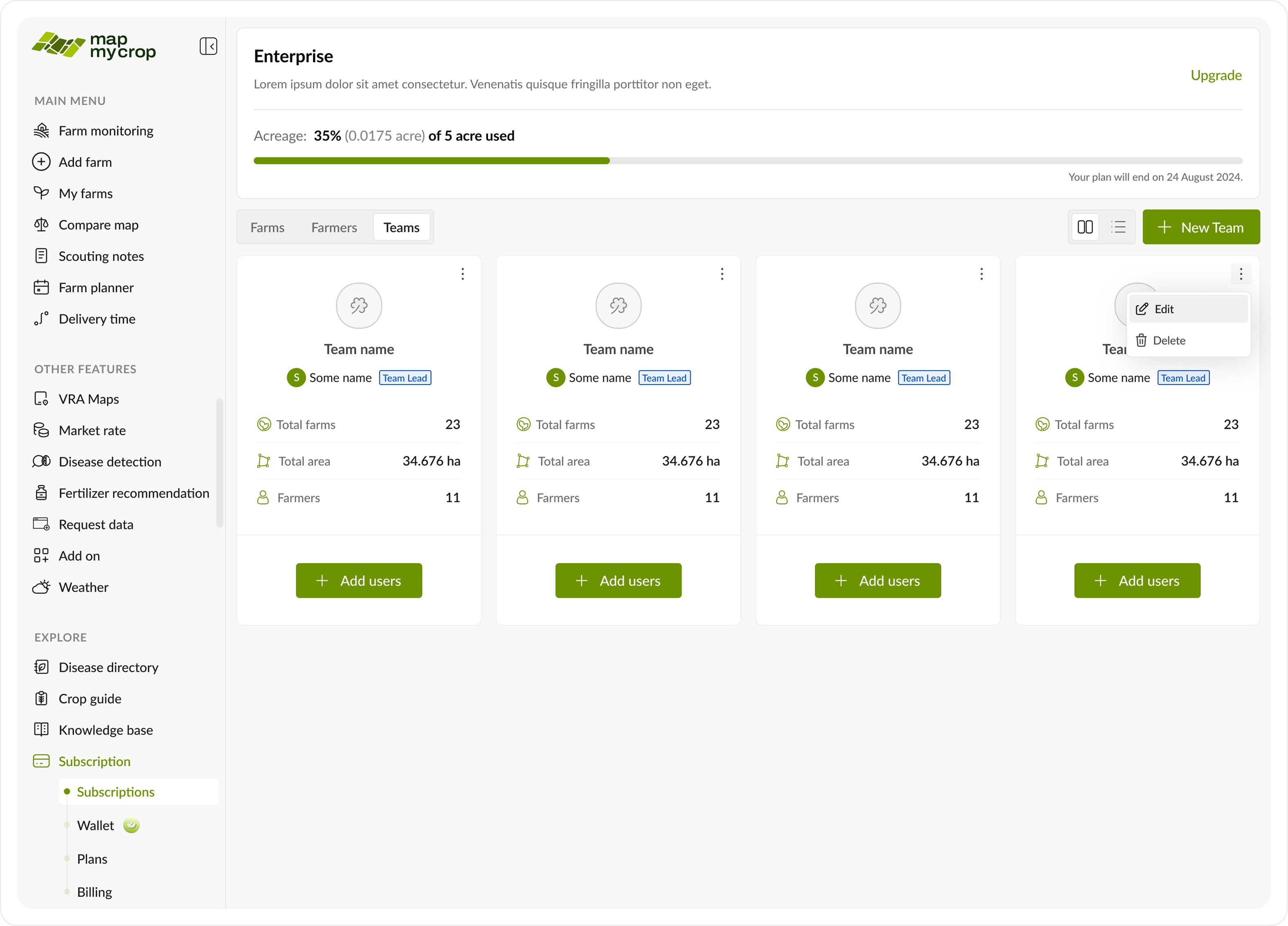
This is a key section where the enterprise admin can manage all farmers, view their details, roles, teams, and the number of farms they manage.
This is a key section where the enterprise admin can manage all farmers, view their details, roles, teams, and the number of farms they manage.
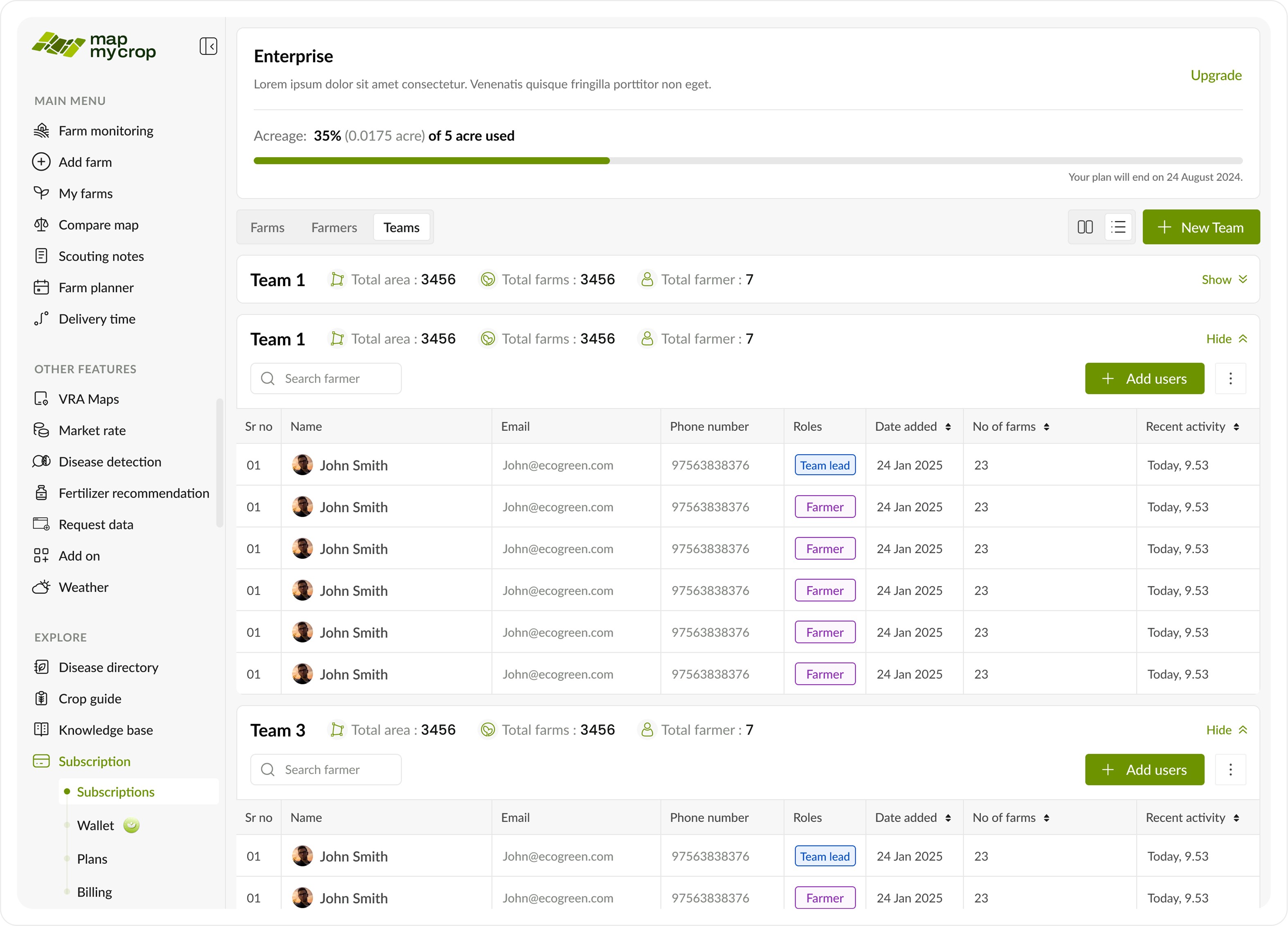
This is a key section where the enterprise admin can manage all farmers, view their details, roles, teams, and the number of farms they manage.
This is a key section where the enterprise admin can manage all farmers, view their details, roles, teams, and the number of farms they manage.
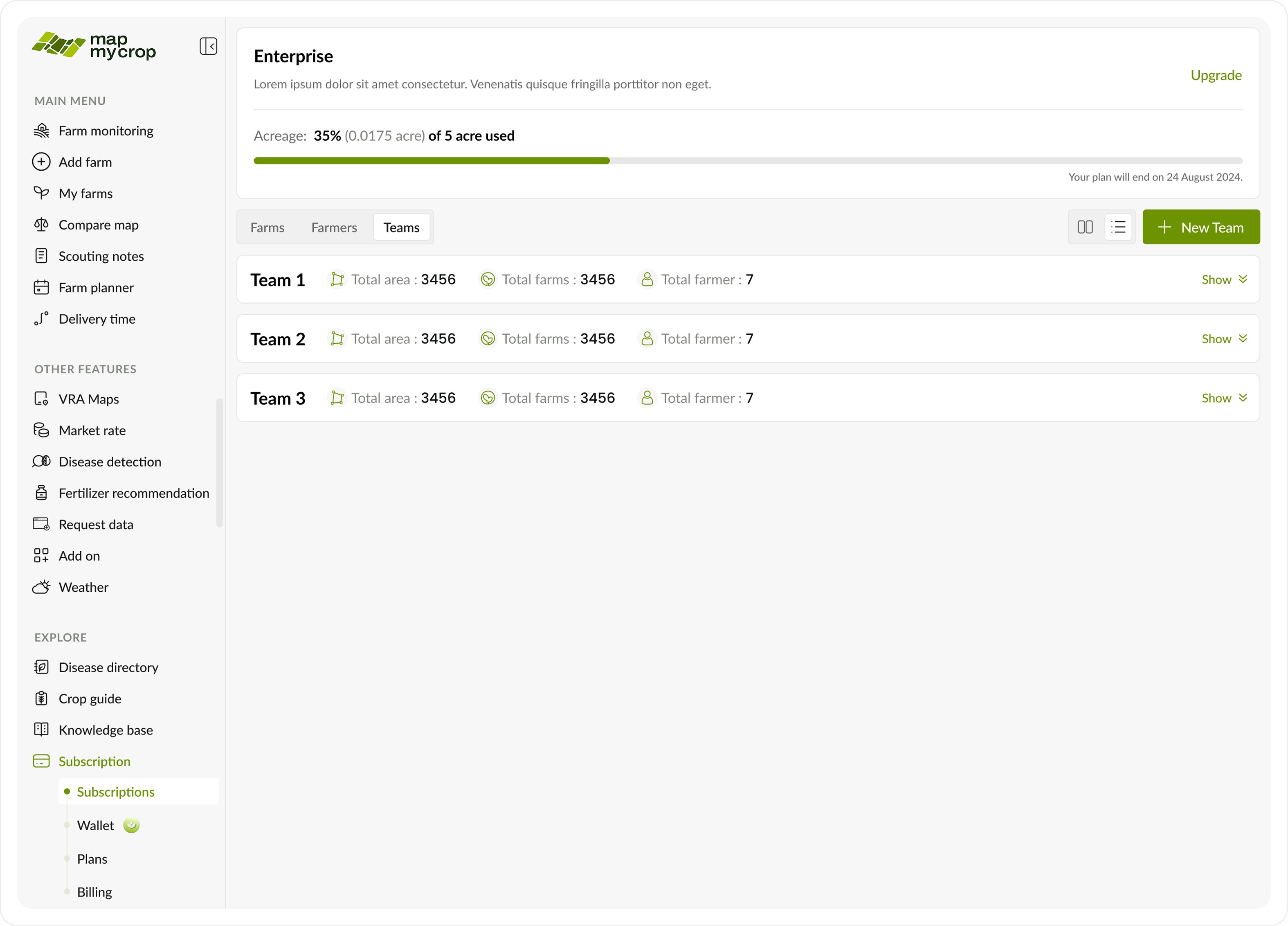
There’s an option to toggle between farmers without a team, making it easier for the admin to assign or move them. A dropdown filter is also available to sort by role.
There’s an option to toggle between farmers without a team, making it easier for the admin to assign or move them. A dropdown filter is also available to sort by role.
Create a new team
Create a new team
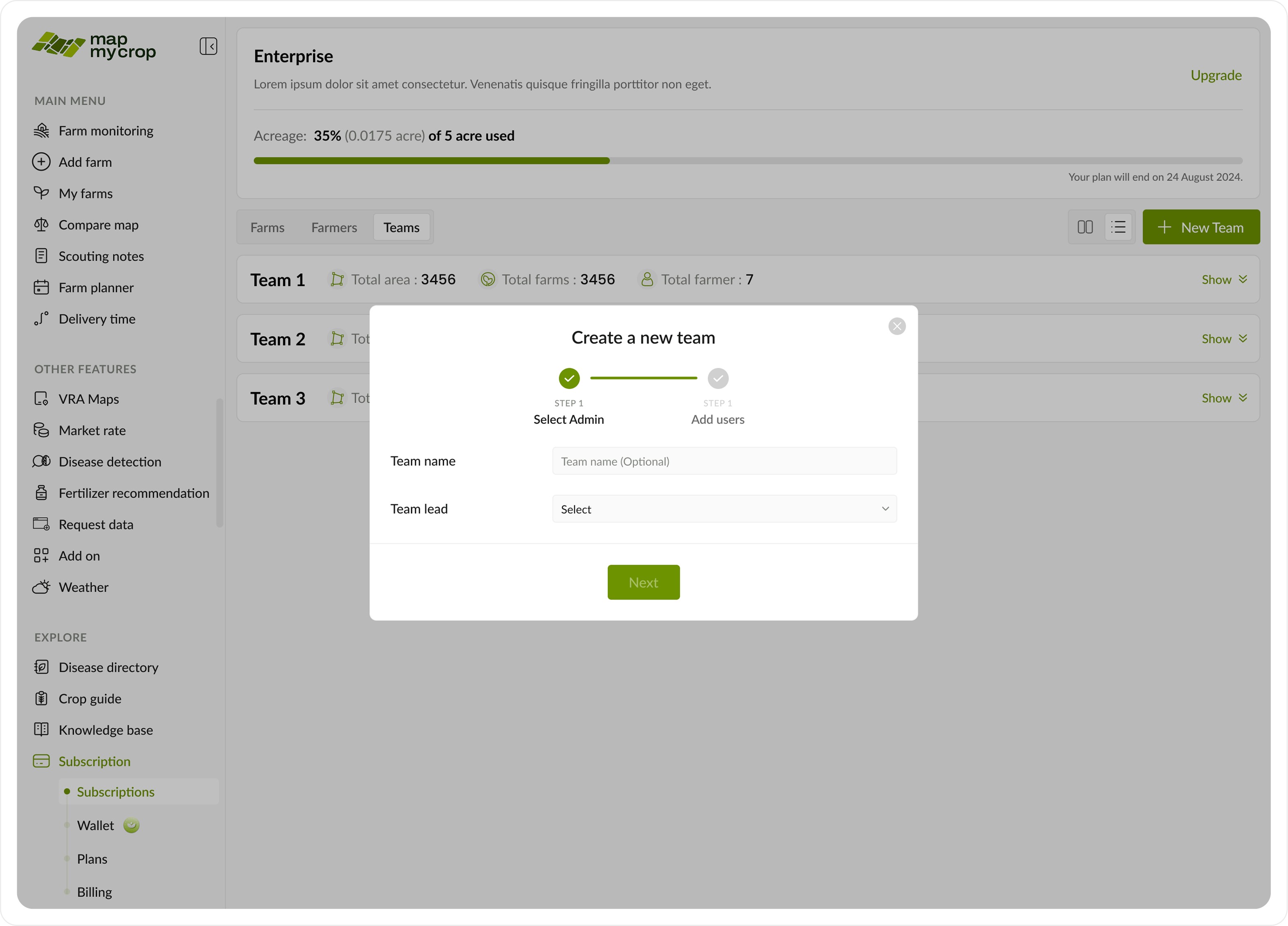
Move to a team pop up.
Move to a team pop up.
Move to a team pop up.
Move to a team pop up.
Move to a team pop up.
Move to a team pop up.
Dropdowns to select team from existing teams.
Dropdowns to select team from existing teams.
CTA to finally move selected farmers.
CTA to finally move selected farmers.
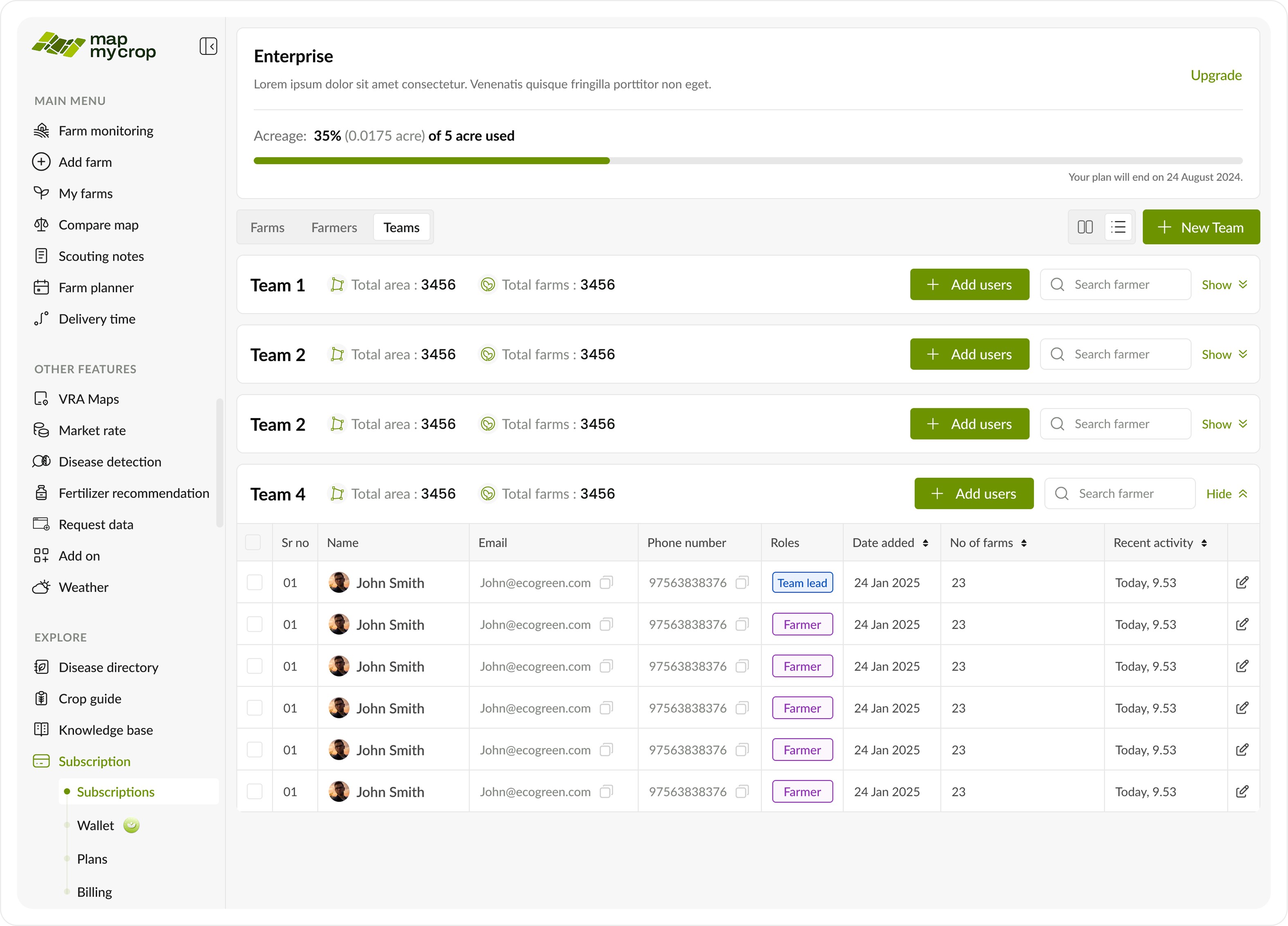
A toast is shown and the table is updated.
A toast is shown and the table is updated.
Edit team
Edit team
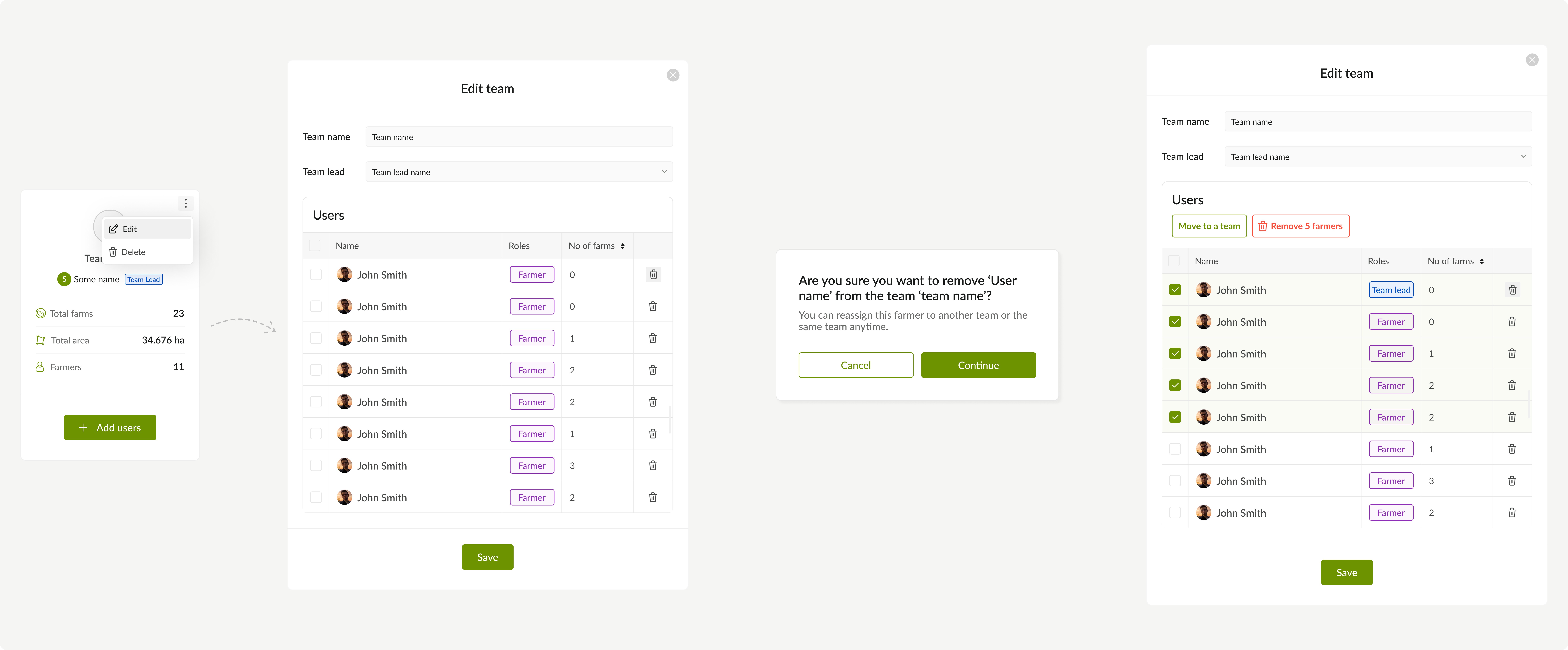
Create a new team with selected farmers pop up.
Create a new team with selected farmers pop up.
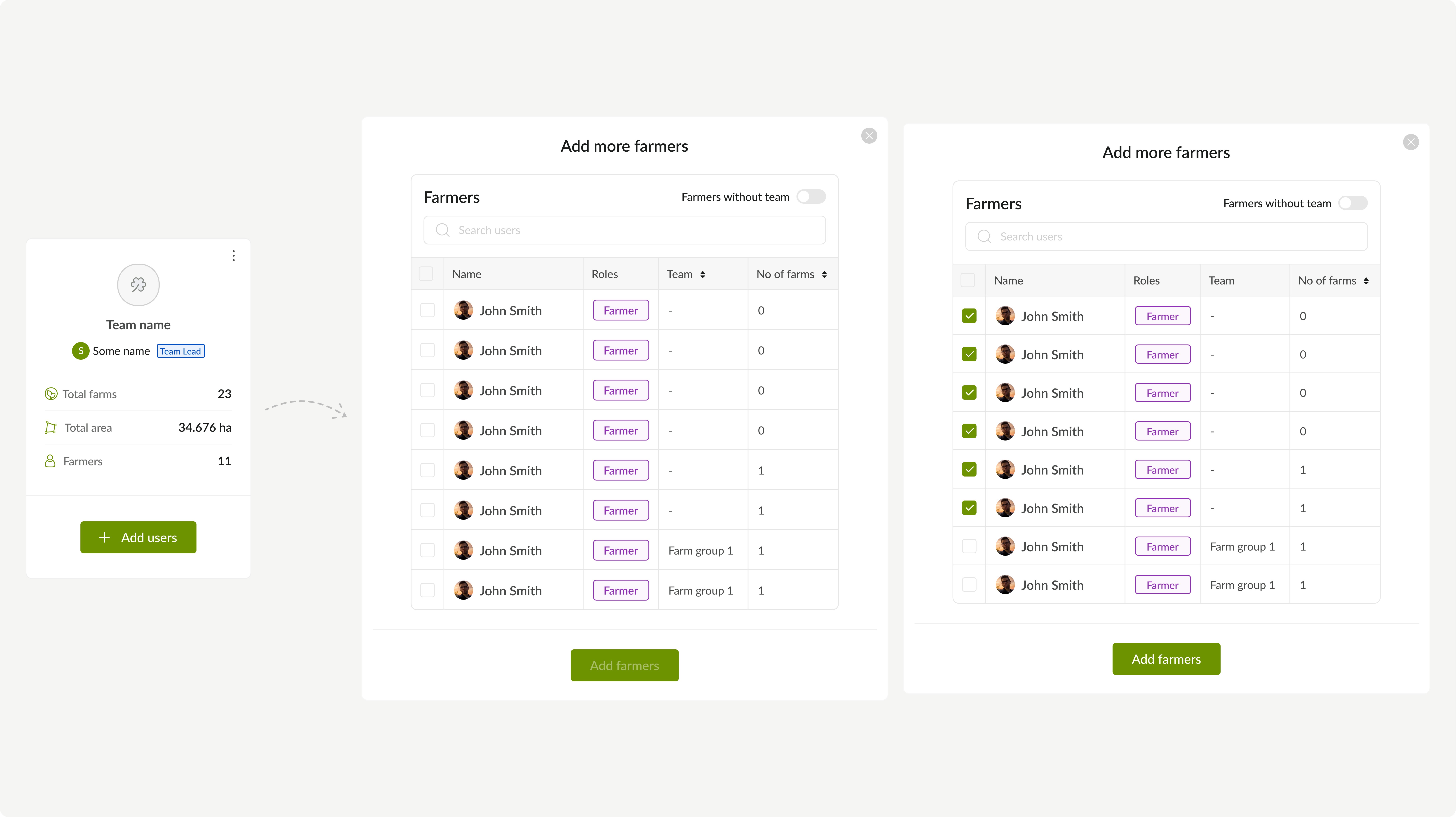
Create a new team with selected farmers pop up.
Create a new team with selected farmers pop up.
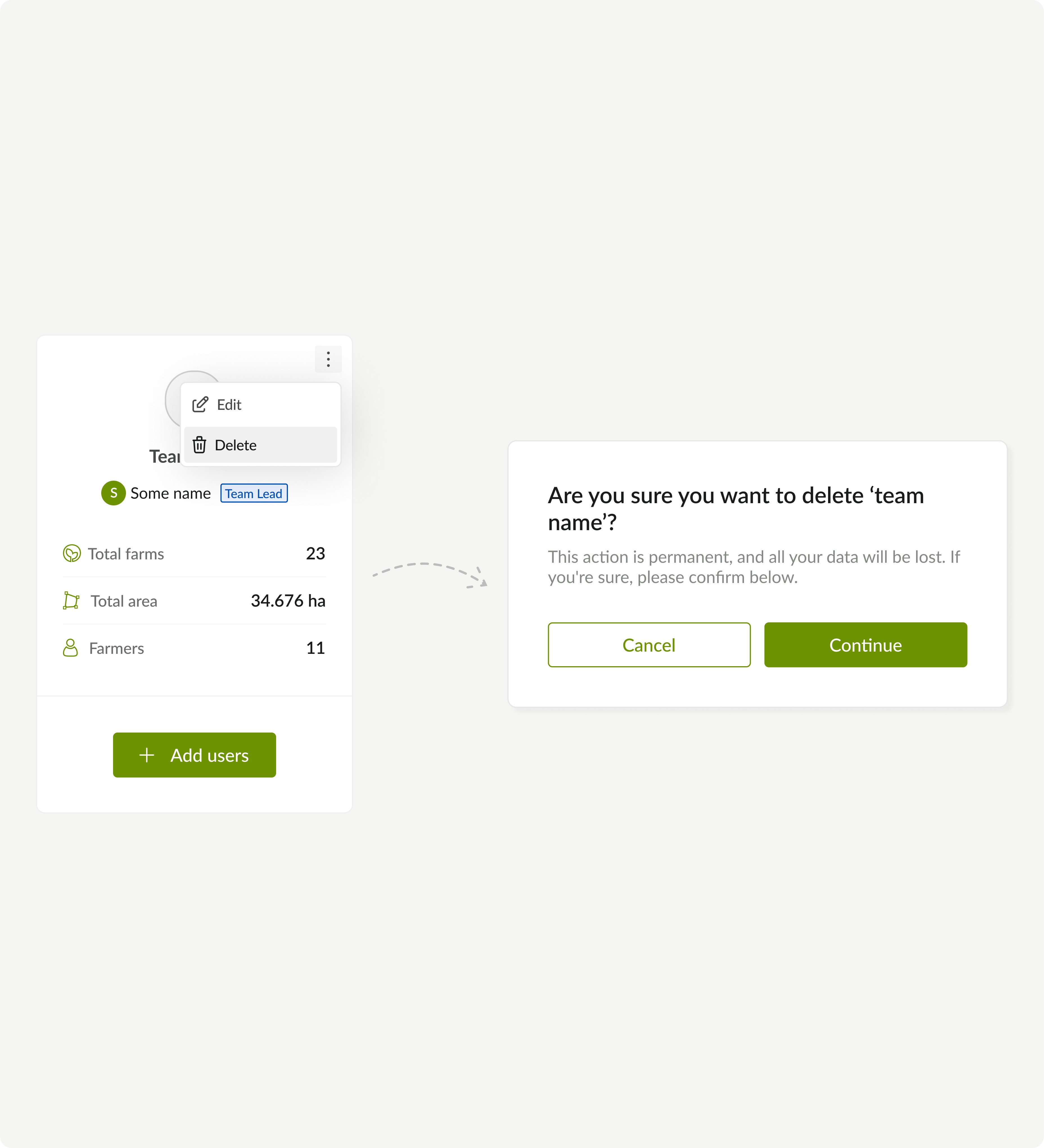
Create a new team with selected farmers pop up.
Create a new team with selected farmers pop up.
Case III: Team lead’s POV
Case III: Team lead’s POV
Apart from the Teams tab, which displays all teams and allows edits, the team lead has access to the following tab and its functions.
Apart from the Teams tab, which displays all teams and allows edits, the team lead has access to the following tab and its functions.
Free and paid farms
Free and paid farms
Confirmation Pop up
Confirmation Pop up
Toast
Toast
Assign a farmer
Assign a farmer
Free and paid farms
Free and paid farms
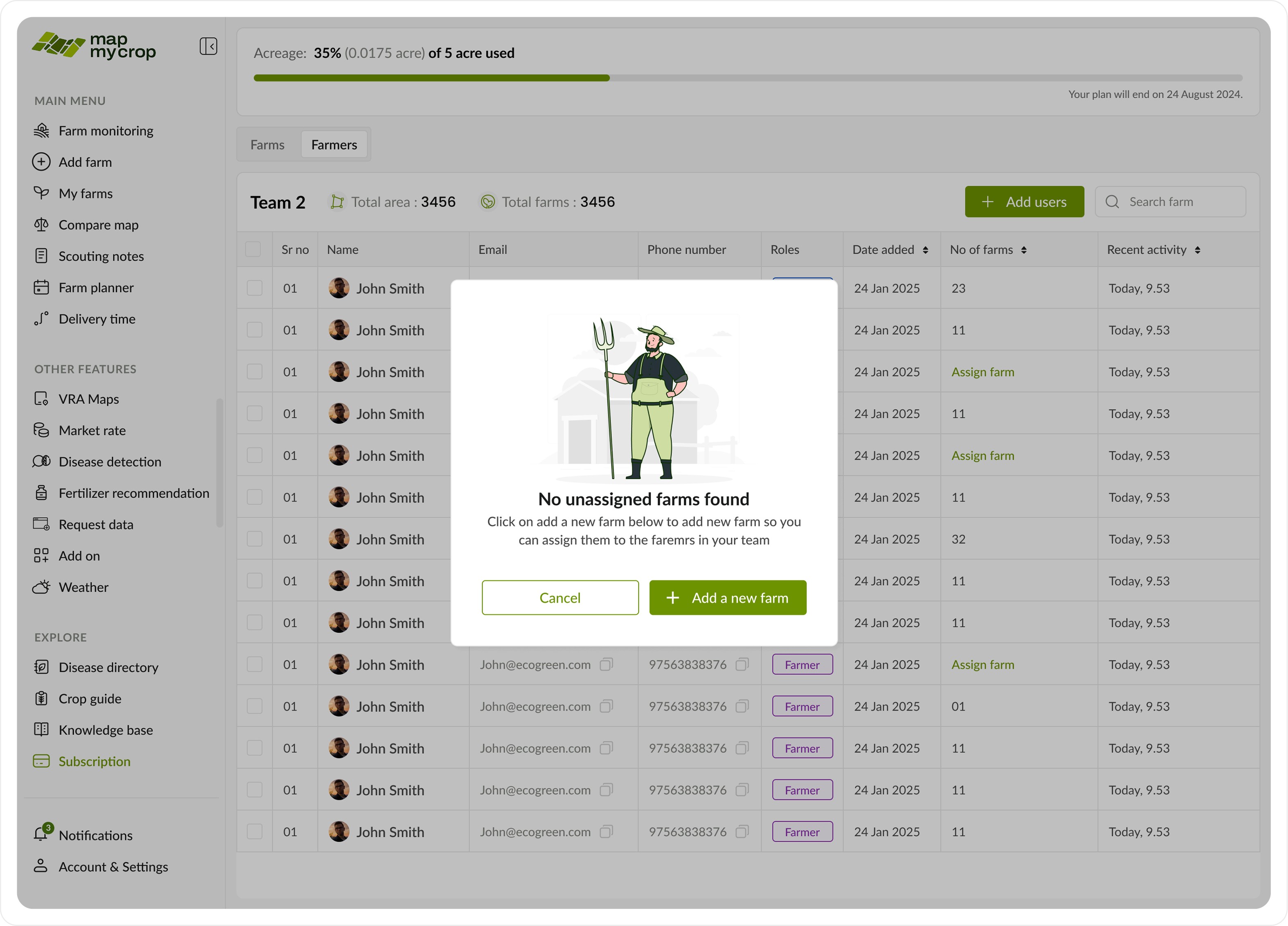
Text
Text
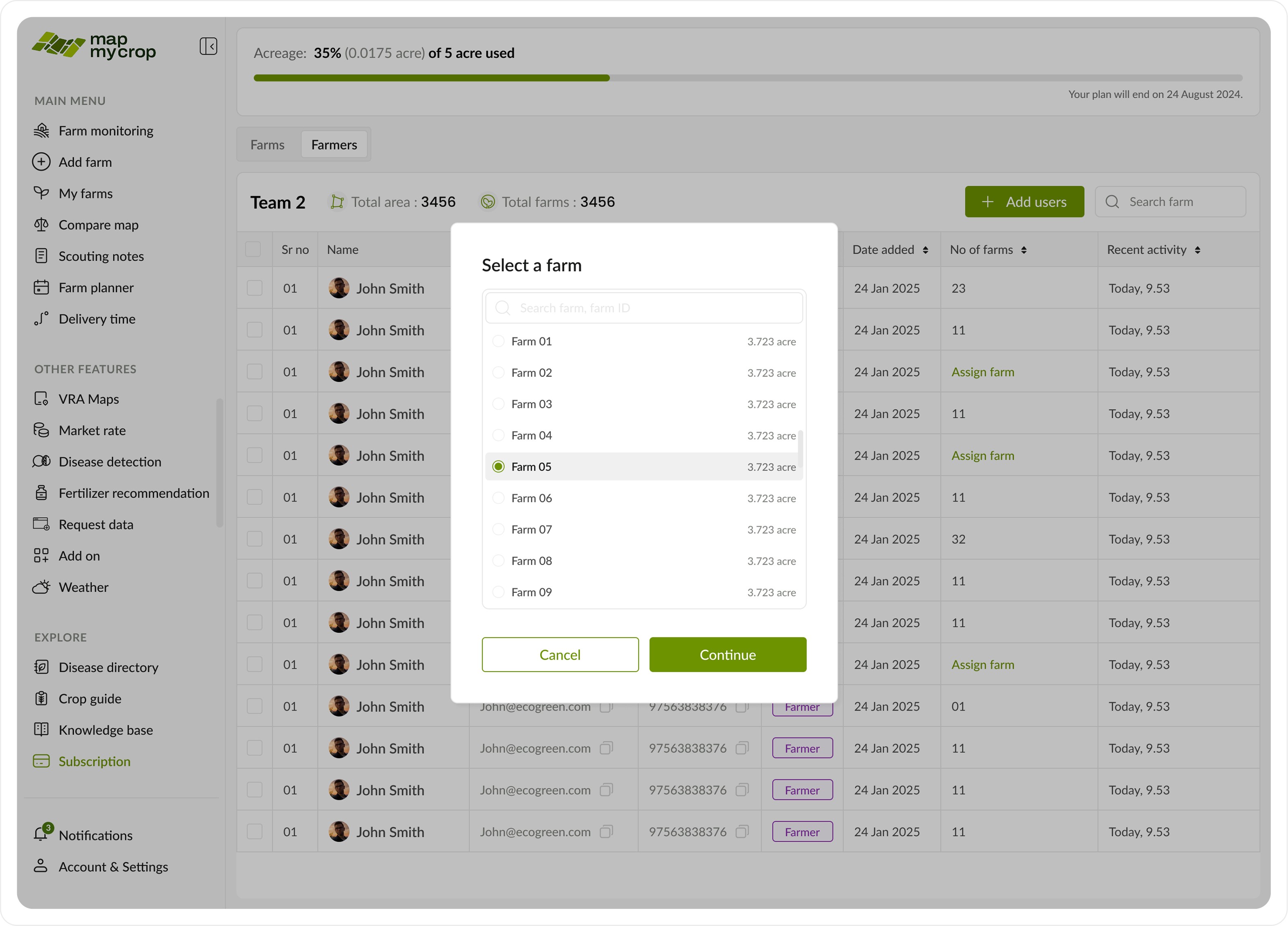
Text
Text
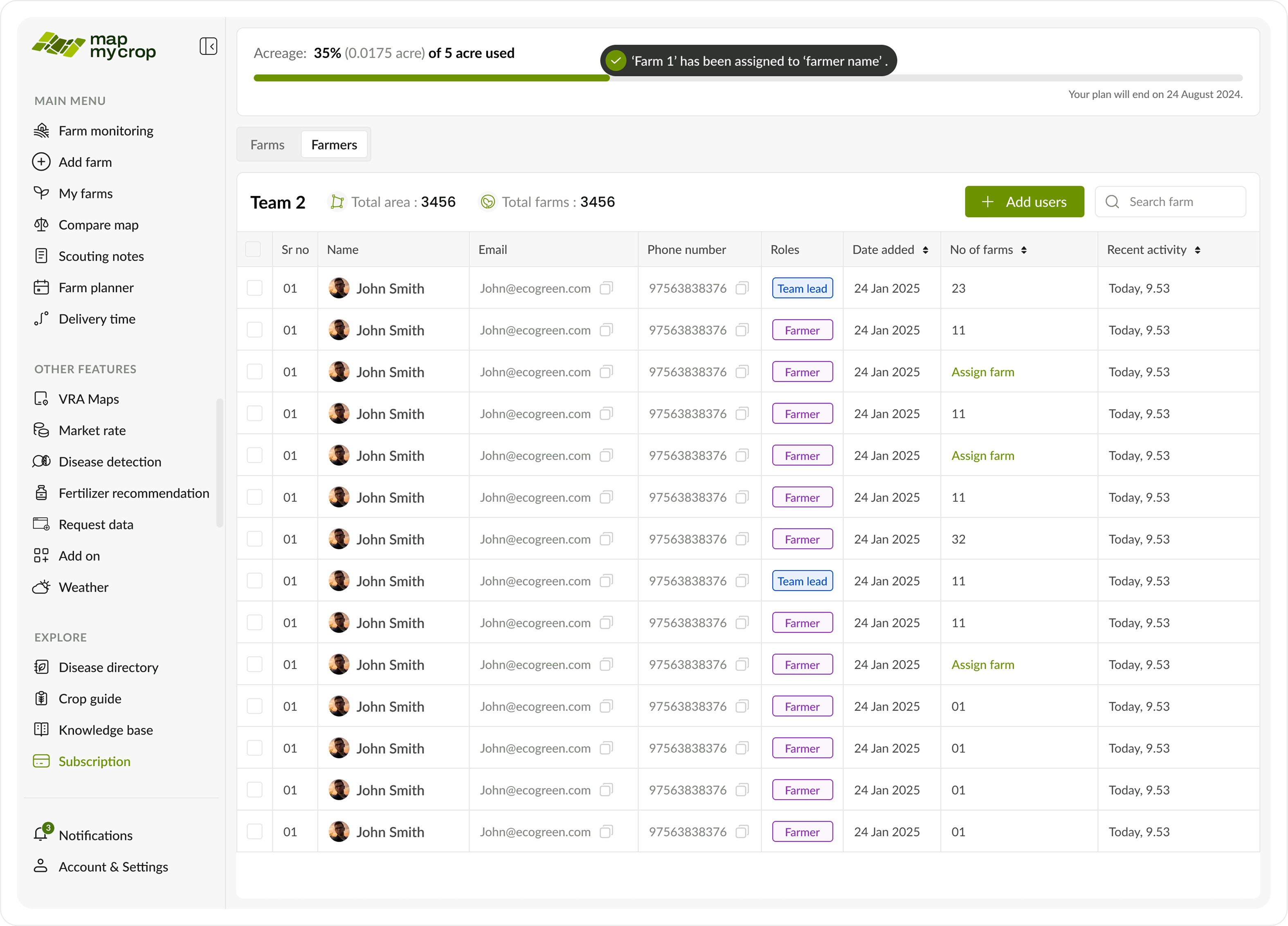
Text
Text
Case IV: Farmer’s POV
Case IV: Farmer’s POV
Apart from the Teams tab, which displays all teams and allows edits, the team lead has access to the following tab and its functions.
Apart from the Teams tab, which displays all teams and allows edits, the team lead has access to the following tab and its functions.
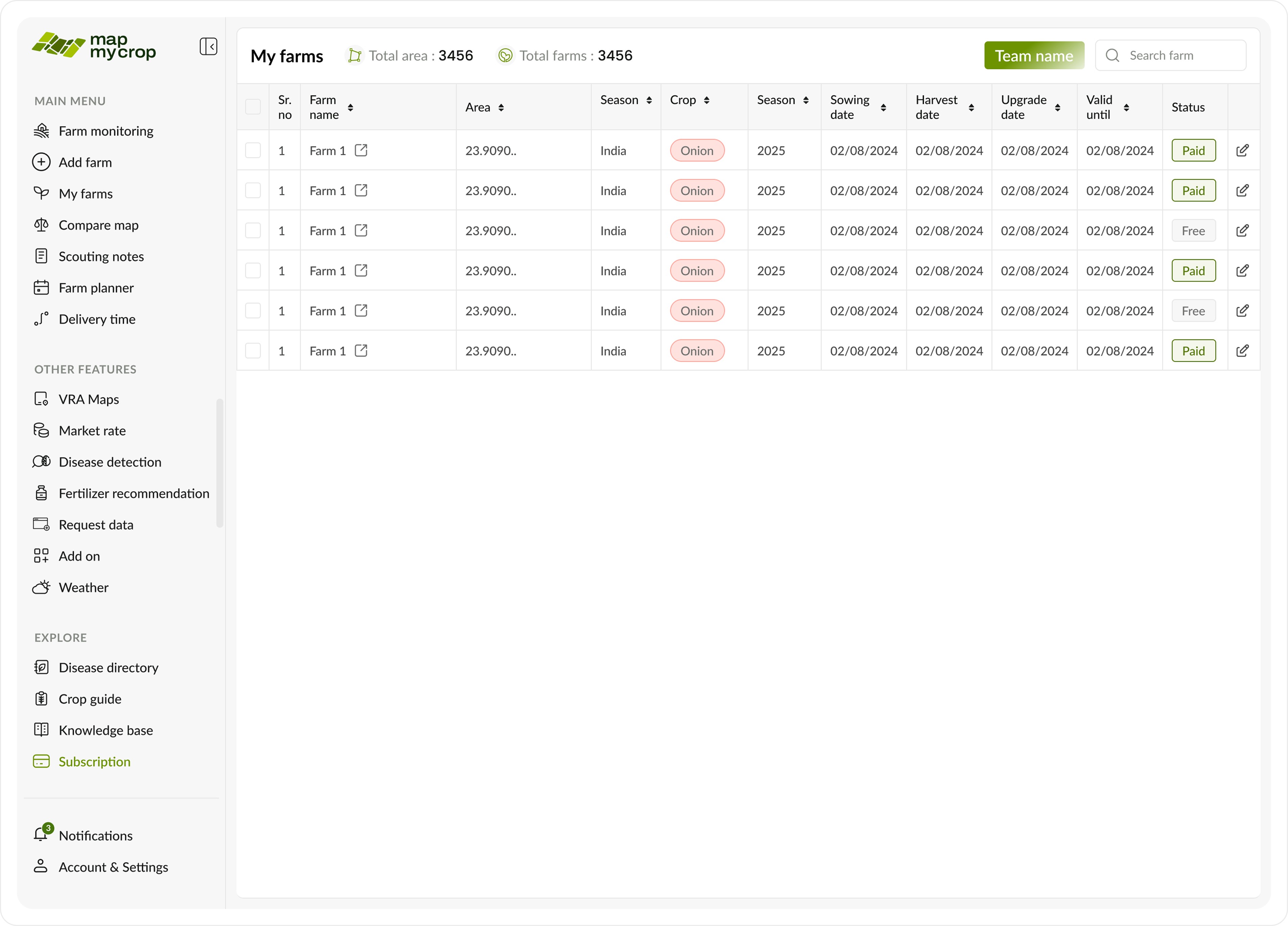
Free and paid farms
Free and paid farms
Impact and Outcomes
Impact and Outcomes
Achieved at least a 30% acceleration in previously manual reduction tasks.
Achieved at least a 30% acceleration in previously manual reduction tasks.
Significantly reduced support tickets related to payments and upgrades.
Significantly reduced support tickets related to payments and upgrades.
Increased enterprise client satisfaction, especially for those managing over 100 farms.
Increased enterprise client satisfaction, especially for those managing over 100 farms.
Enhanced enterprise scalability, enabling new clients to onboard independently. This empowered the sales team to secure larger clients and close more significant sales deals.
Enhanced enterprise scalability, enabling new clients to onboard independently. This empowered the sales team to secure larger clients and close more significant sales deals.
Reflections
Thank you for making it this far into the case study. I truly enjoyed working on this project, even as I navigated a number of challenges along the way.
This experience reaffirmed one of our core beliefs: designing for complexity isn’t about making the interface simpler, but about simplifying the thinking behind it. We learned that systems design succeeds when it builds trust through transparency, consistency, and control.
As a designer, this project deepened my understanding of how thoughtful design can bridge the gap between business logic and human usability.
Reflections
Thank you for making it this far into the case study. I truly enjoyed working on this project, even as I navigated a number of challenges along the way.
This experience reaffirmed one of our core beliefs: designing for complexity isn’t about making the interface simpler, but about simplifying the thinking behind it. We learned that systems design succeeds when it builds trust through transparency, consistency, and control.
As a designer, this project deepened my understanding of how thoughtful design can bridge the gap between business logic and human usability.
Snehal Khemnar
Because your projects deserve more than a cookie - cutter designer
Contacts
Contact
Made with love
Snehal Khemnar
Because your projects deserve more than a cookie - cutter designer
Contacts
Contact
Made with love
Snehal Khemnar
Because your projects deserve more than a cookie - cutter designer
Contacts
Contact
Made with love
Snehal Khemnar
Because your projects deserve more than a cookie - cutter designer
Contacts
Contact
Made with love
Snehal Khemnar
Because your projects deserve more than a cookie - cutter designer
Contacts
Contact
Made with love
Snehal Khemnar
Because your projects deserve more than a cookie - cutter designer
Contacts
Contact
Made with love